
heatmiser Slimline-RF V3 Programmable Wireless Thermostat Instructions

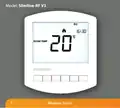
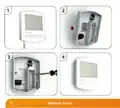














Installing the Batteries
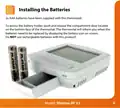
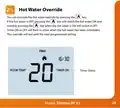
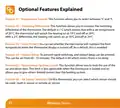
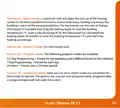
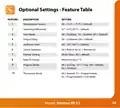
2x AAA batteries have been supplied with this thermostat.
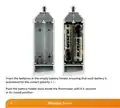
To access the battery holder, push and release the compartment door located
on the bottom face of the thermostat. The thermostat will inform you when the
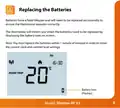
batteries need to be replaced by displaying the battery icon on screen.
Do NOT use rechargeable batteries with this product!
6
Model: Slimline-RF V3

| General | Details |
|---|---|
| Name | heatmiser Slimline-RF V3 Programmable Wireless Thermostat Instructions |
| Make | heatmiser |
| Language | English |
| Filetype | PDF (Download) |
| File size | 0.35 MB |
 (1 votes, average: 5.00 out of 5)
 Loading...

heatmiser neoStat Touch-e Touchscreen Electric Floor Heating Thermostat Owner’s Manual

heatmiser DS1-V2 Thermostat Owner’s Manual

heatmiser neoStat-e Electric Floor Heating Thermostat Instructions

heatmiser neoStat-Pro Smart Thermostat Instruction Manual

heatmiser Slimline-B V3 Programmable Room Thermostat Owner’s Manual


GLOBAL Touch Screen Thermostat HY08AC User Manual

network thermostat X X7-WIFI Smart Touchscreen Thermostat Instructions

LUXPRO PSD111+ Series Thermostat Instruction Manual

ELKO ep TER-4 Double Thermostat Owner’s Manual

TIOEVO0003 TEVO Wireless Thermostat User Manual

VASCO BHT-3000 Series Thermostat User Guide

Gigaset Thermostat Instruction Manual

CYDATA CY917B Daisy Wi-Fi Thermostat User Guide

GREYSTONE TLGLF24X01 Glass Low Limit Thermostat Instruction Manual

Stelpro Uniwatt UTE202NP NON PROGRAMMABLE ELECTRONIC THERMOSTAT