
Home > ENGO CONTROLS > ENGO CONTROLS E901-RF Programmable Wireless Thermostat Instruction Manual
ENGO CONTROLS E901-RF Programmable Wireless Thermostat Instruction Manual
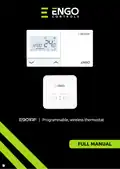

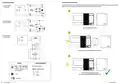
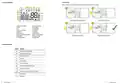
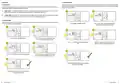
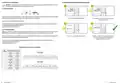



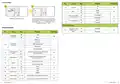
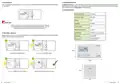


TABLE OF CONTENTS
1. Introduction
1. Introduction...............................................................................................................................................................3
1.1 Product Compliance ......................................................................................................................................................................3
1.2 Safety Informations.......................................................................................................................................................................3
1.1 Product Compliance
This product complies with the essential requirements and other relevant provisions of Directives 2014/53/EU and 2011/65/EU.
2. Product Overview .......................................................................................................................................................4
2.1 Package content............................................................................................................................................................................5
2.2 Proper thermostat location ...........................................................................................................................................................5
2.3 Wall mounting ..............................................................................................................................................................................6
2.4 Free-standing thermostat .............................................................................................................................................................7
1.2 Safety Informations
• Before starting installation work and before using the product, read the entire manual.
• The information contained in the instructions is essential for proper functioning.
• To avoid accidents resulting in personal injury and material damage, please follow all safety precautions, specified in this manual.
• The device should not be used by people with limited mental, sensory or mental abilities, without experience, of insufficient knowledge as well as
children.
3. Receiver .....................................................................................................................................................................8
3.1 Receiver’s switches description......................................................................................................................................................8
3.2 LED indications in the receiver.......................................................................................................................................................9
3.3 Connection description................................................................................................................................................................10
• Do not use an unassembled device (eg without a cover).
• The device may only be opened by a qualified person.
4. Before you start (first power on) ................................................................................................................................11
4.1 LCD icon description ....................................................................................................................................................................12
4.2 Button description.......................................................................................................................................................................12
• Keep electrical devices out of the reach of children and ensure that they do not play with it. Children should not be left unattended. If necessary,
disconnect the control system for the entire room.
• Do not leave the packaging, cabinet, or any loose parts of the device unattended, as they pose a risk to children.
5. Time settings............................................................................................................................................................13
WARNING!
• Installation must be carried out by a qualified person with appropriate electrical qualifications in accordance with standards and regulations in force in
the given country and in the EU.
• Never try to connect the device other than as described in the manual.
6. Operation.................................................................................................................................................................14
6.1 Manual mode..............................................................................................................................................................................14
6.1.1 Comfort mode............................................................................................................................................................14
6.1.2 Economic mode..........................................................................................................................................................15
6.2 AUTO mode - two schedule types ................................................................................................................................................16
6.2.1 First type schedule .....................................................................................................................................................16
6.2.2 Second type schedule................................................................................................................................................16
6.2.3 Switching between schedules (AUTO Mode) type 1 and 2..........................................................................................17
6.3 First type schedule programming................................................................................................................................................18
6.3.1 Default program settings (1-3) ..................................................................................................................................18
6.3.2 Choosing and programming user programs (4-9) ......................................................................................................19
6.3.3 Frost Protection program setting ...............................................................................................................................21
6.3.4 Temporary override mode .........................................................................................................................................22
6.4 Second type schedule programming ...........................................................................................................................................23
6.4.1 Temporary override mode .........................................................................................................................................24
6.5 Party mode..................................................................................................................................................................................25
6.6 Holiday mode..............................................................................................................................................................................26
6.7 Key lock function.........................................................................................................................................................................27
• Before assembly, repair or maintenance as well as during any connection works it is absolutely necessary disconnect the mains supply and make sure
that the terminals and electric wires are not live.
• The device may not be exposed to extreme temperatures, strong vibrations or subjected to mechanical shock.
• The device should not be used in unfavorable environmental conditions or in rooms where there is a concentration of flammable gases, fumes or dust.
WARNING!
• There may be additional protection requirements for the entire installation that the installer is responsible for maintaining.
7. Pairing with the E901RX receiver ...............................................................................................................................28
7.1 Transmission test.........................................................................................................................................................................30
8. Installer settings ......................................................................................................................................................32
9. User settings reset ....................................................................................................................................................34
10. Clear settings - factory reset ....................................................................................................................................34
11. Cleaning and Maintenance ......................................................................................................................................35
12. Technical Informations ............................................................................................................................................35
13. Warranty ................................................................................................................................................................36
Care for the natural environment is of paramount importance to us. The awareness that we manufacture electronic devices obliges us
to dispose of used electronic components and devices safely. Therefore the company has received a registration number issued by the
Chief Inspector for Environmental Protection. The crossed out symbol the trash can on the product means that the product must not be
disposed of with ordinary waste containers. Sorting waste for recycling helps to protect the environment. It is the user’s responsibility
to surrender used equipment to a designated collection point for recycling waste from electrical and electronic equipment.
3
E901RF FULL USER MANUAL

| General | Details |
|---|---|
| Name | ENGO CONTROLS E901-RF Programmable Wireless Thermostat Instruction Manual |
| Make | ENGO CONTROLS |
| Language | English |
| Filetype | PDF (Download) |
| File size | 2.03 MB |
 (1 votes, average: 5.00 out of 5)
 Loading...

ENGO Controls EONE230W Internet Controlled Thermostat User Guide

ENGO CONTROLS EFAN-230W Fan Coil Thermostat User Guide

ENGO CONTROLS FAN-24W 24V Fan Coil Thermostat User Guide

ENGO CONTROLS EASY230W Non-Programmable Wired Thermostat User Guide

ENGO CONTROLS EONE230 Internet Controlled Thermostat User Guide

ENGO CONTROLS EONEBATW, EONEBATB Internet Controlled Thermostat User Manual

ENGO Controls E901WIFI Internet Wireless Thermostat User Guide

ENGO CONTROLS EONE-BATW, EONE-BATB Internet Controlled Thermostat User Guide

ENGO CONTROLS EFAN-24W Fan Coil Thermostat User Guide

ENGO CONTROLS EFAN-230W WIFI 230V Fan Coil Thermostat User Guide


ENSTO ECO500 Frost Protection Thermostat Instruction Manual
bryant ecobee3 Lite Smart Thermostat User Guide

GENERAL FH10, FH10S Underfloor Heating Thermostat User Manual

Danfoss ATF Clamp-On Pipe Mounting Frost Thermostat Installation Guide
DAIKIN One Lite Smart Thermostat User Guide

heatit ET-7AW Touchscreen Programmable Thermostat User Manual

DeLOCK Thermostat for DIN Rail User Manual

Honeywell RTH2300 Thermostat User Guide

GENERAL LIFE 300S Smart Thermostat User Manual

FantiniCosmi CH143E 230V Flush Mounting Weekly Programmable Thermostat User Manual