
Home > CLIMATE MASTER > CLIMATE MASTER CXM2 Communicating Awc Thermostat Installation Guide
CLIMATE MASTER CXM2 Communicating Awc Thermostat Installation Guide



iGATE 2 COMMUNICATING (AWC) THERMOSTAT – IOM
Equipment Settings
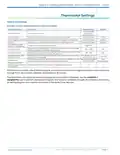
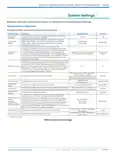
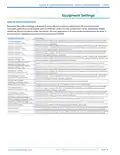
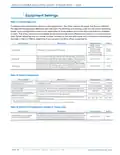
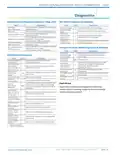
Table 14: Smart Tank Configuration (applies to Trilogy units)
Configure the hot water mode settings.
System Setting
Description
Range/Options
Default
When Hot Water Efficiency is enabled (ON) the AWS backup
electric elements will operate when the connected heat pump
is locked out or when the heat pump cannot keep up with the
household hot water demand. When Hot Water Efficiency is
disabled (OFF) the iGate Smart Tank electric elements will engage
sooner when the connected heat pump is locked out or when the
heat pump cannot keep up with the household hot water demand.
Hot Water Efficiency
Efficiency, Comfort
Efficiency
Off, Heat Pump,
Emergency Heat
(electric tank
elements)
Hot Water Mode
Determines the heat source for your hot water.
Off
Hot Water Setpoint
Establishes the set point for your hot water.
50.0°F to 135.0°F
120.0°F
15.0°F
Configures the amount of droop allowed from the potable hot
water setpoint before activating water heating.
HW Heat Dead Band
10.0°F to 25.0°F
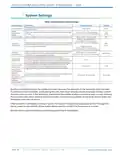
The ECM Airflow adjustment will not be present if the
connected communicating control is not configured
for Blower type = ECM.
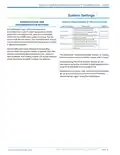
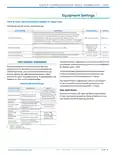
UNIT MANUAL OPERATION
Manual Operation mode allows the service
technician to manually command operation for
operating mode, any of the thermostat outputs,
blower speed, as well as pump speed or valve
position to aid in troubleshooting. Available data will
depend on the unit/model installed.
The Pump Speed adjustment will not be present
if the connected communicating control is not
configured for Loop Configuration = Pump.
The Valve Position adjustment will not be present
if the connected communicating control is not
configured for Loop Configuration = Valve.
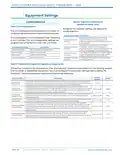
Table 15: Manual Settings
Manual Setting
Description
Options
Clear Fault History
Field Test Mode
--
Enabled, Disabled
Standby, Const Fan,
Cooling, Heating, Aux
Heat, EM Heat, Hot
Water, Cooling/HW
Clear Fault history will clear all fault codes stored
in the thermostat as well as the fault history in any
connected communicating controls.
Selects the manual
mode of operation.
Operating Mode1
Thermostat
Outputs2
Selects the manual
output of the thermostat.
Configures the target
airflow during manual
operation.
Y1, Y2, W, O, G, H, DH
CV ECM Target
Range will depend
on unit model
Airflow3
CV ECM Blower
Speed3
Displays current CV ECM
motor rpm.
--
Loop Pump
Speed
0% to 100%.
Default - 41%
0% to 100%.
Default - 0%
Sets loop pump speed.
Sets DHW pump speed.
DHW Pump
Speed1
Current compressor
speed in rps (revolutions
per second).
Compressor
--
Actual Speed1
1. Applies to Trilogy only.
2. Applies to Tranquility only.
3. Applies to CV ECM fan motors only.
Part#: 97B0132N01 | Revised: Februar y 06, 2025
PAG E : 1 5
w w w. c l i m a te m a s te r. c o m

| General | Details |
|---|---|
| Name | CLIMATE MASTER CXM2 Communicating Awc Thermostat Installation Guide |
| Make | CLIMATE MASTER |
| Language | English |
| Filetype | PDF (Download) |
| File size | 1.03 MB |
 (1 votes, average: 5.00 out of 5)
 Loading...


GENERAL Life MITRA 250S RF Wireless Room Thermostat User Guide

beca BAC-003 Series WiFi Thermostat Fan Coil

LENNOX EL18KCV Smart Wi-Fi Communicating Thermostat User Manual

homematic IP IP HmIP-eTRV-CL Radiator Thermostat Instruction Manual

network thermostat NetX X-Series Ethernet Thermostat Owner’s Manual

GENERAL HT220 RF Digital Room Thermostat User Manual

ST76 Sensi Touch 2 Smart Thermostat Instruction Manual

ikon ITG-24 Thermostat Control User Manual

Danfoss KPU 19 Thermostat Installation Guide

EMERSON 1F75C-11PR Programmable Thermostat Installation Guide