
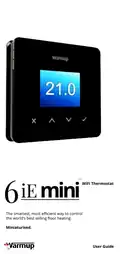
Warmup 6iE mini WiFi Thermostat User Guide


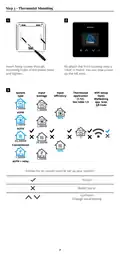




Step 3 - Thermostat Mounting
1
2
1,500W
Insert fixing screws through
mounting holes of the power base
and tighten.
Re-attach the front housing until a
“click” is heard. You can now power
up the 6iE mini.
3
Thermostat
application
(1-12).
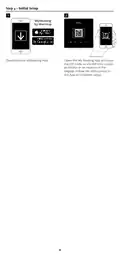
WiFi Setup
Open
MyHeating
app. Scan
QR Code
System
type
Input
wattage
Input
efficiency
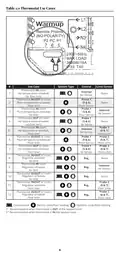
See table 1.0
1,500W
eUFH
1,500W
2,000W
30,000W
1,500W
90%
90%
2,000W
hUFH
3
30,000W
Conventional
1,500W
eUFH + relay
Follow the on screen icons to set up your system.
Accept
Back/Cancel
Up/Down
Change value/setting
7

| General | Details |
|---|---|
| Name | Warmup 6iE mini WiFi Thermostat User Guide |
| Make | Warmup |
| Language | English |
| Filetype | PDF (Download) |
| File size | 0.73 MB |
 (1 votes, average: 5.00 out of 5)
 Loading...

warmup RFT-P Programmable Radiant Floor Thermostat User Manual

Warmup 3iE Energy Monitoring Thermostat Instruction Manual


Sinum R-S3 Room Thermostat Owner’s Manual

GENERAL LIFE HT330S Digital Room Thermostat User Manual
Drayton 22902 Programmable 2 Channel Room Thermostat Installation Guide

WATTS W561 WiFi Thermostat Instruction Manual

Hydro Smart HSRADSTATWIFI HSRadStat Wi Fi Thermostat User Guide

Honeywell CMR707A1049 Programmable Room Thermostat User Guide

PBU 2 Degrees 2 Save Thermostat User Manual

THE HEATING COMPANY TR220 WiFi Thermostat User Manual

EPH CONTROLS RFR RF Room Thermostat Instruction Manual

HEATIT Z-TRM6 Matt Z-Wave Thermostat User Guide