
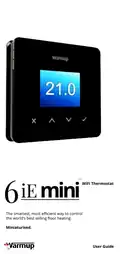
Warmup 6iE mini WiFi Thermostat User Guide


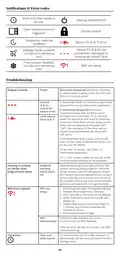
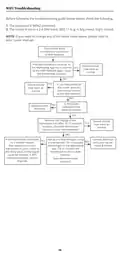
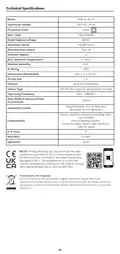
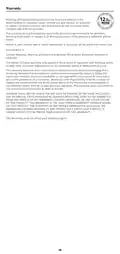


Heating
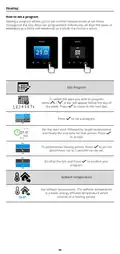
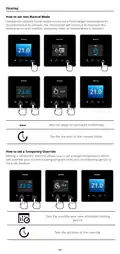
How to set into Manual Mode
Setting into manual mode allows you to set a fixed target temperature for
the thermostat to achieve. The thermostat will continue to maintain this
temperature until another operating mode or temperature is selected.
23.0°
---
Sets the target temperature indefinitely.
---
Set the duration of the manual mode.
How to set a Temporary Override
Setting a temporary override allows you to set a target temperature which
will override your current heating program until your next heating period or
for a set duration.
17:00
17:00
23
20:00
Sets the override until next scheduled heating
period.
Sets the duration of the override.
11

| General | Details |
|---|---|
| Name | Warmup 6iE mini WiFi Thermostat User Guide |
| Make | Warmup |
| Language | English |
| Filetype | PDF (Download) |
| File size | 0.73 MB |
 (1 votes, average: 5.00 out of 5)
 Loading...

warmup RFT-P Programmable Radiant Floor Thermostat User Manual

Warmup 3iE Energy Monitoring Thermostat Instruction Manual


ELKO ep TER-4 Double Thermostat Owner’s Manual

EPH CONTROLS eTRV-HW Smart Hot Water Thermostat Instruction Manual

WATTS 563 WiFi Thermostat User Manual

Fantini cosmi C820RQ Dual Power Room Thermostat Instruction Manual

GENERAL LIFE MITRA HT10 RF Digital Room Thermostat User Guide

Honeywell Home TH2110WF4008 Series Smart Thermostat User Manual

GENERAL 260S Wired Room Thermostat User Manual

GENERAL LIFE HT25S RF Wireless Room Thermostat User Manual

ENGO EASY230W Wired Thermostat User Guide

celect T30 Simple Plug In Thermostat Installation Guide