
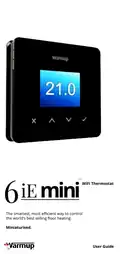
Warmup 6iE mini WiFi Thermostat User Guide


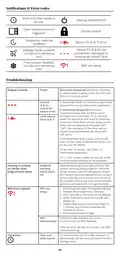



Settings cont’d
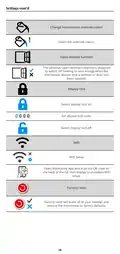
Change homescreen override colour
Select the override colour.
Open window function
The windows open detection feature is designed
to switch off heating to save energy when the
thermostat detects that a window or door has
been opened.
Display lock
Switch display lock on.
Set display lock code.
Switch display lock off.
0 0 0 0
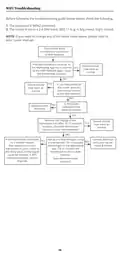
WiFi
WiFi Setup
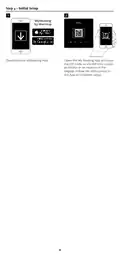
Open MyHeating App and scan the QR code on
the back of the 6iE mini display to complete WiFi
setup.
Factory reset
Factory reset will erase all of your settings and
restore the thermostat to factory defaults.
14

| General | Details |
|---|---|
| Name | Warmup 6iE mini WiFi Thermostat User Guide |
| Make | Warmup |
| Language | English |
| Filetype | PDF (Download) |
| File size | 0.73 MB |
 (1 votes, average: 5.00 out of 5)
 Loading...

warmup RFT-P Programmable Radiant Floor Thermostat User Manual

Warmup 3iE Energy Monitoring Thermostat Instruction Manual


Neomitis RTMA Mechanical Room Thermostat Instruction Manual

Honeywell Communicating Fan Coil Thermostat Instruction Manual

HyperStat 7C-HS-C2W-X Wall Mount Thermostat Installation Guide

BOSCH 8-750-002-924 ZigBee Radiator Thermostat User Manual

Honeywell RTH6500WF Wi-Fi Programmable Thermostat User Guide

Honeywell DT4R Wireless Modulating Room Thermostat Instruction Manual

Milesight WT201 Smart Thermostat User Guide

EPH CONTROLS RFRB RF Room Cylinder Thermostat Instruction Manual

Honeywell TH1100DV PRO Series Non Programmable Thermostat Instruction Manual

Beok Controls TS4 Series Thermostat User Guide