
Warmup 6iE mini WiFi Thermostat User Guide







Settings
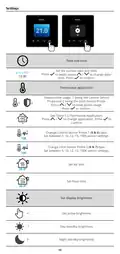
Date and time
Set the current date and time.
6-5-2021
13:00
Press
to begin, press
time. Press
/
to change date/
to confirm.
Thermostat application
Swaps probe usage, 1 being the Control Sensor
Probe and 2 being the Limit Sensor Probe.
1
2
Press
/
to swap probe usage.
to confirm.
Press
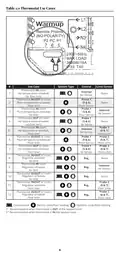
See Table 1.0 Thermostat Application.
Press
/
to change application. Press
confirm
to
3
1
Change Control Sensor Probe 1 (5 & 6) type.
Set between 5, 10, 12, 15, 100K sensor settings.
10K
2
Change Limit Sensor Probe 2 (6 & 7) type.
Set between 5, 10, 12, 15, 100K sensor settings.
10K
35.0°
35.0°
Set Air limit
Set Floor limit
Set display brightness
4
2
2
Set active brightness
Day standby brightness
Night standby brightness
13

| General | Details |
|---|---|
| Name | Warmup 6iE mini WiFi Thermostat User Guide |
| Make | Warmup |
| Language | English |
| Filetype | PDF (Download) |
| File size | 0.73 MB |
 (1 votes, average: 5.00 out of 5)
 Loading...

warmup RFT-P Programmable Radiant Floor Thermostat User Manual

Warmup 3iE Energy Monitoring Thermostat Instruction Manual


shadow-caster SCM-Series Thermostat Instruction Manual

GENERAL ARUNA 300S RF Digital Room Thermostat User Manual

Haswill Electronics AL8010H Thermostat User Guide

GENERAL LIFE FH105S Underfloor Heating Thermostat User Manual

ENGO CONTROLS E10-B Wi-Fi Thermostat User Guide
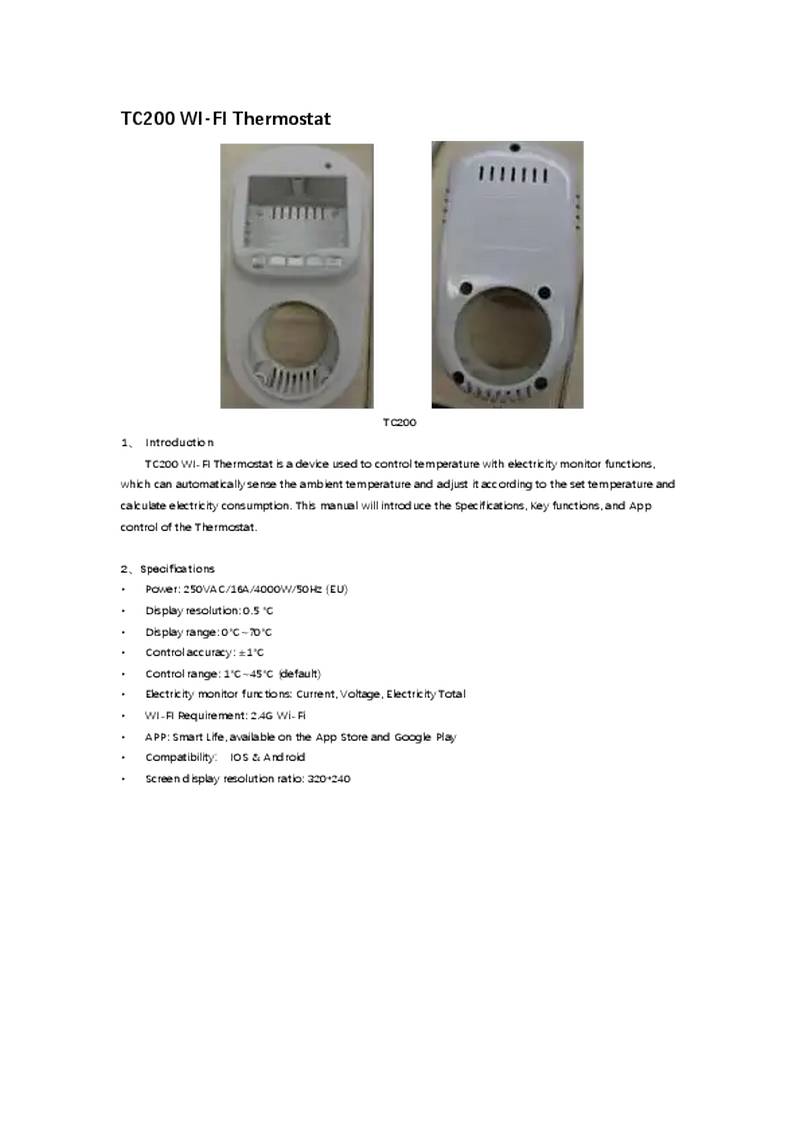
NINGBO TC200 Smart WI-FI Thermostat Owner’s Manual

Marley TA1A Single Pole Thermostat Instruction Manual

SIEMENS RDY2000BN BACnet Commercial Thermostat User Manual

LG PREMTA200 Deluxe Thermostat User Guide

Honeywell Home TH2110WF4008 Series Smart Thermostat User Manual