
vaillant VR 92f/3 Wireless Additional Room Thermostat Instructions














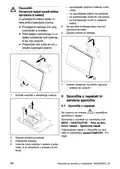






▶ At chosen installation site, check the
reception strength in the product's
display.
Once you have gone through the installa-
tion assistant, You have completed the
installation assistant! appears on the
display
Condition: The display shows Radio communication
interrupted
3.5 Configuring the settings on the
system control
– Ensure that the radio receiver unit is
being supplied with electricity.
Condition: System control reception strength < 4
1. In the Room temp. mod.: function,
select the value Active or Expanded
if you want to use the remote control's
room temperature sensor.
– Select a different installation site; one
with a reception strength of ≥ 4.
Condition: System control reception strength ≥ 4
2. Specify the zone in which the remote
control has been installed.
– The installation site is suitable for in-
stalling the product.
3. Scroll through the display to the zone
in which the remote control has been
installed.
4. In the Zone assignment: function
in this zone, assign the address for
the remote control that should be
triggered.
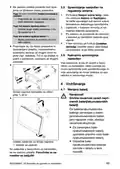
▶ Ensure that the installation site is not
exposed to any draughts, direct solar
radiation or other heat sources (e.g.
radiators, TVs) and that the product
is not covered by furniture, curtains or
other objects.
▶
Ø6
A
B
3.6 Changing the settings later
All settings that you have made via the in-
stallation assistant can be changed again
at a later date via the end user or installer
level.
C
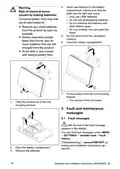
Install the unit mounting bracket at a
height of approx. 1.30 m.
4 Maintenance
4.1 Changing batteries
▶
A
Danger!
Risk of death caused by un-
suitable batteries!
If batteries – whether re-
chargeable or non-re-
chargeable – are replaced with
the wrong type of battery, there
is a risk of explosion.
▶ Ensure that you use the cor-
rect battery type when repla-
cing batteries.
▶ Dispose of used batteries in
accordance with the instruc-
tions in this manual.
B
Fit the product onto the unit mounting
bracket.
◁ The product clicks into place.
0020298957_02 Operating and installation instructions
13

| General | Details |
|---|---|
| Name | vaillant VR 92f/3 Wireless Additional Room Thermostat Instructions |
| Make | Vaillant |
| Language | English |
| Filetype | PDF (Download) |
| File size | 1.07 MB |
 (1 votes, average: 5.00 out of 5)
 Loading...

Vaillant VRC 700 Weather Compensating Thermostat Instruction Manual

Vaillant VRT15 Room Thermostat User Guide

Vaillant VRC 700 Programmable Weather Compensating Thermostat Owner’s Manual

Vaillant VRT 51f sensoROOM Wireless Room Thermostat Instruction Manual

Vaillant senso Comfort Thermostat Instructions


seitron DR R02M Thermostat Wireless Kit Instruction Manual

STELPRO STE302NP Programming Electronic Thermostat

MYSON Unisenza Dial Thermostat User Manual

Danfoss DEVIreg 330 Electronic Thermostat Installation Guide

sygonix 2735095 Wireless Heating Thermostat Instruction Manual

EMOS P5611OT Wireless Thermostat Instruction Manual

Fantini Cosmi C800WIFI Programmable LED Thermostat Instruction Manual

VIVE COMFORT TP-N-721 Non Programmable Thermostat Instruction Manual
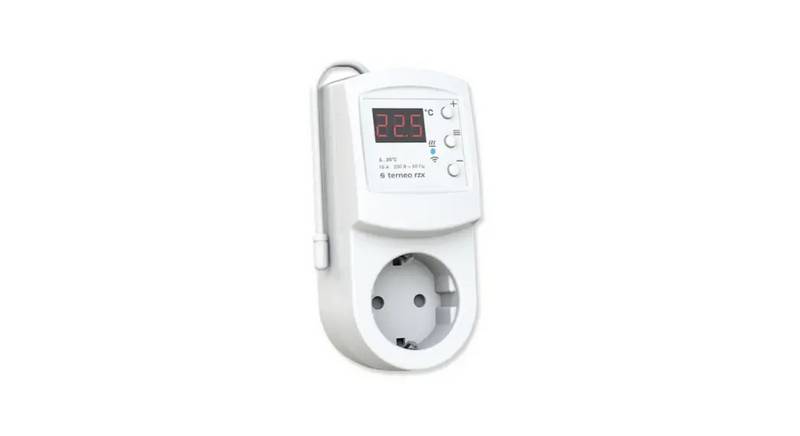
terneo rzx Smart Thermostat User Manual

ICP Control Ion Gray Smart Thermostat Owner’s Manual