
namron Touch Z Wave 16A Thermostat Instruction Manual


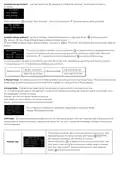




If current is over the set value, the relay will be forced to off by the
device, and the state will be reported to the gateway. The over
current alarm function can be disabled, which can be set directly
through the device, or can be configured through Advance Config
parameter 2 by setting the value as 0 to disable the function, please
refer to the part “Advance Config”.
Over-current
Alarm
Note: When over current alarm is triggered, the beeper will beep, to
cancel the alarm, just press and hold button for over 3 seconds
or reset power of the device. After cancel manually, the relay will
show heating forbidden icon
operations are allowed.
within 120 seconds, but other
This function is similar to the function of “Internal Over Heat Protec-
tion” described in chapter 9. When the control type is configured as
“Room+Floor sensor”, this function will be valid:
The alarm will be triggered when the floor sensor temperature >
Max floor temp, the relay will be forced to off by the device, and the
state will be reported to the gateway. The following indication figure
will prompt on the display.
After the floor sensor temperature < (Max floor temp - Hysteresis),
the alarm will be cancelled automatically and the device will restore
to previous operation mode.
Max floor temp
To cancel the alarm manually, just press and hold button
for
over 3 seconds, but the relay will show heating forbidden icon
within 120 seconds and the alarm will not be triggered again, after
120 seconds expire, the device will restore to previous operation
mode and continue to detect alarm temperature.
This function can be disabled, which can be configured directly
through the device, or can be configured through Advance Config
parameter 6 by setting the value as 0 to disable the function, please
refer to the part “Advance Config”.
To prevent the undulation of sensor temperature when the sensor
temperature is approaching the set temperature, which will cause
that the controller may keep switching on/off the relay. Here hyster-
ersis enables the controller to control the relay only when the sensor
temperature is lower than the set temperature minus the hysteresis
value , this value can be set.
Hysterersis
For instance, when hysterersis is set as 0.5 degree, then only when
current sensor temperature < (the set temperature - 0.5 degree), will
the controller heat.
This value can also be configured through Advance Config parameter
7, please refer to the part “Advance Config”.
Set the level of vibration sensor under the buttons or buzzer level.
OFF: vibration or buzzer off Low Level, High Level: low vibration or
buzzer level, high vibration or buzzer level. The level can also be
configured through Advance Config parameter 03.
Key Vibration
Set
The OLED display brightness when operate the device.
High Level, Mid Level, Low Level.
Display
Brightness Set
This parameter can also be configured through Advance Config
parameter [22].
Once the device goes to standby interface, if there is no operation
within 30s, the display will go off automatically.
Display
Auto Off

| General | Details |
|---|---|
| Name | namron Touch Z Wave 16A Thermostat Instruction Manual |
| Make | NAMRON |
| Language | English |
| Filetype | PDF (Download) |
| File size | 0.54 MB |
 (1 votes, average: 5.00 out of 5)
 Loading...


namron 1402746 Touch Thermostat Instruction Manual

namron 4512738 Touch Zigbee 16A Thermostat Instruction Manual

namron 4512737 Touch Zigbee 16A Thermostat Instruction Manual

namron 16A 2.0 Zigbee Touch Thermostat Instruction Manual


DEVI 140F1134 Plug In Electronic Thermostat Installation Guide

meitav-tec FMH24-PD-1S-IR Thermostat Owner’s Manual
Arcoaire TSTATIIEWF-01 Ion Gray Smart Thermostat Owner’s Manual

hager 75643134 KNX Glass Sensor 3g Thermostat Owner’s Manual

Stelpro Uniwatt UTE202NP NON PROGRAMMABLE ELECTRONIC THERMOSTAT

Immax neo LITE 07534L Smart Thermostat for Underfloor Heating User Manual

HAVACO HTS Electronic Room Thermostat User Manual

ENGO EASY230W Wired Thermostat User Guide

STELPRO STCP MULTIPLE PROGRAMMING ELECTRONIC THERMOSTAT User Guide

BEOK CONTROLS TGT79 Touch Screen Thermostat Instruction Manual