
namron 16A 2.0 Zigbee Touch Thermostat Instruction Manual


NAMRON ZIGBEE TOUCH TERMOSTAT
16A 2.0
1.Funksjoner trykknapper/ Button Operation
Zigbee-paring:
Zigbee pairing:
For smart kontroll av termostaten må den kobles til en
Zigbe - gateway
For smart control of the Thermostat, it has to be
paired to a Zigbe gateway
1. Start prosessen ved å åpne Zigbee-paringen på
gatewayen din.
2. Start paringsmodus på termostaten ved å trykke
lenge (10 sek) på pil ned knappen.
3. Etter at enheten er funnet, tilordner du rom og
enhetstype.
1. Start the process by opening the Zigbee pairing on
your gateway
2. Start pairing modus on the Thermostat by long
press (10s) on the reduce button
3. After device found, assign room and device type.
Kort trykk:
Short press:
Pil for øking: Øke settpunkt.
Add key: Increase the set point.
Pil for reduser: Senke settpunkt
Dec key: Reduce the set point.
Menytasten: Bytt mellom Hjemme- og Bortemodus.
Menu key: Switch mode Home and Away.
Langt trykk:
Long press:
Menyknapp: På/Av
Når termostaten er På:
In power on state:
Menu key: Power on/ off.
Langt trykk pil ned knappen: Zigbee-paring.
Langt trykk samtidig pil ned / pil opp knapp: Avanserte
innstillinger.
Langt trykk samtidig meny og pil ned knap: Lås / Lås
opp displayet.
Long press Dec key: Zigbee pairing.
Long press Dec key&Add key: Enter advanced menu.
Long press Menu key&Dec key: Lock/unlock display.
3.Tilkoblinger/ Base wiring
Elektriske Spesifikasjoner/Electrical data:
• Spenning: 230V / 50Hz
• Sikring: Maks 16A
• Maksimal belastning: 3600W
• 1-polig elektronisk rele
• Intern strømforsyning med galvanisk isolasjon
• Må ikke benytte selvregulerende varmekabel
• Må ikke benyttes til kontaktorstyring
• Power: 230V / 50Hz
• Circuit breaker: Max 16A
• Maximum load: 3600W
• 1-pole electronic relay
• Internal power supply with galvanic isolation
• Do not use self-regulating heating cable
• Do not use for contactor control
1/4:Tilkobling last
2:Tilkobling N
1/4:Load
2:Neutral wire;
3:Live wire;
3:Tilkobling L
5/6: Tilkobling ekstern
sensor / gulvføler;
5/6: External temperature
sensor;


| General | Details |
|---|---|
| Name | namron 16A 2.0 Zigbee Touch Thermostat Instruction Manual |
| Make | NAMRON |
| Language | English |
| Filetype | PDF (Download) |
| File size | 0.08 MB |
 (1 votes, average: 5.00 out of 5)
 Loading...

namron 1402746 Touch Thermostat Instruction Manual

namron 4512738 Touch Zigbee 16A Thermostat Instruction Manual

namron 4512737 Touch Zigbee 16A Thermostat Instruction Manual

namron Touch Z Wave 16A Thermostat Instruction Manual

Namron 2.0 Manual: Questions and Answers
How do I pair the Namron 2.0 to my Zigbee gateway?
Start pairing on your gateway, then enable pairing mode on the thermostat.
- Open Zigbee pairing on your gateway.
- Long press the reduce button on the thermostat for 10 seconds.
- When the device is found, assign a room and device type. Instruction Manual, p. 1
Can I use a self-regulating heating cable with this thermostat?
No, self-regulating heating cables are not compatible with this model. Instruction Manual, p. 1
More Namron thermostat manuals

Honeywell Home RTH Series X2S Smart Thermostat Installation Guide

oventrop Vindo TH Thermostat Instruction Manual

Tense STC-1000 Thermostat User Guide
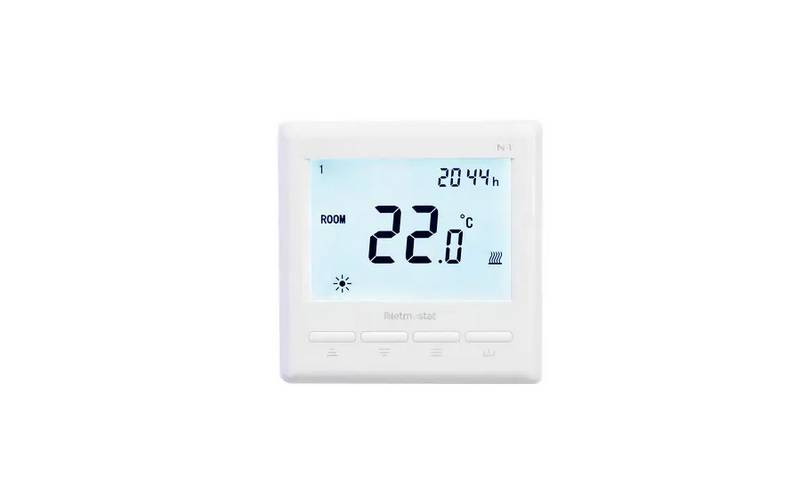
Netmostat N-1 Smart Wifi Programmable Thermostat User Manual

GENERAL Life FH255S Underfloor Heating Thermostat User Manual

ideal HEATING HALO LITE Room Thermostat User Guide

Expert4house BAC-1000ALNE Room Thermostat User Guide

MYSAir Roma Monochrome Backlit Touch Thermostat User Manual

OJ ELECTRONICS UTN5 Non Programmable Touch Thermostat Instruction Manual

Danfoss VICUV40F,088N3650 Room Thermostat User Guide