
Netmostat N-1 Smart Wifi Programmable Thermostat User Manual


smart thermostat
netmostat.com
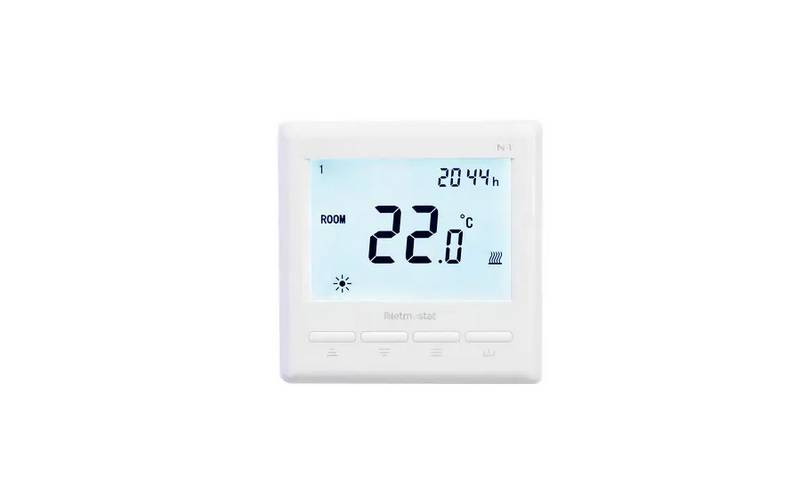
Day Indicator
Period Icons
Clock
Temp. display
Heating icon
Comfort Mode
Energy-saving Mode
PRG Mode
Decrease temperature
Increase temperature
Modes & Parameter
Power On / Off
WIFI CONNECTION
Please scan the QR code for detailed instruction
or visit netmostat.com/connection
SETTING COMFORT MODE AND ENERGY-SAVING MODE
Switch between modes using the
1. Choosing the Comfort Mode
button.
you may assing temperature using
you may assing temperature using
or
buttons.
or buttons.
2. Choosing the Energy-saving Mode
CLOCK & PRG SETTING
PRG function allows you to set different temperatures throughout the day. For example, you may want the home warm in the morning, cooler
when you leave your home for the day, and then warmer in the evening when you return home. The thermostat offers 7 days programming
option, four different temperature levels for each day. Default comfort levels are pre-programmed; still you can change them easily with the
following method:
Long press
button for 5 seconds,
and to adjust the clock (min-hour-weekday), each press of
after clock adjustment, press to to change day. By pressing and
period. (Weekday- period- time- temp.) Each press
1.
2.
press
will go into next time setting
you can set the desired time and temperature of each
of button will go into next item setting.
DEFAULT VALUES
Period
Wake up
Leave Home
Return Home
Sleep
Time
7:00
8:00
8:00
Temp.
22°C
22°C
22°C
Time
Temp.
19°C
Time
17:00
17:00
17:00
Temp.
22°C
22°C
22°C
Time
22:00
22:00
22:00
Temp.
19°C
1-5 (Mon.-Fri.)
6 (Sat.)
8:30
8:30
8:30
22°C
22°C
19°C
7 (Sun.)
19°C
netmostat.com

| General | Details |
|---|---|
| Name | Netmostat N-1 Smart Wifi Programmable Thermostat User Manual |
| Make | Netmostat |
| Language | English |
| Filetype | PDF (Download) |
| File size | 0.24 MB |
 (1 votes, average: 5.00 out of 5)
 Loading...
Netmostat N-1 User Manual: Specifications
| Power supply | 230V AC, 50/60 Hz |
| Accuracy | ± 0.5°C |
| Sensor | NTC 10kΩ @ 25°C |
| Power consumption | 0.5W |

hansgrohe 10717000 AXOR STARCK X Highflow Concealed Thermostat Instruction Manual

PURGEAR STC-2304 Digital Thermostat User Guide

Simx UT-M1 Ultecon Thermostat Instruction Manual

HASWILL ELECTRONICS STC-200 Thermostat User Guide

BECA BHP-8000 Room Thermostat User Manual

HYSEN HY09RF WI-FI Wireless Thermostat User Manual

Honeywell TL6120 5-2 Electric Heating Programmable Thermostat User Guide

HIVE Thermostat for Heating Owner’s Manual

MAXXAIR 5100KI Deluxe with Rain Done Thermostat Instruction Manual

LUTRON 653 Right Thermostat Control Datasheet