
Home > Spacio Innovations Inc > Spacio Innovations Inc 13EA2A7RI Remote Thermostat User Manual
Spacio Innovations Inc 13EA2A7RI Remote Thermostat User Manual
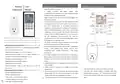


Remote User
1. Each set consists of two parts:
1℃~ 50℃.
Thermostat Manual
A
remote controller with digital display, which
accommodates the electronics, the operating elements and
the built-in room temperatures sensor.
Plug-in receiver, which can receive and decode signal from
the remote controller.
2. The remote controller acquires the room temperature with
its integrated sensor and transmit signal to the receiver to
turn on/off heating device as the ambient temperature
changing, in order to maintain a constant room temperature.
When the ROOM temperature is 0.5℃ higher than the SET
temperature, remote-controller will send OFF commands to
receiver; When the ROOM temperature is 0.5℃ lower than
the SET temperature, remote-controller will send ON
commands to receiver, the connected heating device will be
in working status to warm the house.
Thank you for choosing remote thermostat, Please take time
to read and understand this manual so you can enjoy the
convenience and energy saving benefits of this device.
3. The display shows the setting temperature as well as the
measured temperature, time, date, modes etc.
Technical Data of Remote-Controller
4. The remote controller has week programmable、temperature
setting、 smart (adaptive start control)、 auto-off when
temperature jump 、 favorite temperature 、 time setting
functions etc.
Battery-powered: DC 3V(2x 1.5V AAA batteries, not included)
Power Consumption: 3V,0.1mA
Set temperature range: 0℃~ 45℃, resolution: 1℃
Room temperature range: 0℃~ 50℃, display resolution: 0.1℃
Accuracy of the measured temperature: ±0.5℃
Working environment range 1℃~ 50℃
Dimension: L135mm×W56mm×H18mm
Radio frequency 433.92MHz
5. The remote-controller is powered by 2pcs of 1.5V AAA battery ,
Please change with new batteries if the battery symbol gets
flashing, or else the remote will not be able to control the
heaters.
6. Keypad locking function is designed to prevent the ch ildren
from misusing.
Control distance: ≥50m in open area; 20m in area with
obstructions
7. ON/OFF button of the receiver is designed to enter into
pairing mode..
1. Users need to pair the remote and receiver at first time.
Long press the receiver ON/OFF 3 seconds until light
flashing , then press button ℃/℉ and MODE of the remote
at same time to pair the remote and receiver until long beep
sound.
Technical Data of Plug-in Receiver
8. LCD screen powered off means only the receiver (heating
device) power off, the remote control itself is still under
working state until batteries dead/out or broken.
9. The LCD screen only can work in temperature range from
Power Supply:AC120V,50/60 Hz
Power Consumption:0.2W
Dimension: L110mm×W56mm×H78mm
Weight: 130g (for plug in type receiver)
Max load: USA plug 1800W/15A


| General | Details |
|---|---|
| Name | Spacio Innovations Inc 13EA2A7RI Remote Thermostat User Manual |
| Make | Spacio Innovations Inc |
| Language | English |
| Filetype | PDF (Download) |
| File size | 0.37 MB |
 (1 votes, average: 5.00 out of 5)
 Loading...

Spacio Innovations Inc 13EA2A7RI Manual: Questions and Answers
Spacio Innovations Inc 13EA2A7RI specifications
| Power supply | AC120V,50/60 Hz |
| Maximum load | USA plug 1800W/15A |
| Setpoint range | 0℃~ 45℃, resolution: 1℃ |
| Weight | 130g (for plug in type receiver) |
How do I pair the remote control with the receiver?
Long press the receiver ON/OFF button for 3 seconds until the light flashes. Then press the ℃/℉ and MODE buttons on the remote simultaneously until you hear a long beep.
- Long press the receiver ON/OFF button for 3 seconds until the light flashes.
- Press the ℃/℉ and MODE buttons on the remote at the same time.
- Continue until you hear a long beep, indicating successful pairing. User Manual, p. 1
What is the difference between room temperature and set temperature on the Spacio Innovations Inc 13EA2A7RI?
Set temperature is the target you choose, from 0°C to 45°C. Room temperature is what the built-in sensor measures, ranging from 0°C to 50°C with 0.1°C resolution. User Manual, p. 1
Spacio Innovations Inc 13EA2A7RI compared with other room thermostats
| Specification | Spacio Innovations Inc 13EA2A7RI | Euroster 2006TXRX | Euroster 4040 | Afriso RT 10 D 230 |
|---|---|---|---|---|
| Power supply | AC120V,50/60 Hz | 3 V (2 pieces of alkaline AA batteries) / | 3 V (2 pieces of alkaline AAA batteries) / receiver – | 230 V AC |
| Maximum load | USA plug 1800W/15A | 5 A 230 V 50 Hz | 5 A 230 V 50 Hz | Maximum 3 A 250 V AC |
| Weight | 130g (for plug in type receiver) | thermostat weight without batteries – 115 g | Thermostat without batteries – 115 g | 163 g |

Robertshaw RS9320T Programmable Touchscreen Wall Thermostat Instruction Manual

ideal HEATING Halo Combi RF Wireless Boiler Thermostat User Guide

WARMZONE UWG5 Wi-Fi LED Touch Thermostat User Guide

GENERAL LIFE Therma 300S Wired Room Thermostat User Manual

GENERAL Life HT220S Digital Room Thermostat User Manual

AuVerte C504 Ondur Elegant Temperature Control Thermostat Installation Guide

THE HEATING COMPANY Slim and Compact WiFi Thermostat User Manual

Danfoss RET2001OT Digital Open Therm Room Thermostat User Guide

seitron Wi-Time Wall Wi-Fi Programmable Thermostat Instruction Manual

BEOK TDS21WIFI-AC Fan Coil Thermostat Instruction Manual