
micro-Air EasyTouch 352 Thermostat User Manual







Installation Troubleshooting
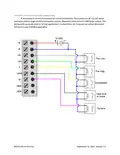
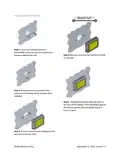
The most common problems during installation are not matching the wires correctly and not
seating the wires in the connector properly. The first step should always be to recheck the instructions
and make sure the wires are seated properly.
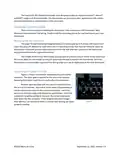
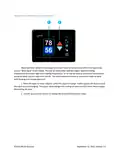
The second most common problem is not knowing the thermostat operation. If the system is
running a heating or cooling cycle, the set point will turn red for heating and blue for cooling. When the
thermostat turns white, the heat pump, heat strip and furnace should all be off. The fan may continue to
run for a while after the cycle completes. If a fan is left in a manual mode it will not shut off.
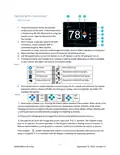
Testing an output
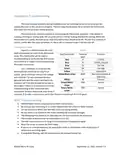
Figure 4
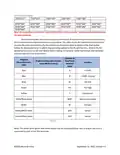
Figure 5 is a table showing the color
label and purpose for each of the thermostat
EasyTouch Color
Terminal
Function
wires. This information can be used in
troubleshooting to verify that the thermostat
has turned on an output and troubleshooting
the output is required.
label
R
Red
Blue
+12VDC
-12VDC, Ground
Fan low
B
Gray
GL
GH
Y
Green
Fan high
Use a voltmeter to verify that the
thermostat has turned on an EasyTouch
output. Set to voltmeter measure DC voltage
and check for ~12 volts between the blue
(ground) wire and the output terminal to be
tested to see if the thermostat has turned on
the output. If there is 12 volts present further
troubleshooting of the component (fan,
compressor furnace, heat pump, heat strip) is
Yellow
Compressor
White/Black stripe
WHP
Heat pump (Valve) or
Heat Strip
Furnace
White
W
Green/White
stripe
SEN
Sensor
Green/White
stripe
SEN
Sensor
required. If 12 volts is not present, verify that the fuse in EasyTouch RV is still good.
WIFI Troubleshooting
•
•
•
•
•
•
•
•
•
SSID (Network name) and password are both case sensitive.
Be sure you are connecting to a 2.4 GHz network and not a 5GHz or 6GHz network.
Set the security to WPA2 and TKIP+AES if you are having trouble.
Be sure there is no firewall in the router blocking the incoming messages.
The thermostat has a limit of 31 characters for the SSID and 50 for the password.
The number of devices limit for the network is not full.
The WIFI source is not out of range or metal partitions blocking the signal
Reset the router to renew the DHCP lease.
If you are in a metal enclosure, try moving the router or thermostat a few inches (even if
temporary) and trying again.
•
If using MAC filtering, add the thermostat to the allowed devices list.
15
©2022 Micro-Air Corp
September 12, 2022, revision 1.5

| General | Details |
|---|---|
| Name | micro-Air EasyTouch 352 Thermostat User Manual |
| Make | Micro-Air |
| Language | English |
| Filetype | PDF (Download) |
| File size | 0.34 MB |
 (1 votes, average: 5.00 out of 5)
 Loading...

micro-air EasyTouch 357 Multi Zone Replacement Thermostat Instruction Manual

Micro-Air EasyTouch RV 353 Touch Screen Thermostat Instruction Manual

Micro-Air 359 Touchscreen Thermostat Instruction Manual

Micro-Air EasyTouch RV 353 Thermostat Instruction Manual

micro-Air EasyTouch RV 351 Thermostat User Manual

Micro Air ETRV EasyTouch RV Thermostat Instruction Manual

micro-air EasyTouch RV 356 True Air RV Thermostat User Manual

micro-Air ASY-357-X02 EasyTouch 357 Touchscreen Thermostat User Manual

Micro-Air EasyTouch 355 Touch Screen Thermostat User Manual

Micro-Air 351 Air Conditioner Digital Thermostat User Guide


BEOK CONTROLS TDS75 Touch Screen Thermostat Instruction Manual

telethings TELESWITCH – 2L Smart LoRaWAN Thermostat User Manual

DEVIreg 330 Electronic Thermostat Installation Guide

ENGO CONTROLS ESIMPLE-230W 230V Simple Dial Thermostat Owner’s Manual

homematic IP C-2 Radiator Thermostat Instruction Manual

GENERAL LIFE NORA 270S RF Wireless Room Thermostat User Manual

SunTouch 113901 SunStat ConnectPlus Thermostat User Manual

SHANGHAI TR9B Ultra Large Colorful Screen Capacitive Touch LCD Smart Thermostat User Guide
Total Home TTHWD Wired Digital Room Thermostat User Guide

SECURE H3747 Smart Programmable Thermostat Installation Guide