
micro-Air EasyTouch 352 Thermostat User Manual





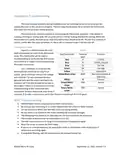


Gas Heat Override
This feature turns on the gas furnace from an electric heat mode when the setpoint is five or
mode degrees away from the ambient temperature and heating is required. It is only available on
systems that have both gas and electric heating and is only active in electric heat or cool/electric heat
modes. The feature can be disabled from the settings/ heat sources screen entered by using the dip
switch icon.
If heating setpoint is 5 degrees or more above the inside temperature in an electric heating
mode, the furnace will come along with the electric heater. Heat pumps will run an additional minute
before shutting down and heat strips will continue to run until the set point is reached.
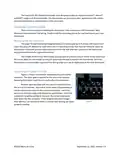
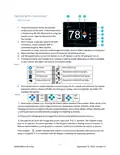
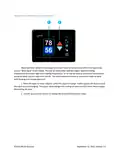
When the furnace is actively overriding the electric heat, a furnace symbol will appear at the top
of the thermostat screen.
Smart device application only features
Reset device
This Bluetooth only feature allows resetting the display just as if you removed and restored
power.
Calibrate Touchscreen
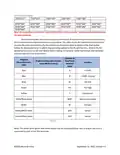
It is normally not necessary to recalibrate the touchscreen. This selection prompts the user to
press the four corners of the display then test the calibration using three diagonal marks. This feature is
only available from Bluetooth since being at the thermostat is required.
Check for updates
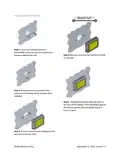
Checks to see if any updates are available for the thermostat. The smart device application must
have internet and the thermostat must be connected to WIFI with a green WIFI symbol. Tap Check for
Updates and follow the prompts.
Notifications
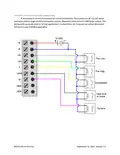
Notifications allow setting a minimum and maximum allowed temperature to be set. If the
temperature is exceeded, the thermostat will send a push notification to your smart device. WIFI must
be connected and active on the thermostat for the notification to function. Notifications will be sent for
each degree of temperature change.
14
©2022 Micro-Air Corp
September 12, 2022, revision 1.5

| General | Details |
|---|---|
| Name | micro-Air EasyTouch 352 Thermostat User Manual |
| Make | Micro-Air |
| Language | English |
| Filetype | PDF (Download) |
| File size | 0.34 MB |
 (1 votes, average: 5.00 out of 5)
 Loading...

micro-air EasyTouch 357 Multi Zone Replacement Thermostat Instruction Manual

Micro-Air EasyTouch RV 353 Touch Screen Thermostat Instruction Manual

Micro-Air 359 Touchscreen Thermostat Instruction Manual

Micro-Air EasyTouch RV 353 Thermostat Instruction Manual

micro-Air EasyTouch RV 351 Thermostat User Manual

Micro Air ETRV EasyTouch RV Thermostat Instruction Manual

micro-air EasyTouch RV 356 True Air RV Thermostat User Manual

micro-Air ASY-357-X02 EasyTouch 357 Touchscreen Thermostat User Manual

Micro-Air EasyTouch 355 Touch Screen Thermostat User Manual

Micro-Air 351 Air Conditioner Digital Thermostat User Guide


GENERAL LIFE HT25S RF Wireless Room Thermostat User Manual

FantiniCosmi CH193WiFi Weekly Programmable Thermostat Instruction Manual

BEOK TGP508 Vertical Buttons Underfloor Heating Thermostat User Guide

TCL IPOWER Heat Mat Thermostat Instruction Manual

HACH LT200 Dry Thermostat User Manual

ENGO CONTROLS SE901WIFI Wireless Internet Wi-Fi Thermostat User Guide

vtech W960 E-Smart Wireless Thermostat User Manual

GENERAL LIFE HT330S Digital Room Thermostat User Manual

BEOK CONTROLS TS4-EP Series Thermostat Instruction Manual

ESi Controls ESRTERFW Wireless Digital Room Thermostat Installation Guide