
Home > LUX > LUX TX9600TSA Smart Temp Universal 7 Day Programmable Touchscreen Thermostat Instruction Manual
LUX TX9600TSA Smart Temp Universal 7 Day Programmable Touchscreen Thermostat Instruction Manual



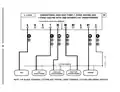


GAS / ELEC SLIDE SWITCH (FAN OPERATION):
This switch is a physical component by itself on the
circuit board, and is much larger than the DIP
switches listed above.
BATTERY
[UP = GAS, default] This setting lets the heating
system control the blower fan automatically by
itself. Systems that would typically use the “GAS”
setting would be: natural gas, propane, or oil
furnaces. This setting has no effect upon Cool
mode operation.
GAS
ELEC
[DOWN = ELEC/HP] This setting runs the system’s blower fan when heat is called
for, and is required for heating systems that do not control their own fan while
the thermostat is in HEAT mode. Heat pump systems, and units with an electric
heating element typically require this setting.
COMPLETE THE INSTALL:
Once the hardware options are set, install two new Energizer® or DURACELL®
"AA" size alkaline batteries. Ensure that the batteries are installed in the proper
direction as per the markings shown in the battery tray. If the batteries were
already installed before changing the hardware setup options, change the
position of the HEAT/OFF/COOL System Mode switch to accept the new hardware
option switch settings.
FRONT PANEL ITEMS:
These two items below are both located on the right side of the thermostat
housing.
HEAT / OFF / COOL, SYSTEM MODE SWITCH: Set this switch to HEAT to control
your heating system, and COOL to control your cooling system. The OFF position
will disable both the heating and cooling units.
AUTO / ON, FAN MODE SWITCH: When this switch is in AUTO, the blower fan (if
present in your system) will automatically cycle on and off by itself while heating
or cooling is running. When in the ON position, the blower fan will run constantly
with or without a demand for heating or cooling, even when the System Mode
switch is in the OFF position.
20

| General | Details |
|---|---|
| Name | LUX TX9600TSA Smart Temp Universal 7 Day Programmable Touchscreen Thermostat Instruction Manual |
| Make | LUX |
| Language | English |
| Filetype | PDF (Download) |
| File size | 0.24 MB |
 (1 votes, average: 5.00 out of 5)
 Loading...

LUX TX700U Universal Thermostat Instruction Manual

LUX TX500Ub Non Programmable Thermostat Instruction Manual

LUX TX1500E Programmable Thermostat Instruction Manual

LUX CAG1500 SERIES Smart Temp Electronic Thermostat Instruction Manual

LUX PSP511A Smart Temp Electronic Thermostat Instruction Manual

LUX PSP511A Series Programmable 5-2 Thermostat Instruction Manual

LUX PSPH521 Series Programmable Heat Pump Thermostat Instruction Manual

LUX DHP2120 Battery Powered Non Programmable Digital Heat Pump Thermostat Installation Guide

CH200SA Versatile Deluxe Low Voltage Thermostat Installation Guide

LUX TH10 Heating Only Mercury FREE Manual Thermostat Instruction Manual

BARD THERMOSTAT Menu Driven Display 1120-445A User Manual

Danfoss RAS-C2 Combi Radiator Thermostat Installation Guide

HELTUN Fan Coil Thermostat HE-FT01 User Manual

GENERAL LIFE ARUNA HT300S Digital Room Thermostat User Manual

GENERAL ARUNA 301S Digital Room Thermostat User Manual

KALOR TECH 603H Thermostat Instruction Manual

WARMZONE UWG5 WiFi LED Touch Thermostat User Guide

fastwarm HM-01-16A Digital Programmable Thermostat Instruction Manual

EPH CONTROLS COMBIPACK2 Smart Thermostat with Automation and Optimum Start Instructions

STELPRO SIBTE13F Electronic Thermostat User Guide