
LG PREMTB10U Programmable Thermostat Instruction Manual


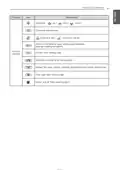


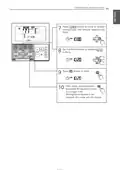


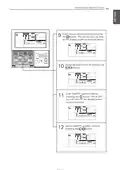


Installation & Operation
LG Programmable Thermostat
• Please read this Installation manual completely before installing the
product.
• Installation work must be performed in accordance with the national
wiring standards and local code by authorized personnel only.
• Please retain this manual for future reference after reading it thor-
oughly.
Type : LG Programmable Thermostat
Models : PREMTB10U
www.lg.com
P/NO : MFL62129209


| General | Details |
|---|---|
| Name | LG PREMTB10U Programmable Thermostat Instruction Manual |
| Make | LG |
| Language | English |
| Filetype | PDF (Download) |
| File size | 4.55 MB |
 (1 votes, average: 5.00 out of 5)
 Loading...

LG PREMTA200 Deluxe Thermostat User Guide

LG PREMTB10U Programmable Thermostat Instruction Manual Overview
Summary of Contents
- Page 1: Installation & Operation Please read this installation manual completely before installing the product. Installation work must be performed in accordance with the national wiring standards and local code by authorized personnel only. Please retain this manual for future reference after reading it thoroughly. Type: LG Programmable Thermostat Models: PREMTB10U
- Page 2: Tips for saving energy Here are some tips that will help you minimize power consumption when you use the air conditioner. Do not cool excessively indoors. This may be harmful for your health and may consume more electricity. Block sunlight with blinds or curtains while you are operating the air conditioner. Keep doors or windows closed tightly while you are operating the air conditioner. Adjust the direction of the air flow vertically or horizontally to circulate indoor air. Speed up the fan to cool or warm indoor air quickly. Open windows regularly for ventilation as the indoor air quality may deteriorate if the air conditioner is used for many hours. Clean the air filter once every 2 weeks. Dust and impurities collected in the air filter may block the air flow or weaken the cooling / dehumidifying functions.
- Page 3: Important safety instructions Read all instructions before using the appliance. Always comply with the following precautions to avoid dangerous situations and ensure peak performance of your product. Warning: It can result in serious injury or death when the directions are ignored. Caution: It can result in minor injury or product damage when the directions are ignored. Installation or repairs made by unqualified persons can result in hazards to you and others. The information contained in this manual is intended for use by a qualified service technician familiar with safety procedures. Failure to read and follow all instructions in this manual carefully can result in equipment malfunction, property damage, personal injury, and/or death. For electrical work, contact the dealer, seller, a qualified electrician, or an authorized service center. Do not disassemble or repair the product. Do not place flammable substances close to the product.
- Page 4: Important safety instructions Do not touch or pull the lead wire with wet hands. There is a risk of product breakdown or electric shock. Do not clean using powerful detergents like solvent; instead, use soft cloths and mild detergents. Failure to do so may result in a risk of fire, electric shock, explosion, equipment malfunction, or deformation. Do not press too hard on the thermostat's screen, as it may result in a malfunctioning product.
- Page 5: Table of contents Function setting - Changing current time Tips for saving energy Important safety instructions Standard operation - Cooling mode Standard operation - Heating mode Programming - Weekly reservation Ventilation product - Interlocked air conditioner and ventilator Troubleshooting mode self diagnosis Installation method Installer setting - How to enter installer setting mode
- Page 6: Installer setting - E.S. P. Function Installer setting - Thermistor Installer setting - Setting temperature range Installer setting - Static pressure step setting Installer setting - Ceiling height selection Installer setting - Guard timer Installer setting - Static pressure setting Installer setting - Set point range lock Installer setting - Override master/slave setting Installer setting - Fan operation in the cooling mode and thermal off conditions
- Page 7: Name and function of thermostat Operation indication screen Set temperature button Fan speed button Air flow button Desired cooling temperature Function setting button On/Off button Desired heating temperature Some functions may not be operated and displayed depending on the product type.
- Page 8: Part description Icon description Auto mode - Product automatically switches between cooling and heating modes. Cooling mode - Product is running cooling mode. Dehumidification mode - Product is running dehumidifying mode. Heating mode - Product is running heating mode. Fan only operating mode - Product is running only the fan for ventilation. Plasma purification - Product is operating Plasma Purification filter. Energy-saving cooling operation - Product is running cooling mode in limited set temperature for energy savings. Automatic drying - Indoor unit operates in the Automatic drying mode. Electric heater - Product operates electric heater in heating mode. Humidifier - Product operates in the Humidifier mode.
- Page 9: Function descriptions include current temperature display, cooling and heating set point temperatures, and fan speed settings. The fan speed can be set to power, high, medium, low, weak, or automatic. The louver can operate in up-down and left-right swings, as well as a paired cross-swing. The controller can operate in various scheduled modes such as simple, sleep, week, or holiday. Temporary mode allows for a temporary change in settings. Schedule override mode accommodates changes in occupied or unoccupied states. Set back operation mode enables the controller to operate in a set back manner. The system can receive commands from a central controller or outdoor unit. It monitors the product state, including indoor unit pre-heating and defrost operations. Certain functions may not be applied under specific conditions.
- Page 10: Part description includes various functions and icons related to scheduling operations. The document outlines simple, sleep, weekly, and holiday schedules in operation. It details the day of the week and the number of weekly reservation events. Time settings are specified in AM/PM format, with values for hours and minutes. There are options for turning on/off devices by schedule. The display indicates the weekly schedule's occupied or unoccupied state. It includes features for copying and pasting weekly schedule data. Louver angle settings are provided, including standard angle settings. The document also mentions elevation grill setting steps.
- Page 11: Part description includes various functions and settings. Functions include stop, down, and up for grill state. Child lock settings are available for both setting and cancellation. There is a minimum difference value setting step between cooling and heating set points. Current time setting step is included. Schedule override timer setting step is provided. Default set back cooling and heating temperature set points can be adjusted. Filter sign clear setting step is available. An indoor unit air filter cleaning alarm is mentioned.
- Page 12: Operation instruction Standard operation - cooling mode Press the button to turn on the indoor unit. Press the button to select cooling operation mode. Adjust the desired temperature by pressing buttons. When setting the desired temperature higher than room temperature, the fan will blow room temperature air instead of cold air. Setting temperature range: Option 1. 64~86 °F (18~30 °C) (default setting). What is the three-minute delay function? The function of the three-minute delay is to protect the compressor by delaying the output of cool air if the cooling mode is interrupted. Cooling mode restarts after 3 minutes when the compressor starts to operate. If the indoor unit has a 2 set point function selected, the unit will turn off thermal once the desired set point is achieved.
- Page 13: Operation instruction Standard operation - power cooling Press the button to turn on the indoor unit. Press the button to select cooling operation mode. Press the button until 'Po' is displayed. What is power cooling? Power cooling cools the room quickly by blowing cold air at the powerful setting until the room reaches 64 °F (18 °C). Some products do not have power air-cooling function.
- Page 14: Operation instruction for heating mode includes pressing the button to turn on the indoor unit. Select heating mode by pressing the appropriate button. Adjust the desired temperature using the designated buttons. If the desired temperature is set lower than the room temperature, the fan will blow room-temperature air. The setting temperature range is 60-86 °F (16-30 °C) as the default or 40-86 °F (4-30 °C). Heating drive operates only on cooling and heating models. Heating does not operate on cooling-only models. For option 2, if the desired temperature is set between 40-59 °F (4-15.5 °C), the indoor unit shuts off if the indoor temperature is higher than the desired temperature. When using a central controller, the displayed value of the desired temperature may differ based on the product function. If the indoor unit has a 2 set point function selected, it will turn off thermal once the desired set point is achieved.
- Page 15: Operation instruction Standard operation - dehumidification mode Press the button to turn on the indoor. Press the button to select dehumidification mode. The temperature setting cannot be adjusted during this mode. In rainy season or high humidity climates, it is possible to operate dehumidifier and cooling mode simultaneously to remove humidity effectively. The menu item of fan speed is unavailable, depending on the product.
- Page 16: Operation instruction for standard operation in fan mode includes pressing the button to turn on the indoor unit. Press the button to select fan mode. Fan mode only provides ventilation; it does not provide cool air. The menu item for fan speed may be unavailable depending on the unit.
- Page 17: Operation instruction for standard operation in auto mode includes pressing the indoor button to turn on the system. To select auto operation mode, press the designated button. Adjust the cooling set point by pressing the button to select the desired temperature. Set the heating set point by pressing the button to choose the appropriate temperature. For cooling exclusive systems, temperature can be adjusted from hot to cold, ranging from -2 to 2 based on 0. Temperature settings include: - -2 for hot - -1 for warm - 0 for appropriate - 1 for cool - 2 for cold Cooling operation state and heating operation state are indicated.
- Page 18: - Auto heating drive only operates on cooling and heating models. - Auto heating doesn’t operate on cooling only models. - When setting the desired cooling temperature, the indoor unit shuts off if the indoor temperature is lower than the desired temperature. - When setting the desired heating temperature, the indoor unit shuts off if the indoor temperature is higher than the desired temperature. - A displayed value of the desired temperature may differ depending on the function of the indoor unit when using a central controller. - If the indoor unit has the 2 set point function selected, the unit will turn off thermal once the desired set point is achieved.
- Page 19: Standard operation - timed override temporarily changes the occupied/unoccupied schedule for override time. It reverts to the last occupied schedule in unoccupied override. It reverts to the last unoccupied schedule in occupied override. You can set ‘override time’ by ‘function setting – override set time’. Press button for 3 seconds to operate timed override. Press button for 3 seconds in timed override mode to cancel timed override. It reverts to the last weekly reservation schedule. The default operation setting is auto operation mode with 86 °F (30 °C) for the cool set point and 60 °F (16 °C) for the heat set point. It can be canceled if the thermostat receives a command from another controller. When changes occur in the setting by a daytime reservation operation, the schedule override mode gets deactivated.
- Page 20: Operation instruction for standard operation - set back is outlined. Set back operation reverts to the last unoccupied schedule until canceled. It changes to function setting - set back setting if there is no last unoccupied schedule. Auto operation mode and set back setting temperature are part of the function setting. To operate set back mode, press the appropriate button. To cancel set back mode, press the button while in set back mode. The system reverts to the last weekly reservation schedule upon cancellation. Settings cannot be changed in set back mode, except for cancellation. 'HL' lock is displayed during set back mode and can be canceled by another controller's command. When deactivated, set points will adjust to current occupied settings.
- Page 21: Operation instruction Standard operation - Hold It is a function that holds the current mode of operation. If it is on hold, daytime schedule cannot be programmed. If it is on hold, current room temperature does not display. Press button for 3 seconds to operate ‘Hold’ function. Press button for 3 seconds in ‘Hold’ to cancel ‘Hold’. If Hold mode is cancelled with daytime schedule programmed, it runs the latest schedule. You can’t change setting in ‘Hold’ except cancel the ‘Hold’. It can be canceled if the thermostat receives a command from another controller. When commands are received by other controllers, the Hold mode gets deactivated.
- Page 22: Operation instruction Standard operation – temperature setting Press the buttons to adjust the desired temperature. In auto mode, adjust cooling and heating set points individually. Cooling operation: The cooling mode doesn’t work if desired temperature is higher than room temperature. Heating operation: The heating mode doesn’t work if desired temperature is lower than room temperature. When thermostat is running, the room temperature will be displayed on the screen. Room temperature display range: Fahrenheit 33-99°F, Celsius 1-39°C. For air-cooling set point, select desired temperature from 64~86 °F (16~30 °C). A temperature area of extended range can be selected through desired temperature range setting option. When combined with other controllers, the temperature displayed on each controller may differ.
- Page 23: Operation instruction Standard operation - Airflow setting Fan speed: You can simply adjust desired fan speed. Please set up desired fan speed by fan speed button. Every time you press fan speed, you can select the fan speed in order of ‘SLO → LOW → MED → HIGH → POW → AUTO’. The menu item may be unavailable according to product function. Please refer to the product manual for product’s detailed function. Wind direction: You can simply adjust desired wind direction. Please set desired wind direction by pressing button. You can select wind direction of (Up/Down and Left/Right → Left/Right → Up/Down → Clear → Swirl → Clear) by pressing button. Some functions may not be operated and displayed depending on the indoor unit type.
- Page 24: Operation instruction for plasma purification is provided for specific products. The method to set up plasma purification involves pressing a button until an icon flashes. You can operate or cancel the plasma purification function by pressing a designated button. After setting, you need to press another button to exit the setup. The system automatically exits after 25 seconds if there is no input. If the setting/cancel button is not pressed, the mode will not change. Plasma purification is an additional function and may not be available on all indoor unit types. This function is only possible when the indoor unit is running. You can run the plasma purification function on fan mode without cooling or heating.
- Page 25: Operation instruction Energy-saving cooling operation improves user comfort and power saving capacity by adjusting the desired temperature while running air-cooling. Setting the energy-saving cooling function is available when operating cooling. The function is not available for cooling operated by the auto mode. Press the button until it flashes to access the energy-saving cooling function. Operate or cancel the energy-saving cooling function by pressing the button. To cancel the function, move to the energy-saving cooling menu and press the button again. The setup automatically exits after 25 seconds if there is no input. If the setting/cancel button is not pressed, the mode will not change. Energy-saving cooling is only available for the cooling mode. The energy-saving cooling function might not be available on all indoor units.
- Page 26: Operation instruction Sub function - automatic drying It is the function that dries the inside of an indoor unit when the indoor unit is off, and allows for the fan to operate for a certain time in order to prevent mold and moisture. This function is only available on some indoor units. The method to setup automatic drying involves pressing a button until an icon flashes. Operate or cancel the automatic drying function by pressing a button. After setting, press another button to exit. After setup, it automatically exits after 25 seconds if there is no input. If the setting/cancel button is not pressed, the mode will not change. Automatic dry function might not be available on all indoor units.
- Page 27: Operation instruction for the electric heater function allows auxiliary heating during heating operation. The electric heater can only be set during heating or auto (heating mode) operation. To turn on/off the electric heater, press the designated button until the icon flashes. The electric heat icon will be displayed when the electric heat is enabled. The setup will automatically exit after 25 seconds without input. If the Setting/Cancel button is not pressed, the mode will not change. The heater function may not be available on all indoor units. Indoor units with the auxiliary heater function will display the icon during heating operation. Emergency heater can be turned on for simultaneous heating and cooling with non-heat recovery outdoor units. Electric heater icon will show in the LCD display with error codes when the emergency heater is on during an error.
- Page 28: Operation instruction for the humidifier function is provided. Only products with a humidifying function can use this feature. To turn on/off the humidifier, press the designated button. An icon will be displayed when the humidifier is enabled. The system automatically exits after 25 seconds of no input. If the Setting/Cancel button is not pressed, the mode will not change. The humidifier function is an additional feature and may not be available on all indoor units.
- Page 29: Operation instruction Sub function - Fan auto It is the function that operates the fan when the outdoor unit is running. Only indoor units with fan auto function can use this. The method to set up fan auto function. Operate or cancel fan auto function by pressing the button. After setting, press to exit. After setup, it automatically exits after 25 seconds if there is no input. If the setting/cancel button is not pressed, the mode will not change.
- Page 30: Operation instruction for vane angle control adjusts airflow angle. Press the button until the icon flashes. Select active vane using the button. Vane numbers include 1, 2, 3, 4, all, or standard. The selected vane is in operation; verify the operating vane. To set all vanes, select 'all'; for factory defaults, select 'standard'. Select wind angle using buttons and press the button. Wind angle settings can be changed to 5 or 6 levels depending on the product. Press the button to complete and activate the setting process. The system will automatically exit after 60 seconds of no input.
- Page 31: Operation instruction for the elevation grill function is provided. This function allows the indoor filter to move up and down for cleaning. To initiate, press the button until the icon flashes. Use the buttons to move to descent and press to display the descent icon. When the grill descends to the desired position, stop it using the buttons and press to halt the movement. After cleaning, fix the filter and move to ascent using the buttons, then press to go back up. Press the button to exit. The system automatically exits after 60 seconds of inactivity. The elevation grill function operates only in the indoor unit with the elevation grill and only at drive off.
- Page 32: Operation instruction Function setting - Child lock This function prevents children or other users from using the thermostat carelessly. Press the button until the icon flashes. Use the buttons to move to the setup icon area and press to set child lock. When cancelling the child lock, use the buttons to select the cancel icon and press to cancel the child lock. Press button to exit. After setup, it automatically exits after 60 seconds if there is no input.
- Page 33: Function setting - minimum difference between heating and cooling set points This function sets the difference between heating and cooling set points. Press the button until the icon flashes. Press buttons to change. Minimum difference values: 0~10°F (0~5°C) Press the setting button to complete the setting process. Press the button to exit. After setup, it automatically exits after 60 seconds if there is no input. When adjusting the minimum setting, both the heating and cooling set points will be adjusted to maintain the value as a minimum. If power is lost for more than 50 hours, check displayed time and correct if needed.
- Page 34: Operation instruction Function setting - Changing current time Press the function setup button until it moves to time setup menu. The ‘Time setup’ icon appears and the time and day blink in the current time indication area. The example demonstrates changing the current time to Monday at 10:20 a.m. Press keys to adjust the current day. Press key to move to AM/PM selection mode. Set the AM/PM value by pressing buttons. Press buttons to move to ‘Hour’ setting mode. Set the Hour value by pressing buttons.
- Page 35: Operation instruction Press buttons to move to 'Minute' setting mode. Set the Minute value by pressing buttons. Press button to finish. After setup, it automatically exits after 60 seconds if there is no input. If the Setting/Cancel button is not pressed, the mode will not change.
- Page 36: Operation instruction Function setting - Override set time This function is to set a schedule override operation time. Use button to select override time setting. You can set override time from 30 to 240 minutes with an interval of 30 minutes. Default setting value: 60 minutes. Press the setting button to complete the process. Press button to exit. After setup, it automatically exits after 60 seconds if there is no input. If the Setting/Cancel button is not pressed, the mode will not change.
- Page 37: Operation instruction Function setting - Set back temperature This function is to set the default temperature set points for set back operation. It is used when the controller doesn't have a last known unoccupied schedule. Use button to select set back temperature setting. Press repeatedly to select set back temperature. The cooling set point icon flashes. Use button to set cooling set point. Press button to move to set heating set point. Using button, you can also set heating set point. Press the setting process button to complete. Press button to exit.
- Page 38: Function setting - filter sign clear This function is to clear the indoor filter cleaning indicator. Press button until the flashes. When the is flashing, press to clear this display. If the indoor unit product has a function to display the remaining time until the filter cleaning, it displays the remaining time until the filter cleaning in the current time display area. When the filter is covered by dust and debris, the indoor unit heating and cooling efficiency will be reduced and the unit will consume more energy. Cleaning the filter will prevent this loss of efficiency. The filter cleaning indication disappears automatically after a certain period of time, even without manually clearing the icon.
- Page 39: Operation instruction Programming - Simple reservation A schedule can be set between 1 and 7 hours in 1 hour increments. Press the thermostat button on the ‘SIMPLE’ segment will blink. Press buttons to adjust reservation time. Press buttons to finish setting. Press button to exit. After setup, it automatically exits after 60 seconds if there is no input. If the Setting/Cancel button is not pressed, the mode will not change. When simple timer is set up, product automatically runs or stops after the time that is set.
- Page 40: Operation instruction Sleep reservation is the function of air conditioners to run and stop after a certain period of time at sleep mode before sleep. Sleep reservation will slowly reduce or turn off your unit while you sleep based on the time that you set. When operating under the Auto operation mode, the sleep reservation cannot be made and any sleep reservation gets deactivated. Press button to enter the programming mode. The sleep reservation time is from 1 to 7 hours. After setup, it automatically exits after 60 seconds if there is no input. If reservation is set up, the sleep indication will show on the lower part of the LCD screen. If finishing sleep reservation setup, air-conditioner product operates sleep drive and stops after the time that is set. Because the unit automatically adjusts the desired temperature for comfortable air cooling in sleep drive, there could be a difference between the thermostat’s desired temperature and the air conditioner body’s desired temperature.
- Page 41: Operation instruction Programming - Weekly reservation You can set individual daily schedules for the week. For correct operation of weekly reservation, please set current time correctly. Press button to enter WEEK setting mode. “WEEK” will blink on the display. Select desired day by pressing the buttons. The day icon will blink. Enter timer number setting mode by pressing the button. The number icon will blink. Select desired timer number to set by pressing the buttons.
- Page 42: Operation instruction Enter AM/PM setting mode by pressing the button. AM or PM will blink on the display screen. Select the AM or PM by pressing the button. Enter hour setting mode by pressing the button. The hour icon will blink on the display screen. Select desired hour by pressing the buttons.
- Page 43: Operation instruction Enter minute setting mode by pressing the button. The minute icon will blink on the display screen. Select desired minute by pressing the buttons. Enter ON/OFF setting mode by pressing the button. ON or OFF icon will blink on the display screen. Select ON/OFF condition timer by pressing the button.
- Page 44: Enter occupied/unoccupied setting mode by pressing the button. Occupied or unoccupied icon will flash as pictured below. Select occupied/unoccupied condition of timer by pressing the buttons. Enter operation mode setting mode by pressing the button. Operation mode icon will flash on the display screen as pictured below. Select desired operation mode by pressing the button.
- Page 45: Operation instruction Enter cooling set point setting mode by pressing the button and the button. Cooling set point icon will flash on the display screen. Select desired cooling set point by pressing the buttons. Enter heating set point setting mode by pressing the button. Heating set point icon will flash on the display screen. Select desired heating set point by pressing the button.
- Page 46: Operation instruction Enter fan speed setting mode by pressing the button. Fan speed icon will flash as pictured below. Select desired fan speed by pressing the button. If finishing weekly reservation setup, please press the button. Weekly reservation setup for the day that you set is finished. If you setup with the method identical with above by selecting the day that you’d like to setup, it operates weekly reservation. This side bar indicates which days have weekly reservations already set.
- Page 47: You cannot change operate mode, fan speed, setting temperature when in Unoccupied. Display ‘Unoccupied Lock’ in the window.
- Page 48: Operation instruction Programming - weekly reservation schedule copy/paste You can copy weekly timer schedule data to another day. Press the mode button to enter week setting. Select desired day by pressing the buttons. The day icon will blink. Press and hold the button to copy the schedule of the selected day. Copy icon will flash. Select desired day by pressing the buttons. The day icon will blink. Press and hold the button to paste the schedule from the selected day. Paste icon will flash. Press the button to exit or the system will automatically exit after 25 seconds without any input.
- Page 49: Operation instruction for holiday reservation is provided. You can set a holiday schedule. Press the button to enter holiday setting mode. Select the desired day by pressing the buttons. The day icon will blink. Press the button to set a day as a holiday. When the holiday is set, the day of the week will disappear from the side bar. Press the button to finish the holiday setup. When the appointed holiday comes, the air conditioner will automatically stop. If the unit is turned on during the set holiday, it will run for one hour and then automatically turn off.
- Page 50: Operation instruction Programming - Delete all reservation You can delete all reservation schedules. Simple, sleep, weekly, and holiday reservations. Press button and button simultaneously and hold for 3 seconds to delete all reservation schedules.
- Page 51: Different mode drive is a phenomenon that occurs when indoor units' drive modes differ in a setup with multiple indoor units at one AHU. Different mode drive is not available for cooling-only models. If a few indoor units are running cooling on a heat pump system, it does not operate heating drive if any indoor unit operates heating drive. If a few indoor units are running heating on a heat pump system, it does not run if any indoor unit runs cooling or dehumidification. It indicates that it is operating heating drive on a heat pump system. By pressing a button, the indoor unit automatically runs at the mode that different indoor units are running after about 5 seconds and operates.
- Page 52: Operation instruction for ventilation product - interlocked air conditioner and ventilator. Control using thermostat where air conditioner indoor unit and the ventilation product is installed at the same time. When the power is turned on, your thermostat will recognize the ventilation product and then resume normal operation. Press 'Ventilation' button on the thermostat to enter ventilation control mode. To convert back to air conditioner mode, press the 'Ventilation' button when in ventilation mode. If no button is pressed for 15 seconds or more in ventilation mode, it automatically converts back to air conditioner mode. Ventilation product represents general ventilation product and direct expansion ventilation product.
- Page 53: Operation instruction for ventilation product interlocked with general ventilator is provided. This function allows simultaneous use of air conditioning and fresh air through the ventilation product. Press the button on the thermostat control panel to initiate interlinked operation. The operation is only applicable when the air conditioner and general ventilation are interlocked. Pressing the button in ventilation mode starts the ventilation process. The operation selection button changes the ventilation mode in the order of Recovery, Bypass, and Auto. The thermostat display shows the desired temperature when returning to air conditioning mode. Pressing the fan speed button changes the airflow speed in the order of Low, High, and Power. If a CO2 sensor is installed, the fan speed can also be set to Automatic. Automatic conversion back to air conditioner mode occurs if no button is pressed for 15 seconds or longer.
- Page 54: Operation instruction for ventilation product - ventilator single operation. Pressing the button will change the ventilation mode. Ventilation modes include heat exchange, normal, and automatic. Heat exchange circulates indoor air without loss of heat. Normal mode circulates indoor air while comparing indoor and outdoor air. Automatic mode adjusts based on conditions if a CO sensor is installed. Pressing the button changes the strength of the wind from low to high to power. Refer to the function setting for child lock, filter sign clear, and time setting functions. The document provides instructions for operating and setting functions of the ventilation product.
- Page 55: Operation instruction for ventilation product reservations settings includes sleep reservation, which allows the unit to operate lightly during sleep. To set the sleep reservation time, press the button to enter programming mode. The sleep reservation time can be adjusted from 1 to 12 hours using the buttons. Press the button to finish setting the reservation. The system automatically exits after 60 seconds of inactivity if the setting/cancel button is not pressed. The Sleep icon appears on the display screen when the reservation is set. When the sleep reservation is active, the unit operates at a lower intensity. There are additional chapters for setting simple, weekdays, and holidays reservations. Refer to the manual for detailed instructions on these reservation settings.
- Page 56: Operation instruction Troubleshooting mode self diagnosis The unit will automatically diagnose itself for any problems it experiences. It displays an error code for troubleshooting and repair. When an error occurs, the phrase “CH” and an error code number are displayed on the screen alternately. When an error occurs while operating under the group control mode, the phrase “CH” and an error code are displayed on the screen to the right of the indoor temperature value alternately. When recovery takes place after the occurrence of an error, controller operation mode may change because of communication with the indoor unit. Make sure you set the correct operation mode after adjusting vane angle settings. Since the setting of the thermostat can be altered after its recovery from the occurrence of a group control error, reset is recommended.
- Page 57: Operation instruction Checkups before reporting breakdown Please first check the items below for troubleshooting before consulting a service center. Symptoms Check-up management Please check the circuit breaker. Is air-conditioner's power on? Please check the thermostat wire setup condition. Are air-conditioner and thermostat properly connected with cable? Please check against the setup method listed in the manual. Is cable connection correct? Is the time set correctly? Did you set up a schedule correctly? Is desired temperature setup lower than current temperature?
- Page 58: Installation method Fix the backplate to the wall where you want to place it by fixing it to the wall with the provided screws. Be sure not to bend the backplate while attaching it to the wall. A bent backplate may affect the proper setup for the thermostat. Install product secure to the wall or electrical box to prevent gaps between the back plate and thermostat. The thermostat cable can be set in one of three positions. Setup directions: back, top, or right. Remove the cable guide groove if installing for top or right side cable connection. Remove guide groove with long nose pliers.
- Page 59: Installation method for the thermostat includes connecting and separating procedures. Fix the upper part of the thermostat into the backplate attached to the wall and connect by pressing the lower part. Ensure there are no gaps between the thermostat and backplate. Arrange the cable to avoid interference with circuit parts before assembly. To separate the thermostat, use a screwdriver in the lower separating holes and twist to release it from the backplate. Be cautious not to damage internal components during separation. Follow directions for connecting the indoor unit and the thermostat together. Check if the connectors are properly connected when using the plug type cable. Specification for the LG supplied extension cable is AWG#22, 3 core shielded. Use noncombustible conduit or FT-6 rated cable if local codes require plenum cable usage.
- Page 60: Installation method Make sure each wire is securely fastened under each screw terminal and the wires are not in contact with each other. Connect the terminal blocks of the indoor unit’s C/BOX and wired remote controller. Connect the yellow (signal) part of the thermostat’s terminal block and the ‘YL’ part of the indoor unit’s terminal block. Connect the red (12V) part of the thermostat’s terminal block and the ‘RD’ part of the indoor unit’s terminal block. Connect the black (GND) part of the thermostat’s terminal block and the ‘BK’ part of the indoor unit’s terminal block. The thermostat may not function properly if the screws come loose or have insufficient contact between the terminal and the wire. Use an appropriate screwdriver for tightening the terminal screws. Installation work must be performed in accordance with the national wiring standards and local code by authorized personnel only. Apply enclosed noncombustible conduit or use cable above FT-6 level in case of local electric & building code that requires plenum cable usage. When installing the thermostat, do not bury it in the wall.
- Page 61: Thermostat installation requires placing the unit away from direct sunlight, high humidity, and cold air supply. Install the Thermostat about 5 feet (1.5 meters) above the floor in an area with good air circulation. Avoid installing the Thermostat in locations affected by drafts, dead spots, or hot/cold air from ducts. Do not place the Thermostat near radiant heat sources or concealed pipes and chimneys. Ensure the Thermostat is not installed on an outside wall in uncontrolled areas. The Thermostat features an LCD display that requires proper installation for optimal visibility. The standard installation height is between 4 to 5 feet (1.2 to 1.5 meters) from the floor. Proper air circulation is essential for accurate temperature readings. Avoid locations that can lead to inaccurate temperature sensing. Refer to Figure 1 for proper installation guidelines.
- Page 62: Group control When installing more than 2 units of air conditioner to one thermostat, please connect as pictured. Set one indoor unit to master and the remaining to slave. When controlling multiple indoor units with one thermostat, you must change the master/slave setting from the indoor unit. Once DIP S/W is set, recycle power. For ceiling type cassette and duct product group, change the switch setting of the indoor PCB. For wall-mount type and stand type product, change the master/slave setting with the wireless thermostat. When controlling the group, some advanced functions may be limited.
- Page 63: Installer setting - How to enter installer setting mode Press and hold the button for 3 seconds to enter the thermostat installer setup mode. If it is not held for 3 seconds, it enters into user setup mode instead. When you enter the setting mode initially, function code is displayed on the bottom of the LCD screen. Some categories of the menu may not be displayed according to the function of the product, or the menu name may be different. Installer setting mode is to set the detailed function of the thermostat. If the installer setting mode is not set correctly, it can cause problems to the product, user injury, or property damage. This must be set by a certified installer. Any non-certified personnel attempting to install or make changes shall be responsible for any adverse effects or operation.
- Page 64: Installation instructions provide essential guidance for setting up the air-conditioner product. The installer setting code table includes functions such as test run and address setting. E.S.P. values range from very low to very high, with specific codes for each step. Thermistor settings indicate low, medium, high, and very high temperatures. Ceiling height options are categorized into various levels. Static pressure settings include slave and group settings for specific models. Master and override settings allow for single or auto configurations. Temperature switching can be set between Celsius and Fahrenheit. Emergency heater settings provide options for usage and setting steps. Function settings can be adjusted for group control and additional features.
- Page 65: Installation instructions Static pressure settings include a range of values and time steps. Guard timer settings for cooling and heating have upper and lower limits. Set point range lock has defined upper and lower limits for cooling and heating. Fan operation settings include various modes for cooling thermal off. Primary heater control can be enabled or canceled. Hold function can be enabled or disabled. Air conditioner fan operation can be interlocked with ventilation settings. Indoor unit auto restart can be set to use or not use. Auto-start settings have specific time options. Occupy sensor maintain time settings range from 10 to 60 minutes.
- Page 66: Installation instructions General ventilation product Function Test run Address setting Supply air ESP Exhaust air ESP Product direction Zone state Humidification for singular ventilation
- Page 67: Installation instructions require running a Test Run mode after installation. Refer to the product manual for details on this operation. Pressing the button for 3 seconds enters the thermostat installer setup mode. A short press enters the user setup mode; ensure to press for more than 3 seconds. Cancel the right and left wind direction for RAC products. Setup figure '01' blinks in the indication window. You can select test heating operation mode for some products. Select test run mode by pressing the appropriate button for cooling or heating. Press the button to start the test run. During the test run, pressing specific buttons will exit the test run.
- Page 68: Installation instructions provide guidance on setting the address of the central control. After installing the product, a test run mode must be initiated. Press the button for 3 seconds to enter the thermostat installer setter setup mode. A shorter press will lead to user setup mode. Entering address setup mode is indicated by the use of a specific button. Set the group number by pressing designated buttons. Move to the indoor number setting option using the appropriate buttons. Press the button to save the settings. Exiting settings mode can be done by pressing a specific button. The mode will automatically exit after 25 seconds of inactivity.
- Page 69: Installer setting - E.S. function determines the fan speed strength setting for each level (low, med, high). If you set ESP incorrectly, the air conditioner may malfunction. This setting must be carried out by a certificated technician. Press the button for 3 seconds to enter thermostat installer setup mode. If pressed for a shorter time, it enters into user setup mode. Select ESP fan step by pressing buttons (01: very low, 02: low, 03: medium, 04: high, 05: very high). Move to ESP value setting by pressing the button. Press buttons to setup ESP value (000 is the factory default setting). It is possible to setup ESP value from 1 to 255, and 1 is the smallest and 255 is the largest. ESP settings vary between different product types.
- Page 70: Installation instructions Select ESP fan step again by using buttons and set up ESP values as No. 4 and 5 to correspond to each fan speed. Press button to save. Press button to exit. After setup, it automatically exits after 25 seconds if there is no input. If the Setting/Cancel button is not pressed, the mode will not change. Please be careful when adjusting ESP values. It does not work to setup ESP value for weak/power step for some products. ESP value range is dependent on product.
- Page 71: Installation instructions provide guidance on setting the thermistor for indoor unit sensors. The installer setting allows the choice between using the indoor unit mounted sensor or the thermostat sensor. Pressing the button for 3 seconds enters the thermostat installer setup mode. A shorter press leads to user setup mode. The thermistor value can be set by pressing designated buttons. The function code for thermistor setting is saved by pressing the button. Exiting settings mode is done by pressing the button. The setup automatically exits after 25 seconds of inactivity. The thermistor table outlines the operation based on selected temperature sensors. The function of 2TH varies according to the product, particularly in heating scenarios.
- Page 72: Installation instructions provide guidance on adjusting fan airflow rate based on ceiling height for ceiling type products. To enter thermostat installer setup mode, press the button for 3 seconds. Pressing the button for a shorter time will lead to user setup mode. Select the ceiling height value by pressing the buttons, with options for low, medium, high, and very high. Press the button to save the selected ceiling height setting. Press the button to exit settings mode. The system automatically exits after 25 seconds of inactivity. The ceiling height setting is only available for certain products. The very high ceiling height function may not be available depending on the indoor unit. Refer to the product manual for more details.
- Page 73: Installation instructions for static pressure setting are applicable only to duct type systems. Setting this for other types may cause malfunction. To enter the thermostat installer setting, press the button for 3 seconds. Pressing the button for a shorter time will lead to user setup mode. To access the static pressure selection menu, press the button repeatedly. Select static pressure by pressing the designated buttons corresponding to function codes. Press the button to save the selected setting. To exit settings mode, press the button. The system will automatically exit after 25 seconds of inactivity. If the Setting/Cancel button is not pressed, the mode will remain unchanged. A static pressure setting table outlines the pressure selection and corresponding function codes.
- Page 74: Installation instructions provide guidance on the override master/slave setting for Multi V II. The override master/slave function prevents different mode operation of the product. If set as slave, changes to run in the opposite mode from the outdoor unit are blocked. Press the button for 3 seconds to enter the thermostat installer setting. Pressing the button for a shorter time enters user setup mode. Use the button to navigate to the override master/slave selection menu. Select Master/Slave by pressing the appropriate buttons (00: Slave, 01: Master). Press the button to save the selection. Press the button to exit setting mode. The override master/slave selection function is available only when connected to succeeding models of the Multi V II series.
- Page 75: Installation instructions provide guidance for setting up the dry contact mode. Dry contact function requires separate equipment to be purchased or set up. Press the button for 3 seconds to enter the thermostat installer setting. A shorter press will lead to user setup mode. Use the button to navigate to the override master/slave selection menu. Select the dry contact setting by pressing the appropriate buttons. Press the button to save the selected setting. Press the button to exit the setting mode. The system will automatically exit after 25 seconds of inactivity. Dry contact refers to the signal of the point of contact when using an air conditioner through interlocking.
- Page 76: Installer setting allows switching between Celsius and Fahrenheit. Press the button for 3 seconds to enter the thermostat installer setting. A shorter press enters user setup mode. Select function by pressing code 12. Choose temperature unit mode by pressing the buttons. 00 represents Celsius, and 01 represents Fahrenheit. Press the button to save or release. Press the button to exit, or the system will automatically exit after 25 seconds without input. In Fahrenheit mode, pressing the button will increase or drop the temperature.
- Page 77: Installation instructions for the emergency heater setting are provided. This function is available on some products and is used to heat the space in emergency cases such as heat pump errors. Emergency heat does not supplement the heat pump. The emergency heater setting function includes conditions for operation during errors or when the outdoor unit is in cooling mode. It also addresses operation in low outdoor ambient temperatures and fan speed settings during emergency heater operation. To enter the thermostat installer setting, press the button for three seconds. Pressing for a shorter time will enter user setup mode. Setting options include heater operation during errors and low outdoor ambient heating operation. If certain settings are configured, additional settings may not be available. This function setting must be carried out by a certified technician.
- Page 78: Installation instructions for low outdoor ambient heating are provided. Operation settings can be adjusted by pressing specific buttons. The compressor on/off settings range from 00 to 15. Emergency heater operation is enabled when the compressor is off. FAN speed settings can be adjusted during emergency heater operation. The fan can be turned off or on with designated settings. Changes must be saved by pressing the appropriate button. The system will automatically exit after 25 seconds of inactivity.
- Page 79: Installation instructions provide guidance for setting up group control functions. The function allows control of common or specific functions by the indoor unit during group control. Pressing the button for more than 3 seconds enters the thermostat installer setup mode. A short press enters user setup mode. Select 'Function setting in group control' to access the relevant settings. Function control setting values during group control include options for common functions. Press the button to save the selected settings. Exiting settings mode can be done by pressing the button. The setup mode will automatically exit after 25 seconds of inactivity. Values manipulated without pressing the set button will not be saved.
- Page 80: Installation instructions for the indoor unit settings are provided. The installer setting allows for configuration of features like plasma purification, electric heater, humidifier, elevation grill, ventilation kit, and auxiliary heater. To enter the thermostat installer setting, press the button for 3 seconds. Pressing the button for a shorter time will lead to user setup mode. Function codes are used to select options for various features. Existing conditions for each code can be selected by pressing the buttons. Conditions include not installed (00) and installed (01). For additional stages in the auxiliary heater setting, options include general (01) and duct type (02). Press the button to save the settings. The settings mode will exit automatically after 25 seconds without input.
- Page 81: Installer setting – Check indoor unit address number. It is the function to verify the indoor unit address designated by the outdoor unit. Press the button for 3 seconds to enter the thermostat installer setting. If pressed for a shorter time, it enters into user setup mode. Press the button to select the option. Indoor unit address number is displayed in the installer setting value display part. Press the button to exit settings mode. After setup, it automatically exits after 25 seconds if there is no input. If the Setting/Cancel button is not pressed, the mode will not change.
- Page 82: Installation instructions for the refrigerant leakage sensor are provided. The function is set when the sensor is newly installed or removed. Press the button for 3 seconds to enter the thermostat installer setting. A shorter press enters user setup mode. Select the refrigerant leakage sensor setting by pressing the appropriate buttons. Function codes are used to indicate whether the sensor is in use or not. Press the button to save the settings. Press the button to exit settings mode. The system automatically exits after 25 seconds without input. The mode will not change if the setting/cancel button is not pressed.
- Page 83: Installer setting – setting temperature range This function is used to select the temperature range options. Press the button for 3 seconds to enter thermostat installer setup mode. Select temperature range by pressing buttons. 00 (option 1): 60~86 °F / 16~30 °C (default) 01 (option 2): 40~99 °F / 4~37.5 °C When the set values are changed, several items will be initialized. In case of the setting temperature range option 2, the setting of the remote controller can be altered under specific circumstances. Changes in the setting may occur during product installment and service, errors, or commands from various units. Press button to exit or the system will automatically exit after 25 seconds without any input.
- Page 84: Installation instructions provide guidance for setting static pressure in duct type models. The static pressure function is divided into 11 steps for adjustment. This function is only available on certain models. Entering installer setup mode requires pressing a button for more than 3 seconds. Short pressing the button enters user setup mode. To access the static pressure selection menu, press the button repeatedly. Static pressure can be selected by pressing the appropriate button. Pressing the save button will confirm the settings. Exiting setup mode occurs automatically after 25 seconds of inactivity. Static pressure settings will not apply if static pressure step settings are in use.
- Page 85: Installer setting – Guard timer is a function that sets the minimum running time of outdoor unit cycle mode when switching from cooling mode to heating mode and vice versa during Auto Operation mode. Under the condition of cooling/heating switching, it switches between cooling and heating mode after operation during the time scheduled in the Guard timer. Pressing the button long for 3 seconds enters into Guard timer installer setup mode. Pressing once shortly enters into user setup mode. Moving to room temperature perception sensor selection menu is done by pressing the button. Set Thermistor value by pressing the button. Function Code setting value includes Guard time values ranging from 0 minutes to 60 minutes. Press the button to save the settings. Pressing the button will exit settings mode. After setup, it automatically exits setup mode if there is no button input for 25 seconds.
- Page 86: Installation instructions provide guidance on setting the installer settings for temperature control. The set point range lock function establishes upper and lower bounds for heating and cooling temperatures. Desired temperature can only be set within the specified range when the temperature range lock is active. Central control unit or additional accessories can reflect desired temperature values beyond the locked range. Entering the set point range lock installer setup mode requires pressing a button for three seconds. A short press enters user setup mode, while a long press is necessary for certain functions. The room temperature perception sensor selection menu can be accessed through a specific button press. Set point lock can be enabled or disabled using a designated button. To adjust the operation mode, a button press is required to navigate to the appropriate settings. The operation mode must be set to configure the temperature range effectively.
- Page 87: Installation instructions Move to ‘Upper limit set point’ setting by pressing button. Press button to setup Upper limit set point. Move to ‘Lower limit set point’ setting by pressing button. Press button to setup Lower limit set point. Press button to save. Press button will exit settings mode. After setup, it automatically gets out of setup mode if there is no button input for 25 seconds. When exiting without pressing set button, the manipulated value is not reflected. Indoor unit control method. Cooling set point range.
- Page 88: Installation instructions for fan operation in cooling mode and thermal off conditions are provided. The function sets the indoor unit fan movement when thermal is off. Pressing the button for 3 seconds enters the cooling thermal off fan operation installer setup mode. A short press enters the user setup mode. Moving to the room temperature perception sensor selection menu is done by pressing the button. Set the thermistor value by pressing the button. Function code and setting values are listed, including guard time values. Press the button to save settings. Pressing the button will exit settings mode. The setup mode automatically exits after 25 seconds of no button input.
- Page 89: Installation instructions for the primary heater control setting are provided. The function allows the outdoor unit to operate with an auxiliary heat source while the heater runs with the main heat source in heating mode. Pressing the button for 3 seconds enters the primary heater control installer setup mode. A short press enters the user setup mode. To access the room temperature perception sensor selection menu, press the button. Set the thermistor value by pressing the button, with options to cancel or use primary heater control. Press the button to save the setting value. Pressing the button will exit the settings mode. The setup automatically exits if there is no button input for 25 seconds. Exiting without pressing the set button means the manipulated value is not reflected.
- Page 90: Installation instructions Installer setting – Hold Enable / Disable It is a function that sets whether to use Hold mode. If pressing button long for 3 seconds, it enters into Hold Enable / Disable installer setup mode. If pressing once shortly, it enters into user setup mode. Set Thermistor value by pressing button. (00: Hold Function disable, 01: Hold Function enable) Press button to save. Pressing button will exit settings mode. After setup, it automatically gets out of setup mode if there is no button input for 25 seconds. When exiting without pressing set button, the manipulated value is not reflected.
- Page 91: Installation instructions for air conditioner fan operation interlocked with ventilation are provided. This function allows the air conditioner fan to operate when only ventilation is running while the air conditioner is off. To enter the installer setup mode, press the button for 3 seconds. Pressing the button shortly enters the user setup mode. Access the room temperature perception sensor selection menu by pressing the button. Set the thermistor value by pressing the button, with options for fan operation levels. Press the button to save the setting value. Pressing the button will exit the settings mode. The setup mode will automatically exit after 25 seconds of no button input. Exiting without pressing the set button will not reflect the manipulated value.
- Page 92: Installation instructions for the indoor unit auto-start setting are provided. This function determines whether the indoor unit resumes operation in the previous power-on state or as a power-off state after a power failure. To enter the indoor unit auto-start setting installer setup mode, press the button for 3 seconds. Pressing the button shortly enters user setup mode. Access the room temperature perception sensor selection menu by pressing the button. Set the thermistor value by pressing the button, with options for using or not using indoor unit auto restart. Press the button to save the setting value. Pressing the button will exit the settings mode. The setup mode will automatically exit after 25 seconds of no button input. Exiting without pressing the set button will not reflect the manipulated value.
- Page 93: Installer setting – occupancy duration time setting It is a function that sets the light-on/occupancy duration after motion is detected when installing an occupancy sensor. If pressing button long for 3 seconds, it enters into occupy sensor ‘occupy maintain’ time setting installer setup mode. If pressing once shortly, it enters into user setup mode. Set thermistor value by pressing button. Function code setting value guard time value. Press button to save. Pressing button will exit settings mode. After setup, it automatically gets out of setup mode if there is no button input for 25 seconds. When exiting without pressing set button, the manipulated value is not reflected.
- Page 94: Page 94

Beca BHT-7000 Smart Knob Thermostat User Manual

GENERAL FH100 Floor Heating Thermostat User Guide

JBM 54342 Parts Cleaner Machine with Thermostat Instruction Manual

Honeywell PRO 1000 Series Non-Programmable Thermostat Instruction Manual

DOMETIC 3313192.XXX Single Zone LCD Thermostat Instruction Manual

ENGO CONTROLS EASY230W Non-Programmable Wired Thermostat User Guide

PELICAN TC3 Commercial Connected Thermostat Installation Guide
ENGO CONTROLS E901RF Wireless Programmable Thermostat User Guide

Danfoss VICUQ24M Icon Programmable II Room Thermostat Installation Guide

ELKO EKO07258 16A Smart ZB Thermostat User Guide