
PELICAN TC3 Commercial Connected Thermostat Installation Guide








| General | Details |
|---|---|
| Name | PELICAN TC3 Commercial Connected Thermostat Installation Guide |
| Make | Pelican |
| Language | English |
| Filetype | PDF (Download) |
| File size | 0.32 MB |
 (1 votes, average: 5.00 out of 5)
 Loading...


Pelican TC3 Manual: Questions and Answers
Can I install Pelican TC3 more than 500 feet from the Wiring Module?
No. The Wiring Module supports a maximum distance of 500 feet from the thermostat. Installation Guide, p. 5
What do the icons in the upper right corner mean on Pelican TC3?
Icons indicate alarm notifications. Check the Info page to identify the issue, then refer to the troubleshooting guide. Installation Guide, p. 19
How does the CO2 sensor on Pelican TC3 calibrate itself?
The sensor auto-corrects drift using built-in self-correcting logic. After 24 hours of continuous power, it records the lowest concentration as baseline and enters 7-day correction cycles. Allow up to two cycles for accuracy to establish. Installation Guide, p. 19
What is the continuous load rating for latching relays in Pelican TC3?
24 VAC @ 2 amps. Installation Guide, p. 17
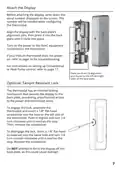
How do I install Pelican TC3 on my wall?
Mount the thermostat 48" to 60" above the floor on an interior wall, away from doors, metal objects, and direct sunlight.
- Insert the air shield into the backplate's center hole until it holds fully.
- Pass thermostat wires through the air shield opening.
- Attach the backplate to the wall using provided screws: machine screws for electrical boxes, or sheet metal screws and drywall anchors for drywall.
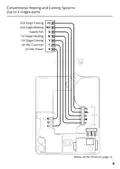
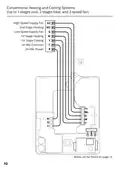
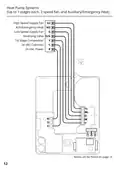
- Connect wires from your equipment to the backplate terminals following the wiring diagrams on pages 8-15. Installation Guide, p. 4
Where should I mount Pelican TC3 for accurate temperature readings?
Install on an interior wall at 48" to 60" from the floor, away from doors, filing cabinets, electrical equipment, metal objects, direct sunlight, and supply air streams. Installation Guide, p. 1
More Pelican thermostat manuals


