
Home > Price Industries > Price Industries Disio Display Thermostat User Guide
Price Industries Disio Display Thermostat User Guide
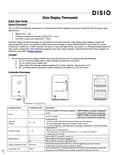


Disio Display Thermostat
Quick Start Guide
General Description
The 24 VAC Disio Display thermostat is a thermostat/controller designed to provide control for the following 3 main
applications:
•
•
•
Reheat (DX – 50)
Pressure Dependent Damper Control (DX – 1XX)
Fan Coil (2 pipe and 4 pipe) (DX – 3XX)
The Disio Display thermostat works as a standalone control thermostat. Disio Display thermostats ordered with
optional BACnet can be connected to a BACnet network through its native BACnet MS/TP connection for remote
control and monitoring. A USB-C jack on the bottom of the controller allows connection to a Windows based laptop for
easy onsite configuration and monitoring using the free Disio Setup software. Download the Disio Setup software for
Windows computers at disio.io/setup/.
Location:
1. Mount the thermostat in a place that is convenient for the end user, but please note the following:
a. Do not mount the thermostat in direct sunlight (across from a window)
b. Do not install on an outside wall
c. Keep away from heat generating equipment (monitors, heaters, photocopiers, etc.)
d. Be sure thermostat is mounted to allow vertical air circulation (i.e. Do not cover!)
Connection Description
Connection Type
Connection Label
Description
24 VAC Hot (50/60 Hz, 6 VA plus external
loads)
NOTE: Polarity on power is important
and must be observed on all devices.
NOTE: Polarity on power is important
and must be observed on all devices.
H
C
Power
24 VAC Common
Configurable for:
Universal
Outputs
- 24 VAC On/Off (0.50 Amps Max per O/P) Switched Hot (Default)
- 24 VAC Floating Point Modulation (Damper / Water Valve)
- 0-10 VDC Modulation, 10mA max per O/P (Damper / Water Valve / SCR Electric Heat)
Configurable for:
- Binary Input – Contact Closure
- Thermistor Input (10k Type J), accuracy of +/- 1-2° F from 70° F to 82° F
- Voltage Input (0-10 VDC)
O1 – O4
I1 – I4
Universal Inputs
BACnet MS/TP
+
BACnet MS/TP Connection, Positive (+)
BACnet MS/TP Connection, Negative (-)
BACnet MS/TP Connection, NETCOM, (BC)
-
BC
Outputs will either send 24 VAC hot or common depending on jumper position
Jumper ships in the switched hot position by default
Outputs Switched Jumper
Disio Setup Jack
BO Source
USB-C
Allows connection to a Windows laptop with the free Disio Setup software to install new
sequences, and monitor all inputs, outputs, and control functions in real time


| General | Details |
|---|---|
| Name | Price Industries Disio Display Thermostat User Guide |
| Make | Price Industries |
| Language | English |
| Filetype | PDF (Download) |
| File size | 0.23 MB |
 (1 votes, average: 5.00 out of 5)
 Loading...

Price Industries Disio Manual: Questions and Answers
What's the difference between Reheat and Fan Coil mode on Price Industries Disio?
Reheat (DX-50) controls heating through modulation. Fan Coil (DX-3XX) controls both heating and cooling via water valves and fan speed, available in 2-pipe or 4-pipe configurations. User Guide, p. 1
What do the display segments show on Price Industries thermostat?
The 7-segment display shows temperature units, discharge or room air readings, load percentages, damper position, fan status, or water temperature depending on the selected application. User Guide, p. 2
How do I connect Price Industries Disio to a laptop for configuration?
Connect a USB-C cable to the jack on the bottom of the controller.
- Plug the USB-C jack into a Windows laptop.
- Download the free Disio Setup software from disio.io/setup/.
- Use the software to install sequences and monitor inputs, outputs, and control functions in real time. User Guide, p. 1

HEIL TSTATIIEWF-01 Smart Thermostat Owner’s Manual

AURATON Apus Set Wireless Thermostat with Electronic Radiator Head User Manual

LUX DHP2120 Battery Powered Non Programmable Digital Heat Pump Thermostat Installation Guide

BEOK TDS21WIFI-AC Fan Coil Thermostat Instruction Manual

Honeywell Lyric Thermostat THP2400A1019 Installation Guide

GENERAL HT220S Digital Room Thermostat User Manual

OJ ELECTRONICS UDG-4999 Thermostat with Class A GFCI Owner’s Manual

EMERSON Programmable Touchscreen Thermostat Setup in E2 and Site Supervisor User Guide

DEVI 140F1161 Intelligent Electronic Timer Controlled Thermostat Installation Guide

BEOK CONTROLS TGP508 Wi-fi Touch Screen Thermostat Instruction Manual