
Home > Price Industries > Price Industries Disio Display Thermostat User Guide
Price Industries Disio Display Thermostat User Guide
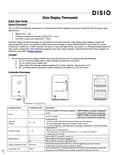


Disio Display Thermostat
Quick Start Guide
General Description
The 24 VAC Disio Display thermostat is a thermostat/controller designed to provide control for the following 3 main
applications:
•
•
•
Reheat (DX – 50)
Pressure Dependent Damper Control (DX – 1XX)
Fan Coil (2 pipe and 4 pipe) (DX – 3XX)
The Disio Display thermostat works as a standalone control thermostat. Disio Display thermostats ordered with
optional BACnet can be connected to a BACnet network through its native BACnet MS/TP connection for remote
control and monitoring. A USB-C jack on the bottom of the controller allows connection to a Windows based laptop for
easy onsite configuration and monitoring using the free Disio Setup software. Download the Disio Setup software for
Windows computers at disio.io/setup/.
Location:
1. Mount the thermostat in a place that is convenient for the end user, but please note the following:
a. Do not mount the thermostat in direct sunlight (across from a window)
b. Do not install on an outside wall
c. Keep away from heat generating equipment (monitors, heaters, photocopiers, etc.)
d. Be sure thermostat is mounted to allow vertical air circulation (i.e. Do not cover!)
Connection Description
Connection Type
Connection Label
Description
24 VAC Hot (50/60 Hz, 6 VA plus external
loads)
NOTE: Polarity on power is important
and must be observed on all devices.
NOTE: Polarity on power is important
and must be observed on all devices.
H
C
Power
24 VAC Common
Configurable for:
Universal
Outputs
- 24 VAC On/Off (0.50 Amps Max per O/P) Switched Hot (Default)
- 24 VAC Floating Point Modulation (Damper / Water Valve)
- 0-10 VDC Modulation, 10mA max per O/P (Damper / Water Valve / SCR Electric Heat)
Configurable for:
- Binary Input – Contact Closure
- Thermistor Input (10k Type J), accuracy of +/- 1-2° F from 70° F to 82° F
- Voltage Input (0-10 VDC)
O1 – O4
I1 – I4
Universal Inputs
BACnet MS/TP
+
BACnet MS/TP Connection, Positive (+)
BACnet MS/TP Connection, Negative (-)
BACnet MS/TP Connection, NETCOM, (BC)
-
BC
Outputs will either send 24 VAC hot or common depending on jumper position
Jumper ships in the switched hot position by default
Outputs Switched Jumper
Disio Setup Jack
BO Source
USB-C
Allows connection to a Windows laptop with the free Disio Setup software to install new
sequences, and monitor all inputs, outputs, and control functions in real time


| General | Details |
|---|---|
| Name | Price Industries Disio Display Thermostat User Guide |
| Make | Price Industries |
| Language | English |
| Filetype | PDF (Download) |
| File size | 0.23 MB |
 (1 votes, average: 5.00 out of 5)
 Loading...


INKBIRD ITC-308-WIFI Digital Temperature Controller Thermostat Instruction Manual

micro-Air EasyTouch RV 351 Thermostat User Manual

Honeywell Home M38794 T10 and T10 plus Pro Smart Thermostat with RedLINK Installation Guide

Thermafloor TF1 Programmable Radiant Floor Thermostat User Manual

Danfoss TP5001B Programmable Room Thermostat User Guide

GENERAL LIFE HT300 RF Digital Room Thermostat User Manual

IMIT TA5 Mechanical Thermostat User Manual

qunda QD-HVAC10W Programmable Thermostat Installation Guide

Honeywell RLV450 Programmable Thermostat User Guide

EMERSON 1F83C-11NP Single Stage Thermostat Owner’s Manual