
PELICAN TC3 Commercial Connected Thermostat Installation Guide


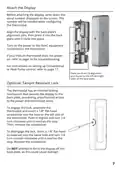

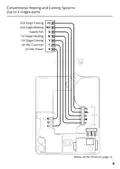
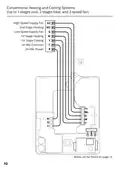

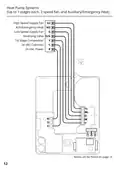

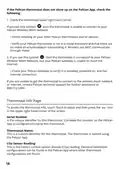



Configuration:
This identifies the thermostat’s current configuration and provides the ability to
change this configuration between Conventional and Heat Pump. This can also
be accomplished through the Pelican App where other thermostat
configurations are found.
Model Number:
This is the model number of this thermostat.
Alarm Notifications:
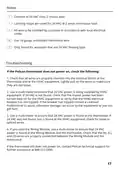
If there are any icons in the upper right hand corner of the thermostat, the Info
page will identify the issue detected. Follow the troubleshooting guide on page
16 for assistance.
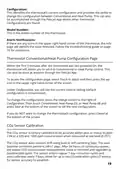
Thermostat Conventional/Heat Pump Configuration Page
Within the first 5 minutes after the thermostat was last powered On, the
thermostat will allows you to set it to Conventional or Heat Pump control. This
can also be done at anytime through the Pelican App.
To access the configuration page, select Touch to adjust and then press the
icon in the upper right hand corner of the screen.
Under Configuration, you will see the current control setting (default
configuration is Conventional).
To change the configuration, press the change button to the right of
Configuration. Then touch Conventional, Heat Pump (O), or Heat Pump (B) and
press Save at the bottom of the screen to set the new configuration.
If you do NOT want to change the thermostat’s configuration, press Cancel at
the bottom of the screen.
CO2 Sensor Calibration
The CO2 sensor is factory calibrated to be accurate within plus or minus 50 ppm
+3% at a 600 and 1000 ppm concentration when measured at sea level @ 25°C.
The CO2 sensor auto-corrects drift using built-in self-correcting logic. The auto
baseline correction period is 24h+7 days. After 24 hours of continuous power,
the lowest CO2 concentration measurement value is recorded and regarded as
baseline (400 ppm). The sensor enters regular 7 day correction cycles and
auto-calibrates every 7 days. Allow for up to two (2) calibration cycles (2 weeks)
for sensor accuracy to establish.
19

| General | Details |
|---|---|
| Name | PELICAN TC3 Commercial Connected Thermostat Installation Guide |
| Make | Pelican |
| Language | English |
| Filetype | PDF (Download) |
| File size | 0.32 MB |
 (1 votes, average: 5.00 out of 5)
 Loading...

PELICAN TC4 Commercial Connected Thermostat Installation Guide

PELICAN TC1 Commercial Connected Thermostat Installation Guide


WHITE-RODGERS 1F75H-21PR Programmable Thermostat Owner’s Manual

GENERAL SENNA 300 Digital Room Thermostat User Manual

Beca BHP-8000 C Room Thermostat User Guide

SALUS CONTROLS RT520 Thermostat User Manual

White Rodgers BP150 Line Voltage Programmable Thermostat User Guide

Danfoss INT69 Thermal Protection Thermostat Instruction Manual

Honeywell RLV4305A1000 Programmable Thermostat Owner’s Manual

Honeywell Home FocusPRO S200 Series Smart Thermostat User Guide

Danfoss CAS 178 Thermostat Installation Guide

PURGEAR STC-2303 Digital Thermostat User Guide