
×
- 1. Thermostat
- 2.
- 3.
- 4.
- 5.
- 6.
- 7.
- 8.
- 9.
- 10.
- 11.
- 12.
- 13. Important (Technical Specifications → Description Of The Thermostat Icons And Buttons → Installing The Thermostat → Description Of The Back Of The Thermostat → Mobile Application)
- 14. Description Of Registering And Logging Into The Application (Connecting The Thermostat To A Wi-fi Network For Control Via The Mobile App → Description Of The Main Menu Of The Mobile App)
- 15. Schedule (Setting → Thermostat Mode Icon → Work Mode Icon → Adjust Temperature → Current Room Temperature → Current Set Temperature)
- 16. Installation (Installing The Thermostat → Placement Of The Thermostat → Wiring Diagram)
- 17. Boiler Connection Diagram (Expansion Valve/electric Drive Connection Diagram → Putting The Device Into Operation → Setting The Clock, Calendar → Work Modes → Holiday Mode)
- 18. Temporary Change Mode (Off Mode → Timed Temporary Change Mode → Hold Mode → Heating Programme Setting Mode)
- 19. Temperature Change Settings (Factory Pre-set Times And Temperatures → Screen Illumination → Other Technical Settings → Connecting The Thermostat To Wifi)
- 20. Connecting The Thermostat To A Wifi Network For Control (Switching Heating/cooling Mode → Setting The Temperature Differential → Ambient Temperature Calibration (cal) → Time Synchronisation (sync) → Software Version → Resetting The Thermostat (rese))
- 21. Key Lock (Upkeep And Maintenance → Attention)
- 22. Do Not Dispose With Domestic Waste. Use Special Collection Points For Sorted Waste. Contact Local Authorities For Information About Collecti… (Důležitá Upozornění → Technická Specifikace: → Montáž Termostatu → Popis Termostatu Ikony A Tlačítka → Popis Zadní Část Termostatu)
- 23. Mobilní Aplikace (Stáhněte Si Aplikaci Emos Gosmart' → Popis Registrace A Přihlášení Do Aplikace → Propojení Termostatu S Wi-fi Sítí Pro Ovládání Přes Mobilní Aplikaci → Popis Základního Menu Mobilní Aplikace)
- 24. Stav Termostatu (Nastavení Teplotního Režimu → Harmonogram → Nastavení → Ikona Módu Termostatu → Ikona Teplotního Režimu → Nastavení Teploty)
- 25. Uživatelský Přehled/změna Hesla/update Aplikace (Instalace → Montáž Termostatu → Umístění Termostatu → Schéma Zapojení)
- 26. Schéma Připojení Kotle (Uvedení Do Činnosti → Nastavení Hodin, Kalendáře → Teplotní Režimy → Režim Prázdniny)
- 27. Režim Dočasná Změna (Režim Off → Režim Dočasná Hodinová Změna → Režim Hold → Režim Nastavení Teplotního Programu)
- 28. Podsvícení Displeje (Další Technické Nastavení → Propojení Termostatu S Wifi (cofi) → Nastavení Režimu Vytápění/chlazení)
- 29. Nastavení Rozptylu Teploty (Korekce Okolní Teploty (cal) → Synchronizace Času (sync) → Verze Softwaru → Resetování Termostatu (rese) → Zamknutí Kláves → Nastavení Zámku V Mobilní Aplikaci)
- 30. Péče A Údržba (Upozornění → Bezpečnostní Pokyny)
- 31. Termostat P56201 Je Určený K Ovládaniu Vykurovacích A Klimatizačných Systémov. (Dôležité Upozornenia → Technická Špecifikácia: → Popis Termostatu Ikony A Tlačidlá → Montáž Termostatu → Mobilná Aplikácia)
- 32. Qr Kód Pre Stiahnutie Android Aplikácie (Qr Kód Pre Stiahnutie Ios Aplikácie → Popis Registrácie A Prihlásenia Do Aplikácie → Prepojenie Termostatu S Wi-fi Sieťou Pre Ovládanie Cez Mobilnú Aplikáciu → Popis Základného Menu Mobilnej Aplikácie)
- 33. Harmonogram (Nastavenie → Ikona Módu Termostatu → Ikona Teplotného Režimu → Nastavenie Teploty → Aktuálna Teplota V Miestnosti → Vymazanie Termostatu Z Aplikácie)
- 34. Inštalácia (Montáž Termostatu → Umiestnenie Termostatu → Schéma Zapojenia)
- 35. Schéma Pripojenia Kotla (Uvedenie Do Činnosti → Nastavenie Hodín, Kalendára → Teplotné Režimy → Režim Prázdniny)
- 36. Režim Dočasná Zmena (Režim Off → Režim Dočasná Hodinová Zmena → Režim Hold → Režim Nastavenia Teplotného Programu)
- 37. Bliká Hodnota Času Začiatku Prvej Teplotnej Zmeny, Čas Nastavte Opakovaným Stlačením Tlačidiel (rozlíšenie 10 Minút), Potvrďte Tlačidlom.
- 38. Nastavenie Režimu Vykurovanie/chladenie (Nastavenie Rozptylu Teploty → Korekcia Okolitej Teploty (cal) → Synchronizácia Času (sync) → Verzia Softwaru → Resetovanie Termostatu (rese) → Zamknutie Kláves)
- 39. Nastavenie Zámku V Mobilnej Aplikácii (Starostlivosť A Údržba → Upozornenie)
- 40. Nevyhadzujte Elektrické Spotrebiče Ako Netriedený Komunálny Odpad, Použite Zberné Miesta Triedeného Odpadu. Pre Aktuálne Informácie O Zberný…
- 41. Montaż Termostatu (Aplikacja Mobilna → Opis Rejestracji I Logowania Się Do Aplikacji → Połączenie Termostatu Z Siecią Wi-fi Do Sterowania Za Pomocą Aplikacji Mobilnej → Uwaga)
- 42. Opis Głównego Menu Aplikacji Mobilnej (Stan Termostatu → Ustawienie Trybu Ogrzewania → Harmonogram → Ustawienie → Ikona Trybu Termostatu)
- 43. Ikona Trybu Ogrzewania (Ustawienie Temperatury → Informacje Sieciowe O Urządzeniu, Zmiana Nazwy W Aplikacji → Instalacja → Montaż Termostatu → Lokalizacja Termostatu)
- 44. Schemat Podłączenia Pompy/zaworu Silnikowego (Schemat Podłączenia Ogrzewania Podłogowego → Schemat Podłączenia Kotła → Schemat Podłączenia Zaworu Ekspansyjnego/napędu Elektrycznego → Uruchomienie Do Pracy → Ustawienie Zegara, Kalendarza)
- 45. Tryby Ogrzewania (Tryb Wakacyjny → Tryb Zmiana Chwilowa → Tryb Off → Tryb Chwilowa Zmiana Godzinowa)
- 46. Tryb Hold (Tryb Ustawienia Programu Ogrzewania → Program → Każdy Dzień Osobno → Program Poniedziałek Do Piątku → Program Sobota Do Niedzieli → Program Cały Tydzień)
- 47. Zmiana Temperatury (Podświetlenie Wyświetlacza → Dalsze Ustawienia Techniczne → Połączenie Termostatu Z Siecią Wi-fi (cofi) → Ustawienie Trybu Ogrzewania/chłodzenia → Ustawienie Histerezy Temperatury → Korekta Temperatury Otoczenia (cal))
- 48. Naciskamy 3 Przycisk (Synchronizacja Czasu (sync) → Wersja Software → Resetowanie Termostatu (rese) → Zamknięcie Klawiszy → Ustawienie Zamka W Aplikacji Mobilnej → Czyszczenie I Konserwacja)
- 49. Wyrobu Nie Narażamy Na Nadmierne Naciski I Uderzenia, Pył, Wysoką Temperaturę Albo Wilgotność Mogą One Spowodować Uszkodzenie Wyrobu, Zwięks…
- 50. Műszaki Jellemzők (A Termosztát Leírása Gombok És Piktogramok → A Termosztát Felszerelése → A Termosztát Hátlapjának Leírása → Mobilalkalmazás)
- 51. Qr-kód Az Ios Alkalmazás Letöltéséhez (A Regisztráció És Az Alkalmazásba Való Bejelentkezés Menete → A Termosztát Csatlakoztatása Wifi Hálózathoz Mobilalkalmazással Történő Vezérléshez → A Mobilalkalmazás Főmenüjének Leírása)
- 52. Automatikus (Kézi L. Hold Üzemmód → Ideiglenes L. Ideiglenes Változás Üzemmód → Boost L. Ideiglenes Párórás Változás Üzemmód → Nyaralás L. Nyaralás Üzemmód → Beállítások (l. 9. Ábra) → Termosztát Üzemmód Piktogram)
- 53. Felhasználói Áttekintés (Beszerelés → A Termosztát Felszerelése → A Termosztát Elhelyezése → Kapcsolási Rajz)
- 54. Kazán Csatlakoztatási Rajz (Tágulási Szelep/elektromos Meghajtás Bekötési Rajza → Üzembehelyezés → Az Óra És A Naptár Beállítása → Hőmérséklet Üzemmódok → Nyaralás Üzemmód)
- 55. Erősítsük Meg A Beállított Napok Számát (Ideiglenes Változás Üzemmód → Off (ki) Üzemmód → Ideiglenes Párórás Változás Üzemmód → Hold (tartás) Üzemmód → Hőmérséklet Program Beállítás Üzemmód)
- 56. A Gombok Ismételt Megnyomásával Válasszuk Ki A Kívánt Napokat. Minden Nap Külön Program A Kiválasztott Nap Száma Villog.
- 57. A Kijelző Háttérvilágítása (Egyéb Műszaki Beállítások → A Termosztát Csatlakoztatása A Wifihez (cofi) → A Fűtés/hűtés Üzemmód Beállítása → A Kapcsolási Tartomány Beállítása → Környezeti Hőmérséklet Korrekciója (cal) → Idő Szinkronizálása (sync))
- 58. Szoftververzió (A Termosztát Visszaállítása (rese) → Billentyűzár → Gondozás És Karbantartás)
- 59. Tisztítási Útmutató (Termék Használati Figyelmeztetések → Elektromos Készülékek Hulladékkezelése → Termostat P56201 Jellemzői → Fontos Figyelmeztetések → Telepítési Útmutató → Műszaki Specifikáció)
- 60. Način Hlajenje (Nastavljena Temperatura → Zaklepanje Menija → Način Dopust → Začasna Sprememba Temperature → Mobilna Aplikacija → Opis Registracije In Prijave V Aplikacijo)
- 61. Povezovanje Termostata Z Wi-fi Omrežjem Za Upravljanje Preko Mobilne Aplikacije (Opis Osnovnega Menija Mobilne Aplikacije → Nastavitev Temperaturnega Načina → Časovni Načrt → Nastavitve)
- 62. Sistemski Način Ogrevanja/hlajenja (Koledarski Način (7 Dni, 5+2, 24 Ur) → Nastavitev Temperature → Omrežne Informacije O Napravi → Izbris Termostata Iz Aplikacije → Montaža Termostata → Namestitev Termostata)
- 63. Shema Priključitve Črpalke/motoriziranega Ventila (Shema Priključitve Talnega Ogrevanja → Shema Priključitve Kotla → Shema Priključitve Ekspanzijskega Ventila/električnega Pogona → Aktiviranje Naprave → Nastavitev Ure, Koledarja)
- 64. Temperaturni Načini (Način Dopust → Način Začasna Sprememba → Način Off → Način Začasna Urna Sprememba)
- 65. Način Hold (Način Nastavitev Temperaturnega Programa → Program Vsak Dan Posebej → Program Od Ponedeljka Do Petka → Program Od Sobote Do Nedelje → Program Ves Teden)
- 66. Od Sobote Do Nedelje (Osvetlitev Zaslona → Ostale Tehnične Nastavitve → Povezava Termostata Z Wi-fi (cofi) → Nastavitve Načinov Ogrevanje/hlajenje → Nastavitev Razpona Temperature → Popravek Temperature Okolice (cal))
- 67. Sinhronizacijo Časa (sync) (Različica Programske Opreme → Ponastavitev Termostata (rese) → Zaklepanje Tipk → Skrb In Vzdrževanje)
- 68. Na Izdelek Ne Postavljajte Virov Odprtega Ognja, Npr. Prižgane Svečke Ipd. (Izdelka Ne Postavljajte Na Mesta, Kjer Ni Zadostnega Kroženja Zraka. → Za Čiščenje Uporabljajte Zmerno Navlaženo Blago Krpo. → Pri Poškodbah Ali Napaki Izdelka Ne Popravljajte Sami. → Naprave Ne Smejo Uporabljati Osebe, Ki Jih Fizična, Čutna Ali Mentalna Nesposobnost Ovirajo Pri Varni Uporabi Naprave. → Termostat P56201 Dizajniran Je Za Upravljanje Sustavima Za Grijanje I Klimatizaciju. → Tehničke Specifikacije:)
- 69. Opis Termostata Ikone I Gumbi (Instalacija Termostata → Mobilna Aplikacija → Opis Registracije I Prijave U Aplikaciju)
- 70. Odabir Analize Podataka/personalizacije (Povezivanje Termostata S Wi-fi Mrežom → Opis Glavnog Izbornika Mobilne Aplikacije → Status Termostata → Postavka Načina Rada → Raspored)
- 71. Postavljanje (Ikona Načina Rada Termostata → Ikona Radnog Načina Rada → Prilagodba Temperature → Mrežne Informacije O Uređaju, Promjena Naziva U Aplikaciji → Brisanje Termostata Iz Aplikacije → Korisnički Podaci/promjena Lozinke/ažuriranje Aplikacije)
- 72. Ne Postavljajte Termostat U Blizinu Izvora Topline (poput Tv Uređaja, Radijatora, Frižidera), Niti Blizu Vrata. Nepoštivanje Ovih Preporuka …
- 73. Radni Načini (Način Rada Za Vrijeme Odmora → Način Rada Privremene Promjene → Način Rada Isključivanje → Vremenski Određeni Način Rada Privremene Promjene)
- 74. Koristite Gumbe (Način Rada Zadrži → Način Rada Postavljanja Programa Grijanja → Program Svaki Dan Različito → Program Od Ponedjeljka Do Petka → Program Od Subote Do Nedjelje → Program Cijeli Tjedan)
- 75. Temperaturna Promjena (Osvjetljenje Zaslona → Druge Tehničke Postavke → Povezivanje Termostata Na Wifi (cofi) → Prebacivanje Načina Rada Grijanja/hlađenja → Postavljanje Temperaturne Razlike)
- 76. Kalibracija Temperature Okoline (cal) (Sinkronizacija Vremena (sync) → Verzija Softvera → Ponovno Postavljanje Termostata (rese) → Zaključavanje Tipkovnice → Servis I Održavanje)
- 77. Ne Izlažite Proizvod Pretjeranoj Sili, Udarcima, Prašini, Visokim Temperaturama Ili Vlazi Jer To Može Dovesti Do Neispravnosti, Skratiti Tra… (Wichtige Hinweise)
- 78. Technische Spezifikation (Beschreibung Des Thermostats Symbole Und Tasten → Montage Des Thermostats → Beschreibung Der Thermostat-rückseite → Mobile App)
- 79. Beschreibung Der Registrierung Und Anmeldung In Der App (Verbindung Des Thermostats Mit Dem Wlan-netz Zur Bedienung Über Die Mobile App → Beschreibung Des Grundmenüs Der Mobilen App)
- 80. Thermostatstatus (Einstellen Des Temperaturmodus → Zeitplan → Einstellung → Symbol Für Den Thermostatmodus → Symbol Für Den Temperaturmodus → Temperatureinstellung)
- 81. Löschen Des Thermostats Aus Der Anwendung (Benutzerübersicht/passwortänderung/app-update → Installation → Montage Des Thermostats → Thermostat-standort → Schaltbild: Anschlussschema Für Die Pumpe/das Motorisierte Ventil)
- 82. Anschlussschema Für Die Fußbodenheizung (Anschlussschema Für Den Kessel → Anschlussschema Für Das Expansionsventil/den Elektrischen Antrieb → Inbetriebnahme → Einstellung Der Uhr, Des Kalenders)
- 83. Temperaturmodi (Urlaubsmodus → Modus Vorübergehende Änderung → Modus Off → Modus Temporäre Stundenänderung → Modus Hold)
- 84. Temperaturprogrammeinstellungsmodus (Einstellung Des Temperaturverlaufs Für Den Gesamten Tag → Programm Jeder Tag Separat → Programm Montag Bis Freitag → Programm Samstag Bis Sonntag → Programm Ganze Woche → Nachfolgend Sind Die Werkseinstellungen Für Die Uhrzeit Und Temperatur Angegeben)
- 85. Temperaturänderung (Displaybeleuchtung → Weitere Technische Einstellungen → Verbindung Des Thermostats Mit Wlan (cofi) → Einstellung Des Heiz-/kühlmodus → Einstellung Der Temperaturstreuung)
- 86. Korrektur Der Umgebungstemperatur (cal) (Zeitsynchronisation (sync) → Softwareversion → Thermostat-reset (rese) → Tastensperre → Einstellung Der Sperre In Der Mobilen App → Pflege Und Instandhaltung)
- 87. Setzen Sie Das Produkt Nicht Direktem Sonnenlicht, Extremer Kälte Und Feuchtigkeit Und Rapiden Temperaturschwankungen Aus. Dies Würde Die Ge…
- 88. Термостат P56201 Призначений Для Управління Системами Опалення Та Кондиціонування. (Важливе Попередження → Технічні Специфікації → Опис Термостату Іконки І Кнопки → Встановлення Термостату → Опис Задньої Частини Термостата → Мобільна Програма)
- 89. Завантажте Програму Emos Gosmart (Опис Реєстрації Та Входу В Програму → Сполучення Термостату До Мережі Wi-fi Для Управління Через Мобільну Програму → Опис Основного Меню Мобільної Програми)
- 90. Стан Термостата (Встановлення Температурного Режиму → Графік → Налаштування → Іконка Módu Термостата → Іконки Температурного Режиму → Встановлення Температури)
- 91. Скасування Термостату З Програми (Перегляд Користувача/зміна Пароля/оновлення Програми → Установка → Установка Терморегулятора → Розташування Термостата → Схема Підключення)
- 92. Схема Підключення Підлогового Опалення (Схема Підключення Котла → Схема Підключення Розширювального Клапана/електроприводу → Впуск У Роботу → Налаштування Годинника, Календаря)
- 93. Режим Температури (Режим Канікул → Режим Тимчасова Зміна → Режим Off → Режим Тимчасова Зміна Годин → Режим Hold)
- 94. Режим Встановлення Температурної Програми (Встановлення Дії Температури Протягом Усього Дня (6 Змін Температури Протягом Дня). → Програма → Кожен День Окремо → Програма Від Понеділка До Пятниці → Програма Від Суботи До Неділі → Програма Цілий Тиждень)
- 95. Підсвічування Дисплея (Сполучення Термостата З Wifi (cofi) → Налаштування Режиму Опалення/охолодження → Встановлення Відхилення Температури → Корекція Навколишньої Температури (cal) → Синхронізація Часу (sync))
- 96. Версія Softwaru (Скидання Термостата (rese) → Замикання Клавіатури → Налаштування Замка У Програмі Мобільника → Догляд Та Технічне Обслуговування)
- 97. Для Чищення Використовуйте Вологу, М,ягку Ганчірку. Не Використовуйте Розчинники, Ні Миючі Заходи Можуть Пошкрябати Пластмасові Частини Та П…
- 98. Descrierea Termostatului Simboluri Și Butoane (Montarea Termostatului → Descrierea Părții Din Spate A Termostatului → Aplicație Mobilă → Descrierea Înregistrării Și Logării În Aplicație)
- 99. Accesarea Aplicației (Interconectarea Termostatului Cu Rețeaua Wifi → Descrierea Meniului De Bază Al Aplicației Mobile → Setarea Regimului Termic → Diagramă)
- 100. Setare (Simbolul Regimului Termostatului → Simbolul Regimului Termic → Setarea Temperaturii → Informații De Rețea Privind Dispozitivul → Instalare → Amplasarea Termostatului)
- 101. Schema De Racordare (Punerea În Funcțiune → Reglarea Ceasului, Calendarului)
- 102. Regimuri Termice (Regim Vacanță → Regimul Modificare Temporară → Regimul Off → Regimul Modificare Orară De Scurtă Durată)
- 103. Regimul Hold (Regimul Setării Programului Termic → Programul Fiecare Zi Separat → Programul Luni Până Vineri → Programul Sâmbătă Până Duminică → Programul Toată Săptămâna)
- 104. Modificare Termică (Iluminarea Ecranului → Alte Setări Tehnice → Interconectarea Termostatului Cu Wifi (cofi) → Setarea Regimului Încălzire/răcire → Setarea Abaterii Temperaturii → Corecția Temperaturii Ambientale (cal))
- 105. Sincronizarea Orei (sync) (Versiune Software → Resetarea Termostatului (rese) → Blocarea Tastelor → Setarea Blocării În Aplicație Mobilă → Grija Şi Întreţinerea)
- 106. Securitate (Curățare → Instalare → Specificații Tehnice → Atenționare)
- 107. Termostato Aprašymas Simboliai Ir Mygtukai (Termostato Įrengimas → Galinės Termostato Dalies Aprašymas → Programa Mobiliesiems Įrenginiams → Registracijos Ir Prisijungimo Prie Programos Aprašymas)
- 108. Pasirinkite, Ar Norite Įjungti Duomenų Analizę/pritaikomumą, Ir Paspauskite Eiti Į Programėlę. (Prijunkite Termostatą Prie Wi-fi' Tinklo, Kad Galėtumėte Jį Valdyti Naudodami Mobiliąją Programėlę. → Pagrindinio Mobiliosios Programėlės Meniu Aprašymas. → Termostato Būsena (įjungta/išjungta) Apsaugos Nuo Užšalimo Režimas. → Darbinio Režimo Parinkimas. → Tvarkaraštis.)
- 109. Nustatymas (Termostato Režimo Simbolis → Darbinio Režimo Simbolis → Koreguoti Temperatūrą → Dabartinė Patalpos Temperatūra → Termostato Pašalinimas Iš Programėlės → Montavimas)
- 110. Pasirinkite Vietą, Kur Šeimos Nariai Praleidžia Daugiausia Laiko, Pageidautina, Montuokite Šalia Vidinės Sienos, Kur Oras Laisvai Cirkuliuoj… (Montavimo Schema: → Siurblio/motorizuoto Vožtuvo Prijungimo Diagrama → Grindų Šildymo Sistemos Prijungimo Diagrama → Vandens Šildytuvo Prijungimo Diagrama → Išsiplėtimo Vožtuvo/el. Pavaros Prijungimo Diagrama)
- 111. Prietaiso Naudojimas (Laikrodžio, Kalendoriaus Nustatymas → Darbiniai Režimai → Atostogų Režimas → Laikinas Režimo Pakeitimas → Išjungimo Režimas)
- 112. Laikinas Režimo Pakeitimas (Išlaikymo Režimas → Šildymo Programos Nustatymo Režimas → Programa Skirtinga Kasdien → Programa Nuo Pirmadienio Iki Penktadienio → Programa Nuo Šeštadienio Iki Sekmadienio → Programa Visa Savaitė)
- 113. Nuo Pirmadienio Iki Penktadienio (Nuo Šeštadienio Iki Sekmadienio → Ekrano Apšvietimas → Kiti Techniniai Nustatymai → Termostato Prijungimas Prie Wi-fi' (cofi) → Šildymo/vėsinimo Režimo Perjungimas → Temperatūros Diferencialo Nustatymas)
- 114. Aplinkos Temperatūros Kalibravimas (cal) (Laiko Sinchronizavimas (sync) → Programinės Įrangos Versija → Termostato Atstatymas (rese) → Mygtukų Užrakinimas)
- 115. Priežiūra Ir Aptarnavimas (Tinkamai Naudojamas Prietaisas Patikimai Veiks Ne Vienerius Metus → Saugokite Prietaisą Nuo Tiesioginių Saulės Spindulių → Nedėkite Prietaiso Vietose, Kuriose Jaučiama Vibracija Ar Smūgiai → Gaminį Valykite Šiek Tiek Drėgnu Minkštu Audiniu → Nenardinkite Gaminio Į Vandenį Ar Kitus Skysčius → Šis Prietaisas Neskirtas Naudoti Asmenims (įskaitant Vaikus))
- 116. Tehniskā Specifikācija (Termostata Uzstādīšana → Termostata Aizmugures Apraksts → Mobilā Lietotne)
- 117. Kvadrātkods Ios Lietotnes Lejupielādei (Reģistrēšanās Un Pieteikšanās Lietotnē Apraksts → Termostata Pieslēgšana Wi-fi Tīklam, Lai Vadītu To Ar Mobilo Lietotni → Mobilās Lietotnes Galvenās Izvēlnes Apraksts)
- 118. Grafiks (Iestatīšana → Termostata Režīma Ikona → Darbības Režīma Ikona → Temperatūras Pielāgošana → Pašreizējā Telpas Temperatūra → Lietotāja Pārskats/paroles Maiņa/lietotnes Atjaunināšana)
- 119. Termostata Uzstādīšana (Termostata Novietojums → Elektroinstalācijas Shēma)
- 120. Ierīces Lietošanas Uzsākšana (Darbības Režīmi → Brīvdienu Režīms → Pagaidu Maiņas Režīms)
- 121. Režīms Izslēgts (Pretsasalšanas Režīms → Terminēts Pagaidu Maiņas Režīms → Uzturēšanas Režīms → Apkures Programmas Iestatījumu Režīms → Programma Katru Dienu Atšķirīgi → Programma Visa Nedēļa)
- 122. Iestatiet Laiku Un Temperatūru (Rūpnīcā Iepriekš Iestatītie Laiki Un Temperatūras → Ekrāna Apgaismojums → Citi Tehniskie Iestatījumi → Termostata Pieslēgšana Wi-fi (cofi) → Pārslēgšana Starp Apkures Un Dzesēšanas Režīmu)
- 123. Temperatūras Starpības Iestatīšana (Apkārtējās Temperatūras Kalibrēšana (cal) → Laika Sinhronizācija (sync) → Programmatūras Versija → Termostata Atiestatīšana (rese) → Izvēlnes Bloķēšana)
- 124. Bloķēšanas Iestatīšana Mobilajā Lietotnē (Apkope Un Uzturēšana → Ierīces Lietošanas Drošība → Ierīces Tīrīšana Un Apkope → Bojājumu Gadījumā → Atkritumu Šķirošana Un Savākšana)
- 125. Oluline! (Tehnilised Andmed: → Termostaadi Kirjeldus Ikoonid Ja Nupud (vt Joonis 1) → Termostaadi Paigaldamine (vt Joonis 2) → Mobiilne Kasutamine)
- 126. Qr-kood Androidi Rakenduse Allalaadimiseks (Qr-kood Ios-i Rakenduse Allalaadimiseks → Rakendusesse Registreerimise Ja Sisselogimise Kirjeldus → Termostaadi Wi-fi-võrguga Ühendamine Mobiilirakenduse Kaudu → Mobiilirakenduse Peamenüü Kirjeldus)
- 127. Thermostat Status (Work Mode Setting → Ajakava → Säte → Termostaadi Režiimi Ikoon → Töörežiimi Ikoon → Temperatuuri Reguleerimine)
- 128. Termostaadi Kustutamine Rakendusest (Kasutaja Ülevaade/parooli Muutmine/rakenduse Värskendamine → Paigaldamine → Termostaadi Paigaldamine → Termostaadi Paigutamine → Juhtmestiku Skeem)
- 129. Põrandakütte Ühendusskeem (Boileri Ühendusskeem → Paisventiili/elektriajami Ühendusskeem → Seadme Kasutuselevõtt → Kella, Kalendri Seadistamine)
- 130. Töörežiimid (Puhkuserežiim → Ajutise Muutmise Režiim → Režiim Off → Ajastatud Ajutise Muutmise Režiim → Režiim Hold)
- 131. Kütteprogrammi Seadistusrežiim (Programm Different Each Day → Programm Monday To Friday → Programm Saturday To Sunday → Programm All Week → Tehases Eelseadistatud Ajad Ja Temperatuurid)
- 132. Ekraani Valgustus (Muud Tehnilised Seaded → Termostaadi Ühendamine Wi-fi-ga (cofi) → Kütte-/jahutusrežiimi Vahetamine → Temperatuurierinevuse Seadistamine → Ümbritseva Temperatuuri Kalibreerimine (cal) → Aja Sünkroonimine (sync))
- 133. Tarkvara Versioon (Termostaadi Lähtestamine (rese) → Võtme Lukk → Luku Seadistamine Mobiilirakenduses → Korrashoid Ja Hooldamine)
- 134. Toote Kahjustuse Või Defekti Korral Ei Tohi Te Seda Ise Remontida. Saate Seda Parandada Poes, Kust Selle Ostisite.
- 135. Режим Ваканция' (Временна Промяна На Температурата → Режим Hold (задържане) → Текуща Стайна Температура → Настройване На Програма → Мобилно Приложение → Описание На Регистрацията И Влизането В Приложението)
- 136. Свързване На Термостата Към Wi-fi Мрежа За Управление Чрез Мобилното Приложение (Описание На Главното Меню На Мобилното Приложение → Състояние На Термостата → Настройка На Работен Режим → График)
- 137. Настройки (Изтриване На Термостата От Приложението → Преглед На Потребител/промяна На Парола/актуализиране На Приложението → Монтиране → Поставяне На Термостата)
- 138. Завършете Монтажа (Поставяне На Термостата → Електрическа Схема На Свързване → Схема На Свързване На Помпата/моторизирания Клапан → Схема На Свързване На Подово Отопление → Схема На Свързване На Котел)
- 139. Схема На Свързване На Разширителен Шибър/електрическо Задвижване (Въвеждане На Устройството В Експлоатация → Работни Режими → Режим Ваканция' → Режим На Временна Промяна)
- 140. Режим Off (изкл.) (Режим Против Замръзване → Режим На Макрирана Временна Промяна → Режим Hold (задържане) → Режим За Настройка На Програма За Отопляване)
- 141. Промяна На Температурата (Фабрично Зададените Времена И Температури → Осветление На Екрана → Други Технически Настройки → Свързване На Термостата С Wifi (cofi))
- 142. Превключване На Режим Отопление/охлаждане (Настройка На Температурната Разлика → Калибриране На Температурата На Околната Среда (cal) → Синхронизация На Времето (sync) → Версия На Софтуера → Нулиране На Термостата (rese) → Заключване На Бутоните)
- 143. Настройка На Заключването В Мобилното Приложение (Обслужване И Поддръжка)
- 144. Внимание: Съдържанието На Настоящото Ръководство Може Да Се Променя Без Предизвестие. Поради Ограничения При Печата Показаните Тук Символи М…
- 145. Le Manuel Complet Est Disponible À Ladresse Internet Suivante: Https://en.b2b.emos.cz/download.
- 146.
- 147.
- 148. Garancijska Izjava (Navodila Za Reklamacijski Postopek)
×
emos P56201 Digital Room Thermostat User Manual


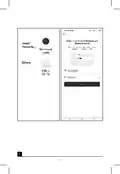




Complete the pairing of the thermostat in the mobile app.
See instructions for Connecting the Thermostat to a WiFi Network for Control
via the Mobile App.
Switching Heating/Cooling Mode
Long-press the
button for about 5 seconds.
Press the
Use the
Confirm with
button once.
buttons to switch to heating (HEAT) or cooling (COOL) mode.
.
Setting the Temperature Differential
The temperature differential (hysteresis) is the difference in temperature required
for switching the system on and off. If, for example, you set the temperature in
the heating system to 20 °C and the differential to 0.2 °C, the thermostat activates
heating as soon as room temperature drops to 19.8 °C and switches heating off
when temperature reaches 20.2 °C.
Long-press the
Press the
button for about 5 seconds.
button 2× and use the
buttons to set the temperature
differential value (0.2 °C to 2 °C in 0.1 °C increments).
Confirm with
.
Ambient Temperature Calibration (CAL)
The temperature sensor in the thermostat is calibrated from production, but
additional calibration can be done to optimise the thermostat further, for instance
by comparing the measured room temperature with a reference thermometer.
Long-press the
Press the
button for about 5 seconds.
button 3× and use the buttons to set the calibration value
(-3 °C to +3 °C in 0.5 °C increments).
Confirm with
Time Synchronisation (SYNC)
Long-press the button for about 5 seconds.
Press the button 4× and use the buttons to set:
.
ON – time will be automatically synchronised with the Wi-Fi network;
OFF – time will not be synchronised with the Wi-Fi network and the time you
set manually will be used.
Confirm with
.
Software Version
Long-press the
button for about 5 seconds.
Press the
Return by pressing
Resetting the Thermostat (rESE)
Long-press the button for about 5 seconds.
button 6×; rESE will appear on the screen.
button 5×; the software version of the thermostat will be displayed.
.
Press the
Press the PRG button; -- -- will be displayed.
Press the PRG button again; the thermostat‘s menu will be reset and all set
values will be deleted.
20

| General | Details |
|---|---|
| Name | emos P56201 Digital Room Thermostat User Manual |
| Make | EMOS |
| Language | English |
| Filetype | PDF (Download) |
| File size | 1.54 MB |
 (1 votes, average: 5.00 out of 5)
 Loading...

EMOS P56201BUF Floor Heating Thermostat User Guide

EMOS P56201UF Floor Heating Thermostat Instruction Manual

emos P5604 Thermostat Instruction Manual

emos P5686 Immersion Thermostat Instructions

EMOS P56211 Wireless Thermostat Instruction Manual

emos P5616OT Wireless Thermostat Instruction Manual

emos P56201UF GoSmart Digital Room Thermostat Instruction Manual

EMOS P5601UF Floor Heating Thermostat User Manual

emos P5684 Capillary Sensor Thermostat User Manual

emos P56211 Wireless Room Thermostat Instruction Manual


Danfoss KPU 19 Thermostat Installation Guide

LAE AC1-2W Digital Thermostat Instruction Manual

Beca BAC-7000 Smart Knob Thermostat User Guide

bticino SX Series Smart Thermostat Installation Guide

BOSCH BCC110 Connected Control Wi-Fi Thermostat User Manual

Micro Air ETRV EasyTouch RV Thermostat Instruction Manual

SIEMENS ET 134-22 Low Temperature Detection Thermostat Instructions

terneo bx Smart Thermostat Instruction Manual

Honeywell PRO 1000 Series Heat Pump Thermostat Instruction Manual

GENERAL LIFE SOLARA 300S RF Wireless Room Thermostat User Manual
Table of Contents
- 1. Thermostat →
- 2. Page 2 →
- 3. Page 3 →
- 4. Page 4 →
- 5. Page 5 →
- 6. Page 6 →
- 7. Page 7 →
- 8. Page 8 →
- 9. Page 9 →
- 10. Page 10 →
- 11. Page 11 →
- 12. Page 12 →
- 13. Important - Technical Specifications →
- 14. Description Of Registering And Logging Into The Application ... →
- 15. Schedule - Setting →
- 16. Installation - Installing The Thermostat →
- 17. Boiler Connection Diagram - Expansion Valve/electric Drive C... →
- 18. Temporary Change Mode - Off Mode →
- 19. Temperature Change Settings - Factory Pre-set Times And Temp... →
- 20. Connecting The Thermostat To A Wifi Network For Control - Sw... →
- 21. Key Lock - Upkeep And Maintenance →
- 22. Do Not Dispose With Domestic Waste. Use Special Collection P... →
- 23. Mobilní Aplikace - Stáhněte Si Aplikaci Emos Gosmart' →
- 24. Stav Termostatu - Nastavení Teplotního Režimu →
- 25. Uživatelský Přehled/změna Hesla/update Aplikace - Instalace →
- 26. Schéma Připojení Kotle - Uvedení Do Činnosti →
- 27. Režim Dočasná Změna - Režim Off →
- 28. Podsvícení Displeje - Další Technické Nastavení →
- 29. Nastavení Rozptylu Teploty - Korekce Okolní Teploty (cal) →
- 30. Péče A Údržba - Upozornění →
- 31. Termostat P56201 Je Určený K Ovládaniu Vykurovacích A Klimat... →
- 32. Qr Kód Pre Stiahnutie Android Aplikácie - Qr Kód Pre Stiahnu... →
- 33. Harmonogram - Nastavenie →
- 34. Inštalácia - Montáž Termostatu →
- 35. Schéma Pripojenia Kotla - Uvedenie Do Činnosti →
- 36. Režim Dočasná Zmena - Režim Off →
- 37. Bliká Hodnota Času Začiatku Prvej Teplotnej Zmeny, Čas Nasta... →
- 38. Nastavenie Režimu Vykurovanie/chladenie - Nastavenie Rozptyl... →
- 39. Nastavenie Zámku V Mobilnej Aplikácii - Starostlivosť A Údrž... →
- 40. Nevyhadzujte Elektrické Spotrebiče Ako Netriedený Komunálny ... →
- 41. Montaż Termostatu - Aplikacja Mobilna →
- 42. Opis Głównego Menu Aplikacji Mobilnej - Stan Termostatu →
- 43. Ikona Trybu Ogrzewania - Ustawienie Temperatury →
- 44. Schemat Podłączenia Pompy/zaworu Silnikowego - Schemat Podłą... →
- 45. Tryby Ogrzewania - Tryb Wakacyjny →
- 46. Tryb Hold - Tryb Ustawienia Programu Ogrzewania →
- 47. Zmiana Temperatury - Podświetlenie Wyświetlacza →
- 48. Naciskamy 3 Przycisk - Synchronizacja Czasu (sync) →
- 49. Wyrobu Nie Narażamy Na Nadmierne Naciski I Uderzenia, Pył, W... →
- 50. Műszaki Jellemzők - A Termosztát Leírása Gombok És Piktogram... →
- 51. Qr-kód Az Ios Alkalmazás Letöltéséhez - A Regisztráció És Az... →
- 52. Automatikus - Kézi L. Hold Üzemmód →
- 53. Felhasználói Áttekintés - Beszerelés →
- 54. Kazán Csatlakoztatási Rajz - Tágulási Szelep/elektromos Megh... →
- 55. Erősítsük Meg A Beállított Napok Számát - Ideiglenes Változá... →
- 56. A Gombok Ismételt Megnyomásával Válasszuk Ki A Kívánt Napoka... →
- 57. A Kijelző Háttérvilágítása - Egyéb Műszaki Beállítások →
- 58. Szoftververzió - A Termosztát Visszaállítása (rese) →
- 59. Tisztítási Útmutató - Termék Használati Figyelmeztetések →
- 60. Način Hlajenje - Nastavljena Temperatura →
- 61. Povezovanje Termostata Z Wi-fi Omrežjem Za Upravljanje Preko ... →
- 62. Sistemski Način Ogrevanja/hlajenja - Koledarski Način (7 Dni... →
- 63. Shema Priključitve Črpalke/motoriziranega Ventila - Shema Pr... →
- 64. Temperaturni Načini - Način Dopust →
- 65. Način Hold - Način Nastavitev Temperaturnega Programa →
- 66. Od Sobote Do Nedelje - Osvetlitev Zaslona →
- 67. Sinhronizacijo Časa (sync) - Različica Programske Opreme →
- 68. Na Izdelek Ne Postavljajte Virov Odprtega Ognja, Npr. Prižga... →
- 69. Opis Termostata Ikone I Gumbi - Instalacija Termostata →
- 70. Odabir Analize Podataka/personalizacije - Povezivanje Termos... →
- 71. Postavljanje - Ikona Načina Rada Termostata →
- 72. Ne Postavljajte Termostat U Blizinu Izvora Topline (poput Tv... →
- 73. Radni Načini - Način Rada Za Vrijeme Odmora →
- 74. Koristite Gumbe - Način Rada Zadrži →
- 75. Temperaturna Promjena - Osvjetljenje Zaslona →
- 76. Kalibracija Temperature Okoline (cal) - Sinkronizacija Vreme... →
- 77. Ne Izlažite Proizvod Pretjeranoj Sili, Udarcima, Prašini, Vi... →
- 78. Technische Spezifikation - Beschreibung Des Thermostats Symbo... →
- 79. Beschreibung Der Registrierung Und Anmeldung In Der App - Ve... →
- 80. Thermostatstatus - Einstellen Des Temperaturmodus →
- 81. Löschen Des Thermostats Aus Der Anwendung - Benutzerübersich... →
- 82. Anschlussschema Für Die Fußbodenheizung - Anschlussschema Fü... →
- 83. Temperaturmodi - Urlaubsmodus →
- 84. Temperaturprogrammeinstellungsmodus - Einstellung Des Temper... →
- 85. Temperaturänderung - Displaybeleuchtung →
- 86. Korrektur Der Umgebungstemperatur (cal) - Zeitsynchronisatio... →
- 87. Setzen Sie Das Produkt Nicht Direktem Sonnenlicht, Extremer ... →
- 88. Термостат P56201 Призначений Для Управління Системами Опален... →
- 89. Завантажте Програму Emos Gosmart - Опис Реєстрації Та Входу ... →
- 90. Стан Термостата - Встановлення Температурного Режиму →
- 91. Скасування Термостату З Програми - Перегляд Користувача/змін... →
- 92. Схема Підключення Підлогового Опалення - Схема Підключення К... →
- 93. Режим Температури - Режим Канікул →
- 94. Режим Встановлення Температурної Програми - Встановлення Дії... →
- 95. Підсвічування Дисплея - Сполучення Термостата З Wifi (cofi) →
- 96. Версія Softwaru - Скидання Термостата (rese) →
- 97. Для Чищення Використовуйте Вологу, М,ягку Ганчірку. Не Викор... →
- 98. Descrierea Termostatului Simboluri Și Butoane - Montarea Ter... →
- 99. Accesarea Aplicației - Interconectarea Termostatului Cu Rețe... →
- 100. Setare - Simbolul Regimului Termostatului →
- 101. Schema De Racordare - Punerea În Funcțiune →
- 102. Regimuri Termice - Regim Vacanță →
- 103. Regimul Hold - Regimul Setării Programului Termic →
- 104. Modificare Termică - Iluminarea Ecranului →
- 105. Sincronizarea Orei (sync) - Versiune Software →
- 106. Securitate - Curățare →
- 107. Termostato Aprašymas Simboliai Ir Mygtukai - Termostato Įren... →
- 108. Pasirinkite, Ar Norite Įjungti Duomenų Analizę/pritaikomumą,... →
- 109. Nustatymas - Termostato Režimo Simbolis →
- 110. Pasirinkite Vietą, Kur Šeimos Nariai Praleidžia Daugiausia L... →
- 111. Prietaiso Naudojimas - Laikrodžio, Kalendoriaus Nustatymas →
- 112. Laikinas Režimo Pakeitimas - Išlaikymo Režimas →
- 113. Nuo Pirmadienio Iki Penktadienio - Nuo Šeštadienio Iki Sekma... →
- 114. Aplinkos Temperatūros Kalibravimas (cal) - Laiko Sinchroniza... →
- 115. Priežiūra Ir Aptarnavimas - Tinkamai Naudojamas Prietaisas P... →
- 116. Tehniskā Specifikācija - Termostata Uzstādīšana →
- 117. Kvadrātkods Ios Lietotnes Lejupielādei - Reģistrēšanās Un Pi... →
- 118. Grafiks - Iestatīšana →
- 119. Termostata Uzstādīšana - Termostata Novietojums →
- 120. Ierīces Lietošanas Uzsākšana - Darbības Režīmi →
- 121. Režīms Izslēgts - Pretsasalšanas Režīms →
- 122. Iestatiet Laiku Un Temperatūru - Rūpnīcā Iepriekš Iestatītie... →
- 123. Temperatūras Starpības Iestatīšana - Apkārtējās Temperatūras... →
- 124. Bloķēšanas Iestatīšana Mobilajā Lietotnē - Apkope Un Uzturēš... →
- 125. Oluline! - Tehnilised Andmed: →
- 126. Qr-kood Androidi Rakenduse Allalaadimiseks - Qr-kood Ios-i R... →
- 127. Thermostat Status - Work Mode Setting →
- 128. Termostaadi Kustutamine Rakendusest - Kasutaja Ülevaade/paro... →
- 129. Põrandakütte Ühendusskeem - Boileri Ühendusskeem →
- 130. Töörežiimid - Puhkuserežiim →
- 131. Kütteprogrammi Seadistusrežiim - Programm Different Each Day →
- 132. Ekraani Valgustus - Muud Tehnilised Seaded →
- 133. Tarkvara Versioon - Termostaadi Lähtestamine (rese) →
- 134. Toote Kahjustuse Või Defekti Korral Ei Tohi Te Seda Ise Remo... →
- 135. Режим Ваканция' - Временна Промяна На Температурата →
- 136. Свързване На Термостата Към Wi-fi Мрежа За Управление Чрез М... →
- 137. Настройки - Изтриване На Термостата От Приложението →
- 138. Завършете Монтажа - Поставяне На Термостата →
- 139. Схема На Свързване На Разширителен Шибър/електрическо Задвиж... →
- 140. Режим Off (изкл.) - Режим Против Замръзване →
- 141. Промяна На Температурата - Фабрично Зададените Времена И Тем... →
- 142. Превключване На Режим Отопление/охлаждане - Настройка На Тем... →
- 143. Настройка На Заключването В Мобилното Приложение - Обслужван... →
- 144. Внимание: Съдържанието На Настоящото Ръководство Може Да Се ... →
- 145. Le Manuel Complet Est Disponible À Ladresse Internet Suivant... →
- 146. Page 146 →
- 147. Page 147 →
- 148. Garancijska Izjava - Navodila Za Reklamacijski Postopek →