
bticino SX Series Smart Thermostat Installation Guide

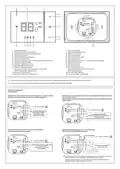


SXG8002
SXM8002
SXW8002
•
Attenzione: codice unico d’installazione HomeKit Apple da conservare. HomeKit Apple: durante
l’installazione dell’app mobile iOS, verrà richiesto questo codice.
•
Warning: unique Apple HomeKit installation code to be stored somewhere safe. Apple HomeKit: the user will be
asked for this code during the installation of the iOS mobile app.
• Installazione
• Installation
2
•
Altezza consigliata salvo
diversa normativa vigente.
1
•
Recommended height, unless
different regulations are
specified.
- Con scatole 503E
- With 503E boxes
4
5
3
Attenzione: evitare serrare le viti con eccessiva forza, al fine di evitare deformazioni della base che potrebbero
compromettere la corretta installazione del dispositivo. La parte frontale deve agganciarsi saldamente alla base e la molletta
di aggancio deve scattare in posizione. Una volta finita l’installazione attendere 2 ore prima di verificare la temperatura letta.
Caution: avoid tightening the screws too much, in order to prevent any base distortion that may compromise the correct
installation of the device. The front must be tightly fixed to the base and the fastening clip should lock into place.
Once the installation has been done, wait for 2 hours before checking the read temperature.
- Con scatole 500
- With 500 boxes
- Con scatole 502PB
- With 502PB boxes
4
4
For UK only: Legrand Electric Ltd Great King Street North Birmingham B19 2LF
06/22-01 PC


| General | Details |
|---|---|
| Name | bticino SX Series Smart Thermostat Installation Guide |
| Make | bticino |
| Language | English |
| Filetype | PDF (Download) |
| File size | 0.62 MB |
 (1 votes, average: 5.00 out of 5)
 Loading...

bticino SX Series Smart Thermostat Installation Guide Overview
Summary of Contents
- Page 1: Attenzione: codice unico d’installazione HomeKit Apple da conservare. Warning: unique Apple HomeKit installation code to be stored somewhere safe. Installazione Installation Altezza consigliata salvo diversa normativa vigente. Recommended height, unless different regulations are specified. Attenzione: evitare serrare le viti con eccessiva forza, al fine di evitare deformazioni della base che potrebbero compromettere la corretta installazione del dispositivo. Caution: avoid tightening the screws too much, in order to prevent any base distortion that may compromise the correct installation of the device. La parte frontale deve agganciarsi saldamente alla base e la molletta di aggancio deve scattare in posizione. Once the installation has been done, wait for 2 hours before checking the read temperature.
- Page 2: Display touch-screen Touch screen display Temperature/humidity display “Boost” mode indicator Wi-Fi connection key Keys for temperature setting Boost mode activation Reset key (keep pressed for 10”, it restores the factory settings) Manual mode indicator ON heating indicator ON cooling indicator “OFF thermostat” indicator Wi-Fi connection indicator Connection clamps (see diagrams) During power shortage the device is not working and not reachable, any collection of personal data is stopped. Wiring diagrams System only for heating with clean contact (e.g. boiler agreement) System only for heating with load to be controlled to the network voltage (e.g. 230Vac solenoid valve) Heating and cooling with floor system Heating and cooling with different systems External changeover switch must be properly switched when system function is changed from heating to cooling and vice versa.
- Page 3: • Available features - Management with Home + Control App - Display and change the temperature - Room humidity display - Compatible with Netatmo Additional Smart Radiator Valve - Compatible with Google Assistant - Compatible with Alexa - Compatible with HomeKit • Technical data - Power supply: 110 – 240 Vac, 50/60Hz - Absorption: 2 W max - Operating temperature: 5 – 40 °C - Setpoint for heating: 5 – 30 °C - Setpoint for cooling: 5 – 40 °C - Wireless device in compliance with 802.11b/g/n standard - Transmission power: < 20 dBm - WEP/WPA/WPA2 safety protocol
- Page 4: Warnings and consumer rights Read carefully before use and keep for future reference Touching the units with wet hands is forbidden Using liquid cleaners or aerosols is forbidden Blocking the ventilation openings is forbidden Modifying the devices is forbidden Caution: Installation, configuration, starting-up and maintenance must be performed exclusively by qualified personnel. Check that the wall installation has been carried out correctly according to the installation instructions. This device includes Open Source software. For information on licenses and software used, please see the product technical sheet. Apple HomeKit technology provides an easy, secure way to control your home’s thermostats from your iPhone, iPad, Apple Watch, HomePod, or Mac using the Apple Home app.

Honeywell Home TH2110DH 1 Cool Programmable Digital Thermostat Installation Guide

DEVIreg 330 Electronic Thermostat Installation Guide

legrand WZ3TSTATH Thermostat Instruction Manual

klima SF300 Thermostat User Manual

WHITE-RODGERS 1F51N-619 Low Voltage Evaporative Cooler Thermostat Instruction Manual

Honeywell TL116A Thermostat Installation Guide

homematic IP C-2 Radiator Thermostat Instruction Manual

beok BOT-323W Room Thermostat Instruction Manual

brennenstuhl HTCZ01 Zigbee Radiator Thermostat Instruction Manual

Honeywell ATP921R3100 Evohome WiFi Connected Thermostat User Guide