
Drayton RF710 Digital Wireless Room Thermostat Installation Guide
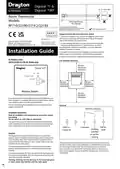
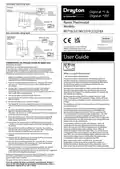

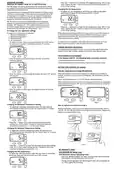


The green LED will be on when there is a demand for heating, and off
when there is no demand.
The red LED will flash for 7 seconds, approximately every 5 minutes.
This denotes that a radio signal is being received from the Digistat+RF
unit.
1.5m
the end of their life (see ‘battery replacement’).
from the Digistat+RF unit. This may be caused by the batteries being
dead (see ‘battery replacement’) or some temporary interference with
the radio signal.
Care should be taken to mount the thermostat in a position which is not
subject to direct sunlight or draughts. Preferably it should be mounted
on an inside wall about 1.5m (5ft) above the floor in a position where it
can respond to room temperature but away from the direct influence of
radiators or other appliances giving off heat.
the batteries, after a few seconds (the display will go blank) refit
the batteries and then reset to your desired temperature. If the
radio signal has been successfully transmitted and received, the red
LED will flash for 7 seconds then go off.
Before fixing the Digistat+RF to the wall it is recommended to first check
the signal strength from that location.
require the attention of a heating engineer/electrician.
To do this, remove the batteries, press and hold the ‘+’ button whilst
refitting the batteries, the display will show ‘rF’ which indicates that the
Digistat+RF is continuously sending an OFF signal to the SCR (receiver).
Leave the Digistat+RF in position and return to view the SCR. If the red
LED is continuously flashing, this indicates a good signal. If the red LED is
not flashing, this indicates a poor signal and you need to reposition the
Digistat+RF until the red LED is flashing.
‘OVERRIDE’ button on the SCR in a fault situation, even though
the red LED will stay on until a satisfactory signal is reinstated.
automatically reset itself for normal operation.
When the signal strength has been confirmed remove the batteries to
cancel the test and follow the installation instructions.
Recycling
If you do not have the knowledge to install the thermostat safely then
you must arrange for a competent electrician to install it for you. Wiring
must conform to the current IEE regulations.
Batteries, rechargeable or not, should not to be disposed of into
ordinary household waste. Instead, they must be recycled properly
to protect the environment and cut down the waste of
precious resources.
Prior to commencing the installation you must ensure the mains supply is
switched off.
Your local waste management authority can supply details concerning
the proper disposal of batteries.
1. Remove the front cover using a flat screwdriver and separate from
back plate (Fig 1).
This product should not be disposed of with household waste. Please recycle
the productswhere facilities for electronic waste exist. Check with your
local authorities for recycling advice.
(Fig 1)
2. Fix the back plate directly onto the wall using suitable wall plugs and
screws or mount over existing wall box (Fig 2).
Schneider Electric
35 Rue Joseph Monier
France-92500 Rueil Malmaison
se.com/contact
Schneider Electric
401 Southway Drive
Plymouth
PL6 6QT
United Kingdom
(Fig 2)
g
)
Replace the front cover by locating in position and pushing fully onto
the back cover (Fig ).
.
(Fig
)

| General | Details |
|---|---|
| Name | Drayton RF710 Digital Wireless Room Thermostat Installation Guide |
| Make | Drayton |
| Language | English |
| Filetype | PDF (Download) |
| File size | 1.06 MB |
 (1 votes, average: 5.00 out of 5)
 Loading...

Drayton RF902 Digistat 3rd Generation Wireless 2-Channel Programmable Thermostat Installation Guide

Drayton Wiser Smart Room Thermostat Instruction Manual

Drayton 2290M Digistat 3rd Generation Programmable Room Thermostat Installation Guide
Drayton 22902 Programmable 2 Channel Room Thermostat Installation Guide

Drayton 2290M Mains Digital Room Thermostat User Manual


fastwarm HM-01-16A Digital Programmable Thermostat Instruction Manual

network thermostat X X7-WIFI Smart Touchscreen Thermostat Instructions

White-Rodgers M30 Thermostat Instruction Manual

PNI-CT40 Smart Wireless Thermostat User Manual

GENERAL LIFE HT220S RF Digital Room Thermostat User Manual

Honeywell T8775 Digital Round Thermostat Instructions

Owon Technology PCT 523-W-TY Tuya WiFi 24VAC Thermostat User Guide

ENSTO ECO10BTW-J Heat Control Thermostat Instruction Manual

GE APPLIANCES RAK160W2 Wireless Thermostat User Manual

AFRISO RT 10 D 230 Room Thermostat Instruction Manual