
Home > Robertshaw > Robertshaw RS8210 Thermostat Installation Guide
Robertshaw RS8210 Thermostat Installation Guide


INSTALLER SETUP MENU
Settings
Display
Adjustment Options
Default
Next Step
Room
Select F for Fahrenheit
temperature display or select
C for Celsius display.
F or C
F for Fahrenheit, C for Celsius
Prev Step
Done
Next Step
Select a 12 or 24 hour
clock setting.
12 or 24
Hour Clock
Use the + or - key to select 12 12 Hour
or 24 hour clock.
Clock
Prev Step
Done
Next Step
Select GAS or ELEC depending
on the type of furnace.
Fan
Operation
GAS or ELEC
Prev Step
Done
16

| General | Details |
|---|---|
| Name | Robertshaw RS8210 Thermostat Installation Guide |
| Make | Robertshaw |
| Language | English |
| Filetype | PDF (Download) |
| File size | 0.5 MB |
 (1 votes, average: 5.00 out of 5)
 Loading...

Robertshaw RS9220 Programmable Thermostat Installation Guide

Robertshaw RS10420T WIFI Programmable Thermostat User Guide

Robertshaw RS8110 Non Programmable Thermostat Instruction Manual

Robertshaw RS8210 Non-Programmable Multi-Stage 2H-1C Wall Thermostat User Manual

Robertshaw RS9220 Digital Programmable Wall Thermostat Instruction Manual

Robertshaw 9602 Programmable Thermostat User Manual

Robertshaw RS9320T Programmable Touchscreen Wall Thermostat Instruction Manual

Robertshaw RS9423T Thermostat Installation Guide

Robertshaw RTC500 WIFI Thermostat Instruction Manual

Robertshaw RS1110 Programmable 1 Heat 1 Cool Wall Thermostat Instruction Manual


SALUS FC600 Fan Coil Thermostat User Guide

Honeywell RTH2510 Digital 7-day Thermostat Owner’s Manual

BUDDERFLY BTS-U2 Thermostat User Manual

VIMAR 30810.x-02973 Smart Home View Wireless Connected Dial Thermostat Instruction Manual

sensi ST76 Series Touch 2 Smart Thermostat User Manual

NOBO NCU-2Te High Precision Thermostat Instruction Manual

ELKO ep TEV-1 Thermostat Owner’s Manual

DELTA DORE Tybox 5701FP Pilot Wire Thermostat User Guide

GE APPLIANCES RAK150VF2 Digital Wall Thermostat Instruction Manual
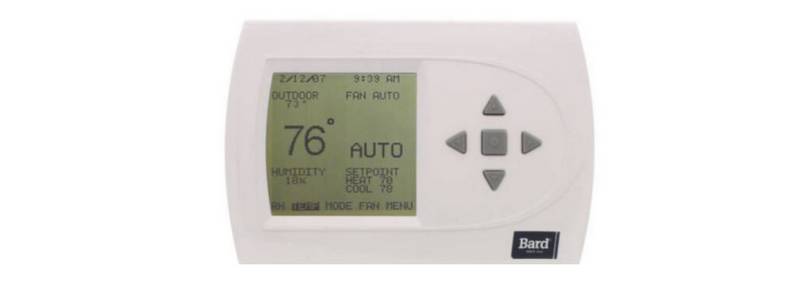
BARD THERMOSTAT Menu Driven Display 1120-445A User Manual