
HORSTMANN C-Stat 17-B 7 Day Programmable Room Thermostat Instruction Manual










| General | Details |
|---|---|
| Name | HORSTMANN C-Stat 17-B 7 Day Programmable Room Thermostat Instruction Manual |
| Make | Horstmann |
| Language | English |
| Filetype | PDF (Download) |
| File size | 0.63 MB |
 (1 votes, average: 5.00 out of 5)
 Loading...

Horstmann C-Stat 17-B Manual: Questions and Answers
Can the Horstmann C-Stat 17-B be used to control individual room temperatures without additional equipment?
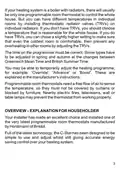
No. Install thermostatic radiator valves (TRVs) on individual radiators to achieve different temperatures in separate rooms. Instruction Manual, p. 3
What does the 'Until (time)' display on the Horstmann C-Stat 17-B indicate?
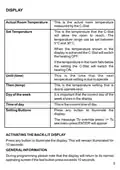
The time when the next temperature setting will take effect. Instruction Manual, p. 5
How do I change the clock format on the Horstmann C-Stat 17-B?
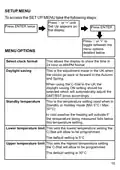
Access the Set Up menu and navigate to Select clock format to choose between 24 hour or AM/PM display.
- Press '-' or '+' until Set Up appears on the display.
- Press ENTER twice.
- Press '-' or '+' until Select clock format appears.
- Press ENTER.
- Press '-' or '+' to toggle between 24 hr and AM/PM options.
- Press ENTER to confirm your choice. Instruction Manual, p. 15
How do I enable or disable daylight saving on the Horstmann C-Stat 17-B?
Open the Set Up menu and select the Daylight Saving option to toggle between ON and OFF. The default factory setting is ON for automatic GMT/BST switching in the UK.
- Press '-' or '+' until Set Up appears on the display.
- Press ENTER twice.
- Press '-' or '+' until Daylight saving appears.
- Press ENTER.
- Press '-' or '+' to toggle between Daylight Saving On and Daylight Saving Off.
- Press ENTER to confirm your choice. Instruction Manual, p. 17
When should I replace the batteries in my thermostat?
At Stage 2, when 'Low Battery' appears in the display for 1 second each time you press a button. Stage 1 shows only a battery low symbol. By Stage 3, the unit switches off and displays 'Replace Batteries' permanently. Instruction Manual, p. 24
What does the battery symbol mean on my Horstmann C-Stat 17-B?
The battery low symbol in the display indicates Stage 1 warning. This is the first of three stages signalling declining battery power. Instruction Manual, p. 24
What's the battery life expectancy for Horstmann C-Stat?
Approximately two years with two standard AA alkaline non-rechargeable batteries. Instruction Manual, p. 23


