
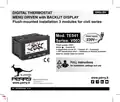
PERRY TE541 Digital Thermostat User Manual
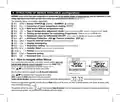
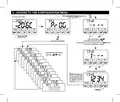
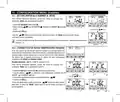
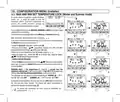
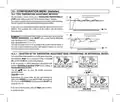


7 - USE OF THE THERMOSTAT
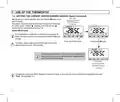
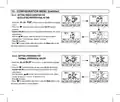
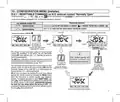
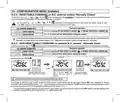
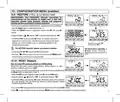
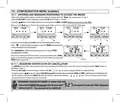
7.3 - SETTING THE CURRENT WINTER/SUMMER SEASON (Quick Command)
Example:
With the device in normal operation, press and hold the OK button for at
least 6 seconds.
The product will present the proposed season change so if for example
the current season is Winter (heating), it will show the icon
flashing and the corresponding level and T set.
normal operation
WINTER season
(heating)
Confirm with OK button.
If no confirmation is made within 5 seconds by pressing the OK
button, the device returns to normal operation without making any
changes.
Press and hold for 6 sec.
Confirm with OK button
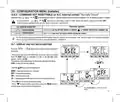
The season change request is prevented in the case of active
external contact (see par. 10.6 onwards).
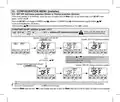
At the change of season, the t1 level (with its corresponding T set
value) of the incoming season will be taken over, regardless of the
activelevelinthepreviousseason.
Example:
normal operation
SUMMER season
(cooling)
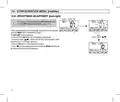
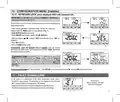
Changing the season from Winter (heating) to Summer (cooling) or vice versa can also be done from the appropriate menu item
“Prog”, see paragraph 10.1.
12

| General | Details |
|---|---|
| Name | PERRY TE541 Digital Thermostat User Manual |
| Make | PERRY |
| Language | English |
| Filetype | PDF (Download) |
| File size | 1.4 MB |
 (1 votes, average: 5.00 out of 5)
 Loading...


IMIT TA5 Mechanical Thermostat User Manual

BEOK CONTROLS TCR8 IPS Colorful LCD Screen Smart Thermostat Owner’s Manual

HITACHI ATW-RTU-12 Room Thermostat Instruction Manual

DAEMA ELECTRONIC DFZ-1310SL 130L Freezer with Adjustable Thermostat Owner’s Manual

BEOK TDS75 Touch Screen Thermostat User Manual

namron 16A 2.0 Zigbee Touch Thermostat Instruction Manual

EPH CONTROLS RFR RF Room Thermostat Instruction Manual

micro-Air EasyTouch 352 Thermostat User Manual

nVent RAYCHEM Elexant 3500i Electronic Thermostat Installation Guide

NEOMITIS RTUa Mechanical Room Thermostat Instruction Manual