
MOES BHT-12 Smart Thermostat Instruction Manual


HOME,SMART MOES HOME
Precautions Before Installation
Default settings for program schedule
Appearance Features
Manipulation Instructions
Instruction Manual
MON. -FRI.
SAT.
1. Before installation, please confirm that the plug type of this
product is suitable for your local standard and heating equipment;
2. Please contact the after-sales service for equipment failure,
please do not try to repair it by yourself;
3. After the installation, please refer to this manual to check again to
ensure normal safety
1. Small size: small and flexible, can be installed without a large
SUN.
(①②③④⑤ shows on
BHT-12 Smart Thermostat
WTP-BY-EU
Time
display
space;
(⑥shows on scteen)
1.Power: Press
to turn the thermostat on/off.
(⑦shows on scteen)
scteen)
TIME
6:00~8:00
8:00~11:30
2. Classic color matching: pearl white, midnight black, into a variety
of decoration styles;
2.Cooling / Heating mode: This thermostat supports cooling or heating
mode, which can be selected and switched in the APP, or refer to
"Advanced Options Settings".
TEMP.
20
ON TIME
TEMP.
20
ON TIME
6:00~8:00
TEMP.
20
Period 1
6:00~8:00
8:00~11:30
11:30~13:00
13:30~17:00
17:00~22:00
22:00~6:00
3. Warm hand feel: curved body, chamfer transition, no hand cutting;
Period 2 8:00~11:30
Period 3 11:30~13:00
Period 4 13:30~17:00
Period 5 17:00~22:00
Period 6 22:00~6:00
15
20
8:00~11:30
11:30~13:00
13:30~17:00
17:00~22:00
22:00~6:00
20
3.Manual/Programming/Temporary Manual/Holiday Mode:
Function Features
15
20
20
Press
in the APP or on the control panel of the thermostat to switch
1. Touch buttons: no need to worry about the buttons being stuck
and not rebounding;
15
20
20
between Manual/Programming/Holiday mode. Depending on the mode,
the corresponding icon will be displayed at the top of the screen.
Manual Mode : In this mode, the thermostat controls the device
according to the manually set temperature.
22
20
20
2. Heat and cool dual mode: heating and cooling, one device, two
control modes;
Caution!
Electric shock hazard
15
15
15
3. Internal and external dual senors; default built-in sensor, optional
external sensor;
8.External sensor data query: long press "
the screen will display the temperature of the sensor data.
If no external sensor is connected, "err" will be displayed
" for 5 seconds,
Programming Mode
: In this mode, the screen displays the current
4. Heating indication: two working indicator lights on the left and
right, know its working status without coming close;
5. Dual temperature systems: support Celsius-℃ and Fahrenheit-℉
switching;
programming cycle the thermostat is in, and the thermostat controls
the device according to the weekly programming schedule. Please refer
to point 7 for timetable setting.
Temporary manual mode: In the programming mode, manually adjust
the temperature and enter the temporary manual mode. At this time,
the screen display icon " " will flash, and the thermostat will execute
the current set temperature at this time, and the temperature will
restore during next weekly programming cycle.
Product Parameters
Voltage: 95~220V, 50~60Hz
Maximum load: 16A
Temperature sensing element: NTC10K
Temperature control accuracy: ±0.5℃
Temperature control range: 5 - 90°C, can be changed in advanced
options
Shell material: PC+ABS (flame retardant)
Working environment: 0 - 45℃, 5 -95%RH (no condensation)
Storage temperature: -5 - 55℃
Advanced Options Settings
In the power-off state, long press "
the advanced options settings. Press "
" for 5 seconds to enter
" to select a function,
6. Various plugs: optional plugs of various specifications, British
standard, European standard, American standard, Australian
standard, and national standard are optional;
7. Convenient control: The advanced options of the thermostat can
be set in the APP, which is more convenient.
8. Intelligent voice: connected to Tmall Genie, Alexa, Google
Assistant, Xiaodu, Yandex, voice control, which frees hands;
9. APP control: The APP supports ios/android system, and the
temperature is updated in real time; automatically obtains the
temperature and humidity, PM2.5 of the local area, and creates
intelligent scenes. It has supported all regions and languages at
home and abroad, and the service is more comprehensive.
and press "
" or "
" to adjust the corresponding code.
All advanced options settings will take effect automatically
after restarting the thermostat.
Code
Function
Setting and options
Default
Holiday Mode
" and "
: In this mode, the screen will display the icons
", and the thermostat will maintain a fixed temperature
Transportation
Temperature
compensation
"
1
-9 to 9 ℃
-3
Protection class: IP20
Display temperature range: 5~99℃
The products shall be free from severe vibration, impact,
exposure to rain, dumping and other problems during
transportation, and shall comply with the provisions of the
marks on the packing boxes.
until the holiday is over. Lasting days of Holiday Mode can be set in the
APP or Or long press " " to enter the clock setting, then press "
4 times to enter the holiday mode day setting, the test screen "RT" will
2
Deadzone Temp.
1-5℃
1
"
01:All buttons are locked except power button.
01:All buttons are locked.
3
4
Button Locking
01
Product UI
flash..
Dimensions and installation instructions
Dimensions: millimeters (mm)
In: Internal Sensor(to control the temp.)
4.Temperature setting: Press "
ture.
"/"
" to set the target tempera-
Safety Information
Ou: External Sensor (to control the temp.)
AL: Internal&External Sensor (Internal sensor to control
the temp., external sensor to limit the temp.)
Sensor typer
AL
Week
Heating/Cooling
1. Do not disassemble, reassemble, modify, or attempt to
Energy saving
62.0
53.2
35.0
5.Time setting: The Wifi version will automatically synchronize the time
after connecting to the network. Or long press " " to enter the time
setting, and press " " to adjust the value, respectively set up for
minutes, hours, and days of the week ("①" at the top of the screen
means Monday, "②" means Tuesday, and so on) . After the adjustment
is completed, press " " to exit the time setting.
repair the product by yourself.
mode
5
6
Min.Set Temp.
5-15℃
5
2.This product has no waterproof and dustproof function.
Room temp.
Clock
Max.Set Temp.
15-45℃
35
Set temp.
00: Display the room temperature and the set
temperature, press the up and down keys to display the
set temperature
Floor temp.
Thank you for purchasing
WIFI
Period
7
Temperature display
00
Thank you for choosing our thermostat. We are committed to
bringing together high-end technology, high-quality produc-
tion technology, safe and reliable materials to produce
high-quality and low-cost products.
Please read this manual for comprehensive product informa-
tion. Also make sure a professional installs the thermostat and
follows all your local regulations.
01: Only display the set temperature
External sensor
Low temp. protection
setting.
Manual mode
8
9
0-10℃
0
Programming
mode
6.Child lock
: Press and hold "
" and "
" at the same time for
External
sensor
connector
High temp. protection
setting.
25-70℃
50
Clock
5 seconds, the thermostat will enter the child lock mode. You can also
set full lock and half lock in advanced options, please refer to the
description of advanced options below.
Power
Mode
10
11
Energy saving Mode 00:OFF
01:ON
00
Up/Down
Cool Energy saving
10-50℃
120.0
20
Temp.
7.5+1+1 programming mode setting: wifi version can be set in APP. In
Packing List
Thermostat*1
Heat Energy saving
10-50℃
the non-wifi version, long press "
then press " " 4 times to enter the programming mode setting. At
this time, the screen displays (①②③④⑤), the minute of the time
flashes, and the cycle is 1 " ". Then press " " to select and set
the hour, temperature and cycle. Press " " or " " to adjust the
corresponding value. After completing the setting, you need to shut
down once to store the data in the thermostat.
" to enter the clock setting, and
12
26
Temp.
User Manual*1
QC certificate*1
0:Cool Mode
1:Heat Mode
13
Cool/Heat
01
00
External Sensor 2.5m ( optional)*1
0: Degree Celsius ℃
1: Fahrenheit
14
℃/℉
About Your Thermostat
BHT-12 is suitable for electric heating radiator, electric
cooling and temperature control system.It can be used in smart
homes, shopping malls, and industrial places.
℉
0-8, when set to 0, after 10 seconds of no operation,
the screen will turn off, press the up and down keys to
wake up
Screen brightness
when no operation
15
1
16
Reset
00: No factory reset; 01: Factory reset
00
Before use, please confirm that this product is compatible with
your temperature control equipment.
17
Version number
U1
Connect to the controlled device
Connect to a power outlet


| General | Details |
|---|---|
| Name | MOES BHT-12 Smart Thermostat Instruction Manual |
| Make | MOES |
| Language | English |
| Filetype | PDF (Download) |
| File size | 0.61 MB |
 (1 votes, average: 5.00 out of 5)
 Loading...

Moes WTP-BY-EU BHT-12 Smart Thermostat Instruction Manual

Moes 002 Series Wifi Thermostat User Guide

Moes ZigBee 002 Series Thermostat User Manual

Moes M30 x 1.5 Smart Radiator Thermostat User Manual

MOES BRT-100 Radiator TRV Thermostat Instruction Manual

Moes BHT-3000 Series Thermostat User Guide

Moes BHT-006 Series Thermostat User Manual

MOES BRT-100 Radiator Thermostat User Guide

Moes WIFI 002 Series Wi-Fi Thermostat Instruction Manual

Moes WHT-PJ01 Smart WiFi Thermostat User Manual

Moes BHT-12 Manual: Questions and Answers
What comes in the box with this thermostat?
- Thermostat
- User Manual
- QC certificate
- External Sensor 2.5m (optional) Instruction Manual, p. 1
What is the temperature control range for the Moes BHT-12?
5 to 90°C, adjustable via advanced options. Instruction Manual, p. 1
Can the Moes BHT-12 work in both heating and cooling modes?
Yes, it supports both cooling and heating modes, selectable in the APP or via the control panel. Instruction Manual, p. 1
Other Moes BHT-12 manuals
More Moes thermostat manuals

Roth SL Car Air Conditioner Thermostat Instructions

Pro1 Technologies T855iSH Wall Thermostat Instruction Manual

ENSTO ECO16BTD Combination Thermostat Instruction Manual

White Rodgers 1F95-1277 Big Blue Universal Thermostat Instruction Manual

Danfoss ECtemp 531 Electronic Thermostat Installation Guide
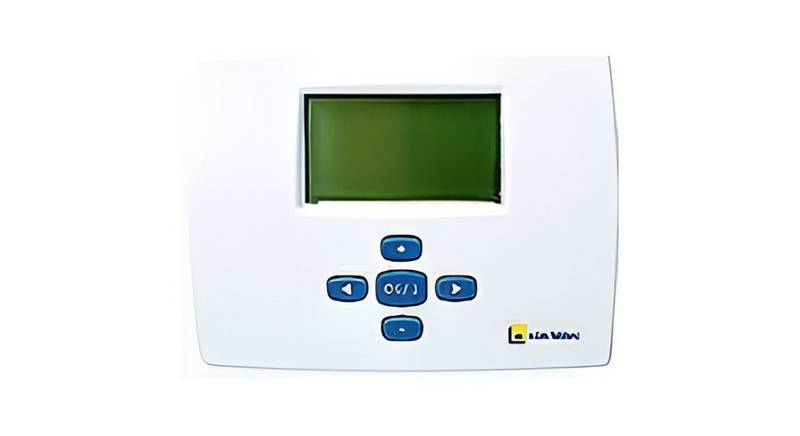
e l m leblanc TRL 7.26 RF Room Thermostat User Manual

GENERAL 270 RF Room Thermostat Instruction Manual

DOMETIC RV Air Conditioner Cool Furnace Thermostat User Guide

sygonix 2735095 Wireless Heating Thermostat Instruction Manual

Price Industries Disio Display Thermostat User Guide