
micro-Air EasyTouch RV 351 Thermostat User Manual


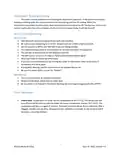


Wiring the thermostat
There are three terminals on the back of EasyTouch labeled SIG, GND, and 12V. They will be
connected to the push terminals on the back of the EasyTouch thermostat. Use the information in Table
1 to determine the connections.
Table 1
Terminal Labels
Style 2
-12V
Style 1
GND
EasyTouch
GND
SIG
COM
+12V
COMMS
12V+
12V
4
©2022 Micro-Air Corp
June 15, 2022, revision 1.5

| General | Details |
|---|---|
| Name | micro-Air EasyTouch RV 351 Thermostat User Manual |
| Make | Micro-Air |
| Language | English |
| Filetype | PDF (Download) |
| File size | 0.27 MB |
 (1 votes, average: 5.00 out of 5)
 Loading...

micro-air EasyTouch 357 Multi Zone Replacement Thermostat Instruction Manual

Micro-Air EasyTouch RV 353 Touch Screen Thermostat Instruction Manual

Micro-Air 359 Touchscreen Thermostat Instruction Manual

Micro-Air EasyTouch RV 353 Thermostat Instruction Manual

Micro Air ETRV EasyTouch RV Thermostat Instruction Manual

micro-air EasyTouch RV 356 True Air RV Thermostat User Manual

micro-Air ASY-357-X02 EasyTouch 357 Touchscreen Thermostat User Manual

micro-Air EasyTouch 352 Thermostat User Manual

Micro-Air EasyTouch 355 Touch Screen Thermostat User Manual

Micro-Air 351 Air Conditioner Digital Thermostat User Guide


GENERAL ARUNA 300S RF Digital Room Thermostat User Manual

Doit 474053 Low Voltage Thermostat Installation Guide

Danfoss REPI Series Digital Thermostat User Manual

WATTS W561 WiFi Thermostat Instruction Manual

SIEMENS RDG200KN Room Thermostat Instruction Manual

GENERAL ARUNA FH25S Underfloor Heating Thermostat User Manual

Honeywell CT1501 Electromechanical Fuel Saver Thermostat Instruction Manual

REPTO R3300030 Smart Thermostat Instruction Manual

PRAXISDIENST DZ 003 Dry Block Thermostat User Manual

OSCAR OS20 LCD Thermostat Instruction Manual