Home > HVAC Controls > HVAC Controls UT32 Titan Touchscreen Thermostat User Manual
×
- 1. Hvac Controls (Ut32 Titan Touchscreen Thermostat → User Manual)
- 2. Introduction (Using The Touchscreen Display → Setting The Day, Time And Calendar → Basic Functions → Mode Configurations → Programming → Day Schedule (4 Or 2 Daily Events))
- 3. Overrides (Temporary Temperature Override → Permanent Hold → Other Options And Features → Adaptive Recovery Option → Changing The Batteries → How It Works)
- 4. Introduction
- 5. Using The Ut32 Touchscreen Display (Displayed With Outside → Daylight Savings Time → Air Temperature And → Clean Screen → Program → Operation Mode)
- 6. Typical Display (Day Of The Week → Time Of Day → Calendar (m/d/y) → Space Temperature → Fan Selection → Mode Of Operation)
- 7. Setting The Day, Time And Calendar
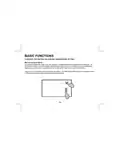
- 8. Basic Functions (Mode Configurations → Conventional Heating And Cooling Equipment (gas/electric) → Heat Pump And Dual Fuel Equipment)
- 9. Basic Functions (Mode Selection → Heat → Cool → Auto → E.heat)
- 10. Basic Functions (Fan Selection → Programmable Fan (option))
- 11. Basic Functions (Changing The Heating Or Cooling Temperature Setting → Manual Heat/cool Mode → Heat Set)
- 12. Basic Functions (Changing The Heating Or Cooling Temperature Setting → Auto Mode)
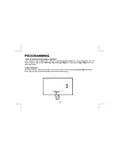
- 13. Programming (Day Schedule (4 Or 2 Daily Events))
- 14. Programming (Day Schedule (4 Or 2 Daily Events) → Daily Events)
- 15. Programming (Morning Start Time → Adjusting Minutes)
- 16. Programming (Morning Cool Set → Morning Heat Set)
- 17. Programming (Day Event → Evening Event → Night Event → Copying Schedule)
- 18. Programming (Daily Events)
- 19. Programming (Programmable Fan → Automatic Fan Mode Allows The Equipment Fan To Run Whenever There Is A Call For Heating Or Cooling. → Always On Fan Mode Allows The Fan To Run Continuously With Or Without A Call For Heating Or Cooling.)
- 20. Overrides (Temporary Temperature Override)
- 21. Overrides (Permanent Hold)
- 22. Other Options And Features (Adaptive Recovery Option → Clean Screen)
- 23. Other Options And Features (Compressor Time Delay → Low Battery Indication)
- 24. Outdoor Temperature Display (Changing The Batteries)
- 25. Timed Ventilation (How It Works)
- 26. For Technical Support Call Toll Free: 866-225-5032
×
HVAC Controls UT32 Titan Touchscreen Thermostat User Manual
| General | Details |
|---|---|
| Name | HVAC Controls UT32 Titan Touchscreen Thermostat User Manual |
| Make | HVAC Controls |
| Language | English |
| Filetype | PDF (Download) |
| File size | 0.2 MB |


Thermostats BHT-8000RF Wireless Thermostat User Manual

SASWELL SAS908XWHB-7 Thermostat User Manual

MRCOOL MST04 Smart Thermostat Owner’s Manual

GENERAL SENNA 300S Smart Room Thermostat User Manual

SIEMENS TH 193 HC Heating and Cooling Room Thermostat Instruction Manual

AURATON Libra Room Thermostat User Manual

Honeywell Home DT4M Wired Room Thermostat User Manual

Netatmo NTH01-AMZ Energy Saving Smart and Connected Thermostat Instruction Manual

Amber DT-two Programmable Thermostat User Guide

EMERSON 1F83C-11NP Single Stage Thermostat Owner’s Manual
Table of Contents
- 1. Hvac Controls - Ut32 Titan Touchscreen Thermostat →
- 2. Introduction - Using The Touchscreen Display →
- 3. Overrides - Temporary Temperature Override →
- 4. Introduction →
- 5. Using The Ut32 Touchscreen Display - Displayed With Outside →
- 6. Typical Display - Day Of The Week →
- 7. Setting The Day, Time And Calendar →
- 8. Basic Functions - Mode Configurations →
- 9. Basic Functions - Mode Selection →
- 10. Basic Functions - Fan Selection →
- 11. Basic Functions - Changing The Heating Or Cooling Temperatur... →
- 12. Basic Functions - Changing The Heating Or Cooling Temperatur... →
- 13. Programming - Day Schedule (4 Or 2 Daily Events) →
- 14. Programming - Day Schedule (4 Or 2 Daily Events) →
- 15. Programming - Morning Start Time →
- 16. Programming - Morning Cool Set →
- 17. Programming - Day Event →
- 18. Programming - Daily Events →
- 19. Programming - Programmable Fan →
- 20. Overrides - Temporary Temperature Override →
- 21. Overrides - Permanent Hold →
- 22. Other Options And Features - Adaptive Recovery Option →
- 23. Other Options And Features - Compressor Time Delay →
- 24. Outdoor Temperature Display - Changing The Batteries →
- 25. Timed Ventilation - How It Works →
- 26. For Technical Support Call Toll Free: 866-225-5032 →