
Home > HVAC Controls > HVAC Controls UT32 Titan Touchscreen Thermostat User Manual
HVAC Controls UT32 Titan Touchscreen Thermostat User Manual


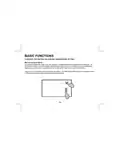




OUTDOOR TEMPERATURE DISPLAY
If an outdoor sensor has been installed on your thermostat, the outdoor temperature will be displayed
from 1 degree Fahrenheit to 130 degrees Fahrenheit. If the outdoor temperature falls below 1 degree
F, the thermostat will display LO and if the outdoor temperature rises above 130 degrees F, the
thermostat will display HI.
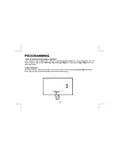
CHANGING THE BATTERIES
Press in on the battery access compartment and slide the drawer out. Install two AA batteries
matching the + (Positive) and - (Negative) orientation. Push the battery compartment in until it clicks
shut. When the batteries are properly installed, the touchscreen display will resume normal operation
with no loss of programming or current time.
AA
+
AA
-
23

| General | Details |
|---|---|
| Name | HVAC Controls UT32 Titan Touchscreen Thermostat User Manual |
| Make | HVAC Controls |
| Language | English |
| Filetype | PDF (Download) |
| File size | 0.2 MB |
 (1 votes, average: 5.00 out of 5)
 Loading...


SUNRICHER SR-ZG9092A Zigbee Heating Thermostat Installation Guide

SANGAMO CHPWIFI Fort Programmable Thermostat User Guide

Pfannenberg DTS 3041 Thermostat Instructions

olympia electronics BS-850-KIT Wireless Programmable WiFi Electronic Chrono Thermostat User Manual

TECH CONTROLLERS EU-T-4.1n Wireless Thermostat User Manual

EPH CONTROLS HRT Battery Operated Non Programmable Thermostat Installation Guide

Danfoss RT 2 Thermostat Installation Guide

SALUS CONTROLS HTR-RF Smart Home Dial Thermostat User Guide

Moes BHT-3000 Series Thermostat User Guide

APATOR TH 480 Bi Metallic Thermostat Instruction Manual