
Home > HVAC Controls > HVAC Controls UT32 Titan Touchscreen Thermostat User Manual
HVAC Controls UT32 Titan Touchscreen Thermostat User Manual






PROGRAMMING
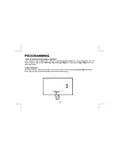
PROGRAMMABLE FAN
If your contractor has configured the UT32 with the Programmable Fan Option, you will be able to
select Automatic or Always On fan with each programmed event. When programming the
thermostat, the Programmable Fan Option will appear at the end of each programming event. When
the word Automatic begins to flash, touch the UP arrow to change to Always On or simply touch
Program to maintain Automatic fan operation for the program period. Just like Temporary
Temperature Override, the fan mode can be changed simply by touching Fan. The program event will
flash confirming the Programmable Fan mode is in override. To resume normal operation, touch
Program. Hold will appear. Touch Hold and the thermostat will resume programmed operation.
Automatic fan mode allows the equipment fan to run whenever there is a call for heating or cooling.
Always On fan mode allows the fan to run continuously with or without a call for heating or cooling.
18

| General | Details |
|---|---|
| Name | HVAC Controls UT32 Titan Touchscreen Thermostat User Manual |
| Make | HVAC Controls |
| Language | English |
| Filetype | PDF (Download) |
| File size | 0.2 MB |
 (1 votes, average: 5.00 out of 5)
 Loading...


SIEMENS RDG260KN Room Thermostat Instruction Manual

GENERAL FH260S Underfloor Heating Thermostat User Manual

EUROSTER 2026TXRX Air Conditioning Thermostat Instruction Manual

HEIL TSTATIIEWF-01 Smart Thermostat Owner’s Manual

DEVI 140F1143 Electronic Intelligent Timer Thermostat Installation Guide

FIBARO FGBHT-001 Radiator Thermostat User Guide

homematic IP HmIP-eTRV-2 Radiator Thermostat Instruction Manual

HITACHI ATW-RTU-12 Room Thermostat Instruction Manual

SIEMENS TH193 HC Heating-Cooling Room Thermostat Instruction Manual

ETHERMA 3 set 2024 Smart Thermostat Instruction Manual