Home > HVAC Controls > HVAC Controls UT32 Titan Touchscreen Thermostat User Manual
×
- 1. Hvac Controls (Ut32 Titan Touchscreen Thermostat → User Manual)
- 2. Using The Touchscreen Display
- 3. Introduction (Setting The Day, Time And Calendar → Basic Functions → Mode Configurations → Programming → Day Schedule (4 Or 2 Daily Events))
- 4. Overrides (Temporary Temperature Override → Permanent Hold → Other Options And Features → Adaptive Recovery Option → Changing The Batteries → How It Works)
- 5. Introduction
- 6. Using The Ut32 Touchscreen Display (Displayed With Outside → Daylight Savings Time → Air Temperature And → Clean Screen → Program → Operation Mode)
- 7. Typical Display (Day Of The Week → Time Of Day → Calendar (m/d/y) → Space Temperature → Fan Selection → Mode Of Operation)
- 8. Setting The Day, Time And Calendar
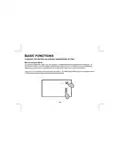
- 9. Basic Functions (Mode Configurations → Conventional Heating And Cooling Equipment (gas/electric) → Heat Pump And Dual Fuel Equipment)
- 10. Basic Functions (Mode Selection → Heat → Cool → Auto → E.heat)
- 11. Basic Functions (Fan Selection → Programmable Fan (option))
- 12. Basic Functions (Changing The Heating Or Cooling Temperature Setting → Manual Heat/cool Mode → Heat Set)
- 13. Basic Functions (Changing The Heating Or Cooling Temperature Setting → Auto Mode)
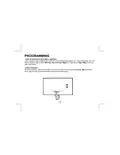
- 14. Programming (Day Schedule (4 Or 2 Daily Events))
- 15. Programming (Day Schedule (4 Or 2 Daily Events) → Daily Events)
- 16. Programming (Morning Start Time → Adjusting Minutes)
- 17. Programming (Morning Cool Set → Morning Heat Set)
- 18. Programming (Day Event → Evening Event → Night Event → Copying Schedule)
- 19. Programming (Daily Events)
- 20. Programming (Programmable Fan → Automatic Fan Mode Allows The Equipment Fan To Run Whenever There Is A Call For Heating Or Cooling. → Always On Fan Mode Allows The Fan To Run Continuously With Or Without A Call For Heating Or Cooling.)
- 21. Overrides (Temporary Temperature Override)
- 22. Overrides (Permanent Hold)
- 23. Other Options And Features (Adaptive Recovery Option → Clean Screen)
- 24. Other Options And Features (Compressor Time Delay → Low Battery Indication)
- 25. Outdoor Temperature Display (Changing The Batteries)
- 26. Timed Ventilation (How It Works)
- 27.
- 28. For Technical Support Call Toll Free: 866-225-5032
×
HVAC Controls UT32 Titan Touchscreen Thermostat User Manual
| General | Details |
|---|---|
| Name | HVAC Controls UT32 Titan Touchscreen Thermostat User Manual |
| Make | HVAC Controls |
| Language | English |
| Filetype | PDF (Download) |
| File size | 0.2 MB |


Danfoss RAE Radiator Thermostat Installation Guide

emos P5686 Immersion Thermostat Instructions

Honeywell VisionPRO TH8000 Series Touchscreen Programmable Thermostat Instruction Manual

COLDBUSTER MWD5 Programmable Thermostat User Manual

Honeywell RTH7500 7-Day Programmable Thermostat Installation Guide

network thermostat X X7-WIFI Smart Touchscreen Thermostat Instructions

Danfoss TPOne-M Electronic Programmable Room Thermostat User Guide

HITACHI ATW-RTU-11 Wireless Ambient Thermostat Instruction Manual

CIELO BM101WA Breez Max Smart Thermostat Installation Guide

Honeywell Home T10 Smart Home Thermostat Instructions
Table of Contents
- 1. Hvac Controls - Ut32 Titan Touchscreen Thermostat →
- 2. Using The Touchscreen Display →
- 3. Introduction - Setting The Day, Time And Calendar →
- 4. Overrides - Temporary Temperature Override →
- 5. Introduction →
- 6. Using The Ut32 Touchscreen Display - Displayed With Outside →
- 7. Typical Display - Day Of The Week →
- 8. Setting The Day, Time And Calendar →
- 9. Basic Functions - Mode Configurations →
- 10. Basic Functions - Mode Selection →
- 11. Basic Functions - Fan Selection →
- 12. Basic Functions - Changing The Heating Or Cooling Temperatur... →
- 13. Basic Functions - Changing The Heating Or Cooling Temperatur... →
- 14. Programming - Day Schedule (4 Or 2 Daily Events) →
- 15. Programming - Day Schedule (4 Or 2 Daily Events) →
- 16. Programming - Morning Start Time →
- 17. Programming - Morning Cool Set →
- 18. Programming - Day Event →
- 19. Programming - Daily Events →
- 20. Programming - Programmable Fan →
- 21. Overrides - Temporary Temperature Override →
- 22. Overrides - Permanent Hold →
- 23. Other Options And Features - Adaptive Recovery Option →
- 24. Other Options And Features - Compressor Time Delay →
- 25. Outdoor Temperature Display - Changing The Batteries →
- 26. Timed Ventilation - How It Works →
- 27. Page 27 →
- 28. For Technical Support Call Toll Free: 866-225-5032 →