
Home > HVAC Controls > HVAC Controls UT32 Titan Touchscreen Thermostat User Manual
HVAC Controls UT32 Titan Touchscreen Thermostat User Manual


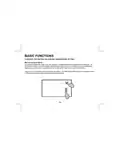


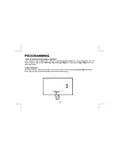


OVERRIDES
When the UT32 is configured for programmable operation, there are two types of temperature
overrides available.
TEMPORARY TEMPERATURE OVERRIDE
Temporary Temperature Override is designed to allow you to adjust the heating or cooling
temperature without affecting the programmed temperatures. For example, if you want to change the
heating temperature, touch the displayed until the back light comes on and then touch the
temperature setting. When Heat Set flashes, touch the UP or DOWN arrows to adjust the setting.
The thermostat will resume normal operation in 10 seconds and display the new heating temperature.
The program period (Morning, Day, Evening, Night) or (Day, Night) will flash continuously to
provide confirmation that the temperature has been changed.
Heat Set
19

| General | Details |
|---|---|
| Name | HVAC Controls UT32 Titan Touchscreen Thermostat User Manual |
| Make | HVAC Controls |
| Language | English |
| Filetype | PDF (Download) |
| File size | 0.2 MB |
 (1 votes, average: 5.00 out of 5)
 Loading...


Moes 002 Series Wifi Thermostat User Guide

Honeywell TH6320ZW T6 Pro Z-Wave Programmable Thermostat User Guide

LUX TX1500E Programmable Thermostat Instruction Manual

EMERSON 1F75C-11PR Programmable Thermostat Installation Guide

ENGO CONTROLS E10-MBUSW, E10-MBUSB Wi-Fi MODBUS Thermostat User Guide

GENERAL LIFE Senna 270 Digital Room Thermostat User Manual

Honeywell RTH9580 Wi-Fi Color Touchscreen Programmable Thermostat User Guide

Vine TJ-610E Smart Thermostat User Manual

DELTA DORE Tywell 2050 Thermostat D’Ambiance Radio Installation Guide

Roth Minishunt Room Thermostat Installation Guide