
Hunter 44110 Set And Save Programmable Thermostat Owner’s Manual



®
7
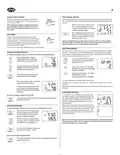
Auto Recovery
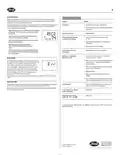
TROUBLESHOOTING
Hunter’s Auto Recovery feature meets the ENERGY STAR® guidelines for energy efficiency by
allowing the heating or cooling system to recover gradually from an energy-saving setpoint
temperature to a comfort setpoint temperature.
Problem
Solution
Auto Recovery calculates how early to turn your system back On, so that the room temperature is
already comfortable by the start of the comfort temperature program period. Auto Recovery
works in both Heat and Cool modes.
No Display
1. Check battery connections and batteries.
2. Press RESET button with a small pin and hold in for
two seconds.
■ When the thermostat is in Auto Recovery mode, the display
will alternate “RECO” with time, and the program indica-
tor will flash.
Entire Display Dims
1. Replace Batteries
■ Auto Recovery can be disabled by sliding the Recovery
switch on the circuit board to disable.
2
Program Does Not Change
at your Desired Setting
1. Check that the time is set properly to “AM”
or “PM”.
HEAT TEMP
■ Auto Recovery will not operate if Permanent hold or Tem-
porary hold is in operation.
2. Check that the thermostat is not in Permanent
HOLD mode.
■ Auto Recovery can be canceled manually if
HOLD / RETURN is pressed during the recovery
process.
3. Check for the correct day setting.
■ Auto Recovery will be canceled and change to Temporary
Manual Override mode if the setpoint is adjusted during
the recovery process.
Auto Fan Does Not Turn
On Properly
1. Move HG/HE selector to correct position.
Heating or Cooling Does
Not Go On or Off
1. Check that the function switch is in the correct
position (“HEAT” or “COOL”).
Error Mode
If the thermostat is unable to control your system due to
an unexpected battery problem, the thermostat will enter
Error Mode. In this condition, the thermostat flashes
“Err” on the LCD display, and shuts off your system. To
correct this problem, replace the batteries with 2 new AA
alkaline batteries, even if you have recently replaced
them. Next, use a paper clip to press the RESET button
next to the keypad. You will need to reprogram your
thermostat and confirm normal operation.
2. There may be as much as 4-minute delay before the
system turns On - wait and check. (Compressor
protection delay.)
3. Check your circuit breakers and switches to ensure
there is power to the system.
4. Replace batteries.
5. Make sure your furnace blower door is closed
properly.
If Error Mode returns, please call Hunter Technical support at 1-888-830-1326 for further infor-
mation.
6. If your system only uses 4-wires, be sure the jumper
wire is installed between the RC and RH terminals.
Auto Cut Off
Erratic Display
1. Press the reset button once with a small pin and
hold for two seconds. Then reprogram.
Your thermostat will automatically cut-off in Heat mode if the room temperature rises above 95˚F
(35˚C). It will cut-off in Cool mode if the room temperature drops below 40˚F (4˚C).
Note that if your system has malfunctioned and no longer responds to thermostat controls, the
Auto Cut-Off will have no effect.
If unit continues to operate
in the Off position
1. Replace unit.
1. Replace unit.
Thermostat permanently
reads “HI”, “LO”, or “ERR”
If you experience any other problems, call 1-888-830-1326 from 8 AM to 5 PM Central Time for
technical assistance.
Hunter Fan Company
2500 FRISCO AVENUE
®
© 2003 Hunter Fan Company
MEMPHIS, TN 38114
41638-01 06/30/03

| General | Details |
|---|---|
| Name | Hunter 44110 Set And Save Programmable Thermostat Owner’s Manual |
| Make | Hunter |
| Language | English |
| Filetype | PDF (Download) |
| File size | 0.34 MB |
 (1 votes, average: 5.00 out of 5)
 Loading...


EPH CONTROLS 2023-03-10 RFR-RF Room Thermostat Instruction Manual

SALUS Fan Coil thermostat FC600 User Guide

Uponor ETN4 Ecoflex Supra Standard Thermostat Instruction Manual

velleman VM148 Programmable Thermostat Instruction Manual

COMPUTHERM Q20 Programmable Digital Room Thermostat Instruction Manual

EAE Technology EAE-KNX MONA Series Thermostat Instruction Manual

Honeywell D1-528 Thermostat User Guide

Smartica HY607B 3A Zig Bee Thermostat User Manual

TRU COMPONENTS TC-NTL-ExT6 Hazardous Area Thermostat Instructions

Pfannenberg DTS 3041 Thermostat Instructions