
Hunter 44110 Set And Save Programmable Thermostat Owner’s Manual



®
5
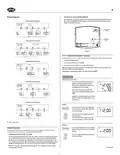
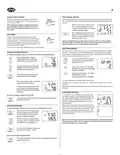
Setting Day and Time (Contined)
Revising Programs
■ Familiarize yourself with manually changing programs, so that you can easily modify the
programs as your comfort needs change. Follow the steps below to change the program times
and temperatures.
STEP 3:
■ Press again to change from minute setting
to day setting. The current day will be
flashing.
day/time
M
NOTE: 1) The program time can be set in 10-minute increments.
PM
2) The program temperature can be set in increments of 1˚F (1˚C).
3) After 15 seconds without a key press, the thermostat will return
to normal display mode.
■ Press to change the Day up or down to the
current day.
4) When setting the program time, note the AM / PM indicator.
STEP 4:
STEP 1:
■ Press again to change back to the
normal display.
SA
day/time
system
■ Slide the System Switch to the HEAT or
COOL position to program the correspond-
ing system.
SA
heat
or
off
PM
2
cool
PM
2
hold
NOTE: If the System Switch is in the
OFF position, the last position used
will be programmed.
TEMP
/return
TEMP
hold
NOTE: You may press
to the normal display.
at any time during Day and Time setting to return
/return
STEP 2:
■ Press to enter program mode. HEAT or
COOL will be displayed on the LCD.
M T W TH F
AM
program
12 Hr. / 24 Hr. Time Format
Your thermostat is set from the factory in normal 12 (AM / PM) time format. To change to 24
1
STEP 3:
program
hour (military) time, press
at any time while the Hour, Minute, or Day is flashing
HEAT
■ The Program hour and AM or PM indicator
are flashing. Press to change the hour.
to toggle between the 12 hour and 24 hour formats. The AM / PM indicator will not be dis-
played in 24 hour mode. Both the current time and all programs will automatically change to
the selected format.
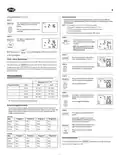
PROGRAMMING
The following time and temperature settings are pre-programmed into the thermostat:
STEP 4:
■ Press again to change to the minute posi-
tion. The current minute will be flashing.
M T W TH F
AM
program
Temperature in C˚ (F˚)
■ Press to change the minute.
1
Program Number
Time
6:00 am
8:00 am
4:00 pm
10:00 pm
Heat
Cool
HEAT
1
2
3
4
68˚F (20˚C)
60˚F (16˚C)
68˚F (20˚C)
60˚F (16˚C)
78˚F (26˚C)
85˚F (29˚C)
78˚F (26˚C)
82˚F (28˚C)
STEP 5:
■ Press again to change to the program tem-
perature. The current temperature will be
flashing.
M T W TH F
AM
program
■ All 7 days of the week have the same default programs.
■ Press to change the temperature.
1
HEAT
Personal Program Schedule
■ You can revise the factory programs to match your own schedule. Use this Personal Pro-
gram Schedule to determine which times and temperature settings match your comfort and
energy saving requirements. Use a pencil so you can revise your records each time you
change your program settings.
STEP 6:
■ Press again to move to the next program
number.
program
Heating
■ Repeat Steps 3 through 5 to change the
remaining Weekday and Weekend programs.
(There are a total of 8 programs.)
Day
Program 1
Time
Temp
Program 2
Time
Program 3
Time
Program 4
Time
Monday –
Friday
Temp
Temp
Temp
■ After cycling through all 8 programs, press
again to return the display to normal.
program
Saturday – Time
Time
Time
Time
Sunday
Temp
Temp
Temp
Temp
■ Press at any time to exit the Program
Mode.
hold
/return
Cooling
Day
Program 1
Program 2
Program 3
Program 4
Reviewing Programs
Monday –
Friday
Time
Time
Time
Time
Temp
Temp
Temp
Temp
program
To review your program settings, press
repeatedly to cycle through the programs.
Saturday – Time
Sunday Temp
Time
Time
Time
You can also make changes at any time.
Temp
Temp
Temp

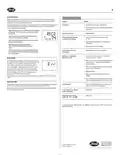
| General | Details |
|---|---|
| Name | Hunter 44110 Set And Save Programmable Thermostat Owner’s Manual |
| Make | Hunter |
| Language | English |
| Filetype | PDF (Download) |
| File size | 0.34 MB |
 (1 votes, average: 5.00 out of 5)
 Loading...


MOES BRT-100 Radiator Thermostat User Guide

SAUTER 396011 Universal Thermostat Owner’s Manual

Dettson R02P034 Communicating Thermostat Instruction Manual

BEOK TDS75 Touch Screen Thermostat User Manual

Carrier 33TWSPL-4 Wifi Stat Plus Thermostat Owner’s Manual

TPI KT Series Line Voltage Thermostat Instruction Manual

Honeywell RCT8100 Programmable Thermostat User Guide

GENERAL HT250 Smart Room Thermostat User Manual

Honywell UtilityPRO Series Thermostat User Manual

MYS Air MS20,22,25 Thermostats User Manual