
Hunter 44110 Set And Save Programmable Thermostat Owner’s Manual



®
6
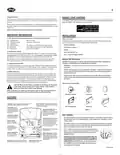
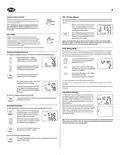
System Selector Switch
Filter Change Indicator
The System Selector switch on the front of the thermostat
determines the operating mode of the thermostat. You may
select COOL, OFF, HEAT.
Your thermostat measures the number of hours your heating and cooling system has been in
use. To maximize your system’s performance and energy efficiency, change or clean your filter
regularly.
system
heat
off
cool
NOTE: Anytime you install or remove the thermostat
from the wallplate, slide the System Selector to the
OFF position to prevent the possibility of a rapid sys-
tem On-Off.
■ When the total system runtime for heat
and cool reaches 400 hours, the Filter
M T W TH F SA SU SET TEMP
AM
PM
FILTER
2
Change Indicator will flash as a reminder
to check your system’s filter.
■ After changing or cleaning the system’s
filter, press and hold the Filter Key for 3
seconds. The display will blink, and the
timer will be reset to zero.
COOL TEMP
filter
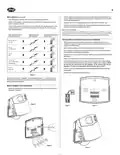
Fan Switch
The Fan switch should normally be located in the AUTO
position. The Fan will be turned on along with normal opera-
tion of your system. In a normal gas or oil furnace, the Fan
will be turned on by your furnace after its warm-up delay. For
electric heat, air conditioning, and heat pump operation, the
Fan will turn on with the system.
fan
auto
on
Note: Pressing the Filter Key at any time for less than 3 seconds will cause the Filter
indicator to appear on the LCD. This is only to confirm key operation, and the timer is
not affected unless the key is held for greater than 3 seconds.
To run the Fan on continuously, slide the Fan switch to the ON position.
SPAN Setting Mode
Your thermostat is set at the factory to cycle at 1˚F (0.5˚C) above and below the set tempera-
ture. (Span = 2) This setting has been designed to provide a comfortable room temperature
under most all conditions. However, if you find your system cycling too fast or too slow, then
the Span can be adjusted to modify the cycle time.
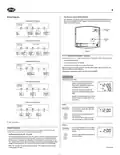
Temporary Manual Override
To temporarily change the current set temperature without affecting your program:
■ Press and hold for about 1 second
to enter Manual Override mode. When
display flashes, you can release the key.
SET TEMP
■ Press and hold BOTH for three seconds.
The display will flash, and SPAN will be
displayed on the LCD.
or
3
COOL TEMP
■ Press again to change to your desired Set
Temperature. Hold the key for 2 seconds to
fast-advance the Set Temperature.
■ Press to raise the Span to 3. This setting
INCREASES the cycle time by allowing your
system to run LONGER.
or
■ Press to lower the Span to 1. This setting
DECREASES the cycle time
by causing your system to run SHORTER.
■ Press to return to normal mode, or wait 5
seconds for it to return automatically.
hold
/return
The Span settings remain the same for both HEAT and COOL.
■ The current program number will flash to
signify the Temporary Override.
SA
The Span can be changed at any time, and is independent of program times or tem-
peratures.
PM
When batteries are installed in the thermostat, or the Reset key is pressed, the Span is reset back
to setting 2.
■ At the next program change time, the Tem-
porary Override is cancelled, and the next
3
COOL TEMP
program temperature becomes the setpoint
temperature.
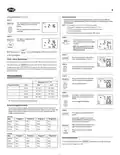
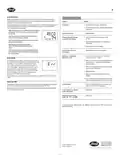
Low Battery Warning
Your thermostat has a two-stage low battery warning sys-
tem. When the batteries are first detected to be weak, the
To end the Temporary Manual Override:
T
■ Press, then press again. This will return the set temperature to the current
program set temperature.
first stage low battery warning is indicated by battery sym-
bol flashing on the LCD display. At your earliest conve-
hold
PM
/return
nience, you need to replace the batteries with 2 new AA
alkaline batteries.
3
HEAT
TEMP
When the batteries become too weak for normal operation,
the thermostat enters the second stage low battery warning
which shuts down the thermostat. In this condition, “BATT”
flashes alone on the display, and the thermostat will turn
your system Off. Your system will remain shut-off until the
batteries are replaced.
Permanent Override
To hold your Manual Override for vacation or just an extended period of time:
■ Press to make the current program tem-
hold
TH
perature the HOLD temperature. HOLD
will be displayed on the LCD, and the
Program number will disappear.
/return
PM
HOLD
■ Follow the Temporary Manual Override
instructions above to change the Perma-
nent Manual Override temperature.
Note: The thermostat will still keep the current time and your programs in memory until
new batteries are installed. After confirming that new batteries have been inserted, the
thermostat will return to normal operation.
TEMP
■ You can confirm the held set temperature
by pressing for less than 1 second.
hold
/return
To end the Permanent Manual Override:
■ Press again. The thermostat will return to the current program, and the HOLD
display will be canceled.
hold
/return

| General | Details |
|---|---|
| Name | Hunter 44110 Set And Save Programmable Thermostat Owner’s Manual |
| Make | Hunter |
| Language | English |
| Filetype | PDF (Download) |
| File size | 0.34 MB |
 (1 votes, average: 5.00 out of 5)
 Loading...


CORDIVARI Ardesia Electric Radiators with Digital Thermostat Instruction Manual

REGIN RCFD-230C Fan Coil Room Thermostat Instructions

Honeywell PRO3000 Series Non-Programmable Digital Thermostat Instruction Manual

RUUD EcoNet Smart Thermostat User Guide

Carrier Wi-Fi Enabled 24V Smart Thermostat Instruction Manual

FRIGIDAIRE W960 Installing E-Smart Thermostat User Manual

AURATON Cetus P Wired Thermostat User Manual

EPH CONTROLS RFRP-HW-OT Wireless Cylinder Thermostat Installation Guide

EUROTRONIC Spirit ZigBee Energy Saving Radiator Thermostat User Guide

Dettson 2-Stage WiFi Thermostat R02P033 Owner’s Manual