
Home > Honeywell Home > Honeywell Home X1N Non Programmable Thermostat Installation Guide
Honeywell Home X1N Non Programmable Thermostat Installation Guide




















Troubleshooting
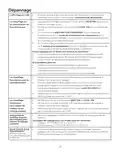
Display is blank
•
Make sure fresh AA alkaline batteries are correctly installed (see Step 7
of the section Installing the Thermostat)
Heating or cooling
does not run
•
•
•
When running heat, display will show HEAT ON in lower right of display
When running cool, display will show COOL ON in lower right of display
If display shows WAITING FOR EQUIPMENT under temperature
reading, it is in compressor delay mode to protect the system. Wait 5
minutes to see if the thermostat makes a Heat or Cool call
If display does not indicate a call for Heat or Cool or WAITING FOR
EQUIPMENT, verify the mode setting, temperature setpoint and room
temperature
•
If the Up or Down arrow is pressed
•
•
•
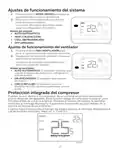
Upper left of display shows mode setting
Upper right shows setpoint
Center of display shows room temperature
If the issue persists
•
•
•
Check circuit breaker and reset if necessary
Make sure power switch at heating & cooling system is on
Make sure furnace door is closed securely
Heat runs with
Cooling
•
•
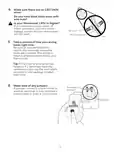
Verify there is not a wire attached to W for heat pump systems. See
Wiring section
For heat pump applications the reversing valve is energized in Heat on
some heat pumps and Cool for other heat pumps. Verify that ISU 2060
is set correctly
•
Verify that no wires are shorted. Look for exposed sections of wire at the
UWP
Heat runs with
no call for heat or
cooling
•
•
Verify display does not indicate HEAT ON or COOL ON
Verify there is not a wire attached to W for heat pump systems. See
Wiring section.
•
Verify that no wires are shorted. Look for exposed sections of wire at the
UWP
Cannot change
setpoint to desired
setting
•
Verify the mode setting (Heat, Cool or Auto in upper left of display)
The setting ranges for these modes are:
•
Heat: 32 ºF to 90 ºF (0 ºC to 32.0 ºC)
•
Cool: 50 ºF to 99 ºF (10.0 ºC to 37.0 ºC)
WAITING FOR
EQUIPMENT
shown in display
under room
•
The compressor protection feature is engaged. Wait a few minutes for
the system to safely restart to avoid damaging the compressor.
temperature
15

| General | Details |
|---|---|
| Name | Honeywell Home X1N Non Programmable Thermostat Installation Guide |
| Make | Honeywell Home |
| Language | English |
| Filetype | PDF (Download) |
| File size | 1.69 MB |
 (1 votes, average: 5.00 out of 5)
 Loading...

Honeywell Home TH8320R1003-Uv VisionPRO 8000 with RedLINK Multistage Thermostat Installation Guide

Honeywell Home TH2110DH 1 Cool Programmable Digital Thermostat Installation Guide

Honeywell Home DT4R Wireless Room Thermostat User Guide

Honeywell Home N100 Series Non Programmable Thermostat User Guide

Honeywell Home DT4M Wired Room Thermostat User Manual

Honeywell Home T834 Series Thermostat Owner’s Manual

Honeywell Home M38794 T10 and T10 plus Pro Smart Thermostat with RedLINK Installation Guide

Honeywell Home DT4 Channel Wired Room Thermostat Instruction Manual

Honeywell Home T10 Smart Home Thermostat Instructions

Honeywell Home FocusPRO Smart S200 Series Smart Thermostat User Guide


Google Nest Learning Thermostat (4th gen) Installation Guide

Goldair GEPH213 EcoPanel Heater with Thermostat Instruction Manual

DAIKIN DKN510 Wireless VRV Communicating Thermostat Installation Guide

Haswill Electronics RC-113M PID Thermostat User Guide

GENERAL LIFE ARUNA HT300S Digital Room Thermostat User Manual

EPH CONTROLS eTRV-HW Smart Cylinder Thermostat User Guide

EVOLVEO Thermal Smart Wireless Programmable Thermostat Owner’s Manual

ENGO Controls EONE230W Internet Controlled Thermostat User Guide
Netmostat N-1 Smart Wifi Programmable Thermostat User Manual

GENERAL LIFE Senna 270S RF Wireless Room Thermostat User Manual