
Honeywell Home X1N Non Programmable Thermostat Installation Guide




















| General | Details |
|---|---|
| Name | Honeywell Home X1N Non Programmable Thermostat Installation Guide |
| Make | Honeywell Home |
| Language | English |
| Filetype | PDF (Download) |
| File size | 1.69 MB |
 (1 votes, average: 5.00 out of 5)
 Loading...


Honeywell X1N Manual: Questions and Answers
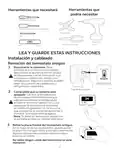
What comes in the Honeywell X1N box?
- Thermostat
- UWP Wall Plate
- Literature
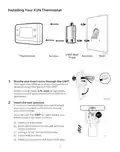
- Screws and anchors Installation Guide, p. 1
Is the Honeywell X1N compatible with two-stage heating systems?
No. The X1N is for single-stage systems only. Installation Guide, p. 4
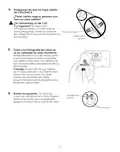
What should I do before removing wires from my old Honeywell X1N thermostat?
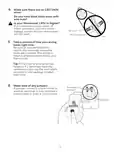
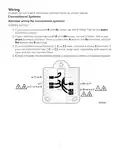
Take a picture of the wiring including terminal letters, and note any jumpers present. Installation Guide, p. 3
What does the Honeywell X1N display mean when it indicates batteries are low?
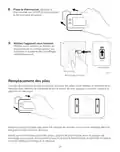
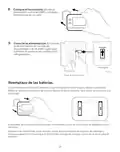
The batteries must be replaced soon. Remove the thermostat, insert two fresh AA alkaline batteries, and snap it back onto the mounting plate. Installation Guide, p. 10
How do I use the MODE and FAN buttons on Honeywell X1N?
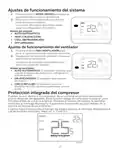
Press MODE to cycle through system modes: AUTO, HEAT, COOL, OFF. Press FAN to cycle through fan modes: AUTO runs the fan only during heating or cooling, ON keeps it always running, CIRC runs it about 33% of the time to circulate air. Installation Guide, p. 13
What do alert codes mean on Honeywell X1N?
| Alert Code | Meaning |
|---|---|
| 405 | Low batteries |
| 407 | Critically low batteries |
| 170 | Thermostat memory failure |
| 173 | Internal sensor error with built-in temperature sensor |
| 181 | Replace filter |
How do I reset the filter reminder on Honeywell X1N after changing the furnace filter?
Press and hold the upper left and lower right buttons simultaneously for 5 seconds to reset the filter timer. Installation Guide, p. 14
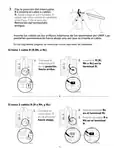
Where is the R-switch located on the Honeywell X1N?
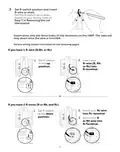
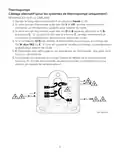
On the UWP wall plate. Set it up or down based on your wiring configuration before inserting R-wires into the terminals. Installation Guide, p. 6
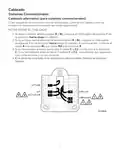
Why isn't my Honeywell X1N heating or cooling working after installation?
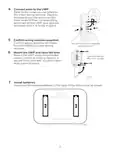
Check your wire connections and R-switch position. The R-switch must match your system type: up for one R-wire, down for two R-wires (R/Rh and Rc).
- Verify all wires are fully inserted into terminal inner holes until tabs lock down
- Confirm R-switch position matches your wiring notes from the old thermostat
- Check that at least 1/4 inch of each wire is exposed for insertion
- Ensure C wires are connected correctly; batteries always power the display Installation Guide, p. 7
Does the Honeywell X1N support heat pump systems with O/B terminals?
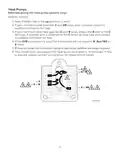
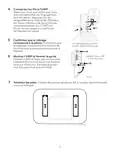
Yes. Keep the R-switch in the up position. If O/B is used, the thermostat won't support W, Aux/W2 or E wires. Installation Guide, p. 8
More Honeywell thermostat manuals


