
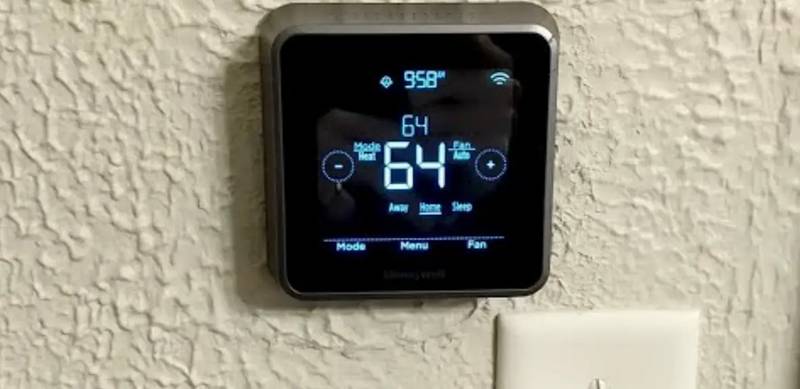
Honeywell Home RTH Series T5 Smart Thermostat Installation Guide





















| General | Details |
|---|---|
| Name | Honeywell Home RTH Series T5 Smart Thermostat Installation Guide |
| Make | Honeywell Home |
| Language | English |
| Filetype | PDF (Download) |
| File size | 1.89 MB |
 (1 votes, average: 5.00 out of 5)
 Loading...


Honeywell RTH T5 Manual: Questions and Answers
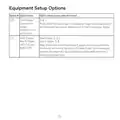
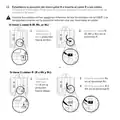
What does Option 218 on the Honeywell RTH control?
Option 218 selects whether the reversing valve O/B energizes during cooling or heating. Only shown when a Heat Pump is configured.
| Setting | Function |
|---|---|
| O/B on Cool | Energizes in cool mode |
| O/B on Heat | Energizes in heat mode |
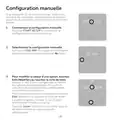
What does START SETUP mean on Honeywell RTH?
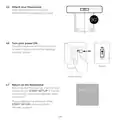
The message appears on the display after you power on the thermostat and snap it into place. It confirms the device is ready for configuration using the Resideo app. Installation Guide, p. 14
Why won't my Honeywell RTH T5 connect to my Wi-Fi network?
The thermostat operates only on 2.4 GHz, while your router may broadcast separate 5.0 GHz and 2.4 GHz networks. Ensure you're connecting to the 2.4 GHz SSID. Installation Guide, p. 22
What should I check if my Honeywell RTH shows Wi-Fi Signal Lost?
Confirm the router is powered and broadcasting. Power cycle the router by consulting its manual, then wait for the thermostat to reconnect automatically. Installation Guide, p. 23
Does the Honeywell RTH T5 work without Wi-Fi?
Yes, temperature can be adjusted directly at the thermostat, though features like geofencing only function through the Resideo app. Installation Guide, p. 22
More Honeywell thermostat manuals


