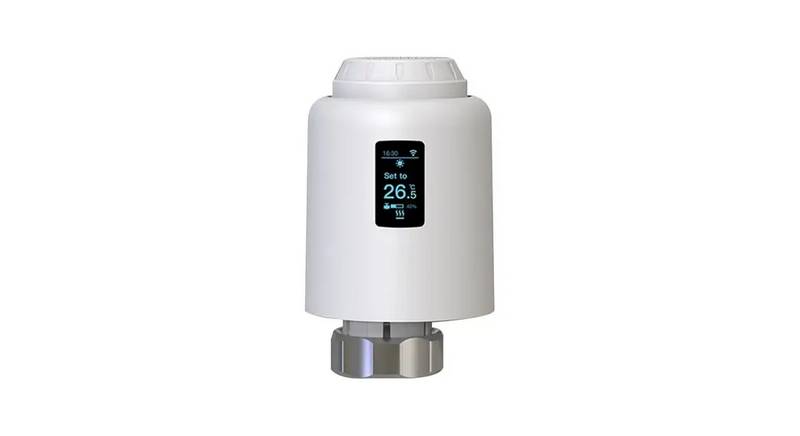
Home > DELTA DORE > DELTA DORE Tybox 2300 Wireless Thermostat User Guide

DELTA DORE Tybox 2300 Wireless Thermostat User Guide

mode  
Tybox 5101  
RF 6000+  
230 V~ +/-10%, 50 Hz  
0,8 W max.  
2 x 1,5V LR03 - AAA Alkaline  
FR L’émeꢀeur et le récepteur sont livrés  
Tybox 2300  
déjà associés en radio X3D.  
NL Bij levering, zijn de zender en  
de ontvanger al door X3D-radio  
verbonden.  
868,7 MHz -> 869.2 MHz (EN 300 220) - 300 m max.  
Maximum wireless power < 10 mW - Category 2 receiver  
/
5A max., 230V~ (Type 1.C)  
-10°C / +40°C  
DE Sender und Empfänger werden bereits  
mit X3D-Funk gekoppelt ausgeliefert.  
-10°C / +40°C  
°C  
mode  
IT Il trasmeꢀitore e il ricevitore sono  
forniti già associati con il protocollo  
radio X3D.  
80 x 84 x 21 mm  
IP 20  
54 x 102 x 20 mm  
IP44  
EN The X3D transmiꢀer and the receiver  
are delivered pre-paired.  
Température d’essai à la bille : 75°C / Verwekingspunt aan kogelmethode: 75°C  
Temperatur Kugeldruckprüfung: 75°C / Temperatura per la prova della biglia: 75°C  
Ball test temperature: 75°C. / Temperatura máxima soportada en laboratorio: 75°C  
Wytrzymałość termoplastyczna: 75°C.  
FR  
NL  
DE  
IT  
Guide de démarrage rapide  
Snelstartgids  
ES El emisor y el receptor se suministran  
asociados en radio X3D.  
Schnellstartanleitung  
Guida rapida  
Tension assignée de choc : 2500V / Toegekende stootspanning: 2500 V /  
Bemessungsstoßspannung: 2500 V / Tensione nominale di resistenza alla  
sovratensione: 2500 V / Rated impulse withstand voltage: 2500V / Tensión nominal  
de choque: 2500V / Znamionowe napięcie udarowe: 2500 V  
PL Dostarczane nadajnik i odbiornik są już  
sparowane protokołem radiowym X3D.  
EN  
ES  
PL  
Quick start guide  
Guía de inicio rápido  
Instrukcja szybkiego uruchamiania  
1. Notice web détaillée / Gedetailleerde gebruiksaanwijzing online / Detaillierte Web-Anleitung / Istruzioni web dettagliate /  
Detailed instructions / Manual de instalación detallado en la página web / Szczegółowa instrukcja on-line  
FR  
DE  
EN  
ES  
PL  
Notice web détaillée : scannez le QR Code.  
- Configuration,  
- Association d’un détecteur d’ouverture,  
- Association à l’appli Tydom,  
- Fonctions avancées,  
Detaillierte Web-Anleitung: Scannen Sie den QR-Code.  
- Konfiguration,  
- Zuordnung eines Öffnungsmelders,  
- Zuordnung zur Tydom-App,  
- Erweiterte Funktionen,  
For detailed instructions: scan the QR code.  
- Setup,  
- Pairing with a door/window magnetic contact,  
- Pairing with the Tydom app  
- Advanced features  
- Aide...  
- Hilfe ...  
- Help...  
NL  
IT  
Gedetailleerde handleiding online: scan de QR-code.  
- Configuratie,  
- Koppeling met een openingsdetector,  
- Koppeling met de Tydom-app,  
- Geavanceerde functies,  
Istruzioni web deꢀagliate: scansiona il codice QR.  
- Configurazione,  
- Associazione di un sensore di apertura,  
- Associazione all’app Tydom,  
- Funzioni avanzate,  
Manual de instalación detallado en la página web:  
escanee el código QR.  
- Configuración,  
- Asociación de un detector de apertura,  
- Asociación con la aplicación Tydom,  
- Funciones avanzadas,  
- Hulp...  
- Aiuto...  
- Ayuda...  
Szczegółowa instrukcja on-line: zeskanuj kod QR.  
-Konfiguracja,  
- Podłączenie czujnika otwarcia,  
- Podłączenie aplikacji Tydom,  
-Funkcje zaawansowane,  
- Pomoc...  
2. Installation / Installatie / Installation / Installazione / Installation / Instalación / Instalacja  
> 20 cm  
~1,50 m  
~1,50 m  
OFF  
> 20 cm  
Fixation par vis ou adhésifs  
Bevestiging met schroeven of plakband  
Befestigung durch Schrauben oder Klebeband  
Montaggio a vite o adesivo  
Fixed by screws or adhesive tabs  
Fijación mediante tornillos o adhesivos  
Mocowanie przy pomocy wkrętów lub taśmy klejącej  
2 x 1,5V - AAA LR03  
Click  
L N  
OU / OF / ODER / O /  
OR / O / LUB  
L N  
Th  
2 x 1,5V - AAA LR03  
Click  
Bleu, Blauw, Blau, Blu, blue, Azul, Niebieski  
Marron, Bruin, Braun, Marrone, Brown, Marrón, Brązowy  
Noir, Zwart, Schwarz, Nero, Black, Negro, Czarny  
Gris, Grijs, Grau, Grigio, Grey, Gris, Szary  
Click  
ON  
Click  
1
GeneralDetails
NameDELTA DORE Tybox 2300 Wireless Thermostat User Guide
MakeDELTA DORE
LanguageEnglish
FiletypePDF (Download)
File size9.23 MB
Download PDF
1 Star2 Stars3 Stars4 Stars5 Stars (1 votes, average: 5.00 out of 5)
Loading...
DELTA DORE TYBOX 1127 Programmable Thermostat User Guide
DELTA DORE TYBOX 1117 Programmable Thermostat User Guide
DELTA DORE Tybox 5701FP Pilot Wire Thermostat User Guide
DELTA DORE Tywell 2050 Thermostat D’Ambiance Radio Installation Guide

DELTA DORE Tybox 2300 Wireless Thermostat User Guide
Get the free PDF manual for the DELTA DORE Tybox 2300 Wireless Thermostat User Guide and access setup steps, usage instructions, and troubleshooting tips. 👉 View online or download now to keep your thermostat running smoothly!

DELTA DORE Tybox 2300 Wireless Thermostat User Guide Overview

Summary of Contents

  • Page 1: The X3D transmitter and the receiver are delivered pre-paired. The maximum wireless power is less than 10 mW. The operating temperature range is -10°C to +40°C. The rated impulse withstand voltage is 2500V. For detailed instructions, scan the QR code. The quick start guide is available in multiple languages. Installation can be done using screws or adhesive tabs. The device requires 2 x 1.5V AAA batteries. The dimensions of the device are provided in millimeters. Advanced features include pairing with a door/window magnetic contact and the Tydom app.
  • Page 2: Description Temperature display Adjustment buttons Heat mode Current request Set point settings Press any button to activate the display. The current mode is displayed: On = thermostat running, OFF = Stop. To switch from one mode to another, press mode. From On mode, wait a few seconds to display the set-point temperature and change it using + or -.
  • Page 3: Installation and user guide for Tybox 2300. Contents include installation, configuration, and technical specifications. Instructions for installing the transmitter and receiver. Details on wall mounting and mounting on a base. Configuration options for the device, including temperature correction and button locking. Associating the device with the Tydom app and other components. Installation help, including unpairing and re-associating devices. Technical specifications of the Tybox 2300. Description of the device and its functionalities. Troubleshooting tips, including LED indicators and battery changes.
  • Page 4: Installation The thermostat can be mounted on the wall or placed on a piece of furniture in a room whose temperature is representative of the location’s average temperature, with a recommended height of 1.5 m. It should be installed away from heat sources or air flows. Do not install the thermostat on an external wall or in an unheated room. Wall mounting involves removing the front panel and batteries, securing the thermostat to the surface with screws, and inserting the batteries correctly. Make sure to insert the batteries facing the right way and that they are the correct type. Mounting on a base requires removing the front panel and battery cover, then inserting the base into the back of the thermostat.
  • Page 5: Installing the receiver The receiver must be installed at a minimum distance of 20 cm from any metal surface and about 1.50 m from the ground to ensure there’s a good radio link with the transmitter. First of all, switch off the power to your installation. The receiver can be secured by suitably sized screws or by adhesive. You must make sure you comply with the wire colors when wiring. Blue: Neutral Brown: Phase Black and grey: Controls for the thermostat input or the generator circulator. Once the receiver is connected, turn on the power to your installation. The power supply cable for this control device cannot be replaced; if the cable is damaged, the device will have to be disposed of. The Tybox consists of an X3D radio transmitter and receiver that are pre-associated.
  • Page 6: Configuring your device The “--” display in a CFxx menu indicates that several receivers associated with the Tybox have different values. Press any button to activate the screen. Press + or - to adjust the setting, and on mode to move to the next menu. Press mode for 5 seconds to exit the configuration menu. Menu CF00 Backlit display: Default setting is backlighting activated. Menu CF01 - Correcting the temperature measured: This menu is used to correct any difference between the displayed temperature and the measured temperature. Adjusts from -5°C to 5°C, in increments of 0.1°C. Menu CF02 Locking the buttons: This menu allows you to prohibit any changes (settings, set point, mode). Default setting is authorized changes. Menu CF04 Adjustment of the frost protection set point: This menu allows you to set the frost protection set point temperature (from 5°C to 16°C).
  • Page 7: Menu CF06: Activation/Deactivation of the anti-seizing function Anti-seize can be used outside heating periods to regularly start up the circulator during off periods. Default setting: Anti-seize disabled. Menu CF08: Control time base The control quality depends on parameters like the building’s insulation, the number of radiators, or the flooring type. Default setting: 15 minutes. Increase the time base to extend generator run times and thus reduce the frequency of startup. Recommended hysteresis value: between 0.4 and 1. The control is fitted with anti-short cycle protection to suppress start or stop requests when they are too short. Default setting: 0.4°C. Heating request if T° measured <19.8°C. Heating shuts down if T° measured >20.2°C. Press mode for 5 seconds to exit the Configuration Menu.
  • Page 8: Associating to the Tydom app Launch the Tydom app from your smartphone or tablet. For more information, refer to the section “Operation with the Tydom application.” Associating a door/window magnetic contact Associating a motion sensor means you can switch the heating to Frost Protection if a window is opened. Press the receiver button for 3 seconds until the red LED flashes. Make sure that the receiver LED has stopped flashing. Associating a repeater If the radio range is too weak, you can add an X3D radio repeater to your installation. Press the ERX 2000 receiver button for 3 seconds until the red LED flashes. On the Tybox, briefly press a button to wake up the display. Check that the repeater’s LED is no longer flashing. To verify the number of associated repeaters, press and hold the mode button for 3 seconds.
  • Page 9: Installation Unpairing/re-associating the receiver with the transmitter may be necessary if there’s a fault. Wireless resetting of the transmitter involves pressing and holding specific buttons. The screen displays RF-- depending on the number of associated receivers. To confirm the reset, press the button for 3 seconds. The deletion of wireless associations with the receiver is done by holding down the button. The LED indicates various states during the association process. If the receiver is powered and within range during the reset, the transmitter will also be deleted on the receiver. Associating the receiver(s) with the transmitter requires pressing the receiver button for 3 seconds. Check that the LED of the receiver is no longer flashing to confirm successful association. The screen will display RF00 if the receiver has not been associated.
  • Page 10: Your Tybox controls several receivers. The heating/air conditioning installation requires that all the receivers have the same control time base. The CF08 setting is applied simultaneously to all receivers. If the screen displays «--», this indicates that the settings of the receivers are different. The heating/air conditioning installation requires that the receivers each have a different control time base. This procedure is to be applied as many times as there are different time bases. Switch off the receivers that are not affected by the time base setting. Restore the power supply to all receivers. To verify the time base settings of each receiver, press mode for 3 seconds. The LED on the concerned receiver flashes and the value of its time base is displayed.
  • Page 11: Technical specifications TYBOX 2300 transmitter RF 6000+ receiver Power supply using 2 batteries: 2x1.5V Alkaline - Type LR03-AAA Consumption: max. 0.8 W X3D transmission frequency: 868.7 MHz to 869.2 MHz Maximum wireless power < 10 mW Wireless range of 300 meters outside, varies depending on the associated equipment Dimensions: 54 x 102 x 20 mm Protection Class: IP 20 Operating temperature from -10°C/+40°C
  • Page 12: Description of the temperature display and mode selection. Heat mode and battery level indicator are included. Current mode is displayed as ON for thermostat and OFF for stop. Switching modes is done by pressing the mode button. Set-point temperature can be displayed and adjusted using + or - buttons. Open window detection indicates frost protection setpoint when a window is opened. Operation with the Tydom application allows for programming and setting temperatures. Pre-heat function determines start-up time to reach programmed temperature. Absence mode and heat mode are available, with specific indicators on the Tybox screen. System shutdown mode is indicated by the Tybox screen displaying OFF.
  • Page 13: Troubleshooting What the receiver LEDs mean The green light is constantly on. Power supply is on. The red light is constantly on. The receiver is requesting heat. The receiver is pending association. The red LED is slowly flashing. Please refer to the “Associating the receiver(s) to the transmitter” chapter. The red LED is flashing. The deletion of the association between the receiver and a door/window sensor is quickly pending. The receiver isn't associated. Please refer to the “Associating the receiver(s) to the transmitter” chapter. The green LED is flashing. No signal has been received by the thermostat for 1 hour. The receiver is operating in backup mode. Turn the thermostat on by pressing a button. If the problem persists, make sure that the transmitter is not too far away and that you have followed the mounting/placement instructions properly. The 2 LEDs are flashing simultaneously. Function in backup mode: When switching to backup mode, if the receiver control was off, it stays off; otherwise, it switches to emergency frost protection.
  • Page 14: Changing batteries You have approximately 1 month to replace them (two 1.5 V alkaline batteries, either LR03 or AAA). Warning: make sure you insert the batteries facing the right way and that they are the right type (no lithium batteries). Frequently Asked Questions (FAQ) Your Tybox transmitter is temporarily awaiting feedback. Your Tybox transmitter has just woken up (exits standby). Your Tybox transmitter is not associated to a heating receiver. One-off wireless fault during a wireless signal exchange (turning on, sending a command). You are controlling several receivers that are not in the same operating mode (heating or air conditioning). To temporarily unlock the buttons, simultaneously press and hold the + and - buttons for 5 seconds. To unlock them permanently, go to the CF02 configuration menu.