
Home > Homematic IP > homematic IP HmIP-eTRV-E Series Radiator Thermostat Evo Installation Guide
homematic IP HmIP-eTRV-E Series Radiator Thermostat Evo Installation Guide


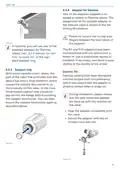




Operation
The radiator thermostat performs the
adjustment run, During this time,
the display is to turn in. The display
rotates 180°.
“
” and the activity symbol ( ) will
be displayed. During this time, no oth-
er operation is possible. After the ad-
justment run has been successful, the
display returns to normal. The radiator
thermostat can now be operated.
B
M
O
A
N
O
S
U
C
T
T
C
U
S
N
O
A
O
M
B
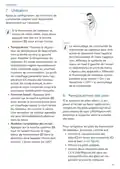
7 Operation
After configuration, simple operations
are available directly on the device.
Figure 13
The operating lock of the radiator
thermostat can be activated and
deactivated via the Homematic IP
app. Tap on the menu symbol in
the top left of the screen of your
app and select the menu item
“Device overview”. Select the re-
spective radiator thermostat to
switch the operating lock “ON” or
“OFF”.
If the radiator thermostat is in
standby mode, please press the
system button (D) once before
operation to activate the device.
•
Temperature: Gently ro-
tate the temperature regulator (E)
clockwise or anticlockwise to ad-
just the temperature of the radia-
tor. In automatic mode, the manu-
ally set temperature will remain the
same until the next point at which
the schedule changes. The heat-
ing schedule set via the app will
then be reactivated. During manual
mode, the temperature remains
activated until the next manual
change.
8 Changing the batteries
If the symbol for empty batteries ( )
appears in the display or in the app,
please replace the used batteries with
two new LR6/Mignon/AA batteries. You
must observe the correct battery po-
larity.
• Boost function: Briefly press the
system button (D) to activate the
boost function and heat up the ra-
diator quickly and briefly by open-
ing the valve. There will be a pleas-
ant room temperature right away
because of the radiated heat.
To replace the radiator thermostat bat-
teries, please proceed as follows:
• Open the battery compartment (C)
by sliding the battery compartment
cover (C) downwards (see figure).
• Remove the used batteries.
• Insert two new 1.5 V LR6/Mignon/
AA batteries into the battery com-
partment, making sure that you
insert them the right way round.
27
• Changing the display orientation:
Press the system button (D) and at
the same time rotate the temper-
ature regulator (E) in the direction

| General | Details |
|---|---|
| Name | homematic IP HmIP-eTRV-E Series Radiator Thermostat Evo Installation Guide |
| Make | Homematic IP |
| Language | English |
| Filetype | PDF (Download) |
| File size | 3.96 MB |
 (1 votes, average: 5.00 out of 5)
 Loading...

homematic IP HmIP-eTRV-2 Radiator Thermostat Instruction Manual

homematic IP HmIP-BWTH-A Wall Thermostat Installation Guide

homematic IP HmIP-WTH-B-2 Wall Thermostat Installation Guide

homematic IP TRV-E-A Monday Radiator Thermostat Instruction Manual

homematic IP HAP Radiator Thermostat Instruction Manual

homematic IP HmIP-eTRV-F Radiator Thermostat Instruction Manual

Homematic IP HmIP-WTH-B Wireless Wall Thermostat Instruction Manual

Homematic IP BMOAONSUT Radiator Thermostat User Manual

homematic IP C-2 Radiator Thermostat Instruction Manual

homematic IP IP HmIP-eTRV-CL Radiator Thermostat Instruction Manual

bryant ecobee3 Lite Smart Thermostat User Guide

AIRQUEST TSTATIIEWF ION Gray Smart Thermostat Owner’s Manual

Olympia BS-812-P Programmable Thermostat User Manual

Honeywell Home X1N Non Programmable Thermostat Installation Guide

Day and Night TSTATIIEWF-01 Gray Smart Thermostat Owner’s Manual

EPH CONTROLS RDTP Recessed Programmable Thermostat Installation Guide

Ideal 229177 Halo Heat and System 2 Zone Extension Thermostat User Guide

Robertshaw RS9220 Programmable Thermostat Installation Guide

ise KNX RF Multi Radiator Thermostat Instructions

WIFI Temp2 Battery Operated Thermostat Installation Guide