Home > Homematic IP > homematic IP HmIP-BWTH-A Wall Thermostat Installation Guide
×
- 1. Installations- Und Bedienungsanleitung (Wall Thermostat With Switching Output For Brand Switches, Anthracite)
- 2. Lieferumfang (Homematic Ip Wandthermostat Mit Schaltausgang Für Markenschalter, Anthrazit → Bedienungsanleitung → Dokumentation)
- 3.
- 4.
- 5.
- 6. Hinweise Zur Anleitung (Gefahrenhinweise → Funktion Und Geräteübersicht → Allgemeine Systeminformationen → Inbetriebnahme → Betriebsmodi Und Konfiguration)
- 7. Konfiguration Des Fußbodenheizungsaktors (Verbindungstest → Bedienung → Fehlerbehebung → Wiederherstellung Der Werkseinstellungen → Wartung Und Reinigung → Allgemeine Hinweise Zum Funkbetrieb)
- 8. Hinweise Zur Anleitung (Gefahrenhinweise)
- 9. Gefahrenhinweise (Sicherheitshinweise → Verwendung Des Geräts → Installation Des Geräts → Haftungsausschluss)
- 10. Gefahrenhinweise (Arbeiten Am 230 V-netz → Installationshinweise → Anschluss An Die Geräteklemmen → Technische Daten → Leistungsgrenze → Überlastung)
- 11. Funktion Und Geräteübersicht (Geräteübersicht → Einsatzbereich)
- 12. Funktion Und Geräteübersicht (Geräteübersicht)
- 13. Funktion Und Geräteübersicht (Displayübersicht → Soll-/ist-temperatur → Luftfeuchtigkeit → Warnung Für Betauung → Spannungsversorgung → Funkübertragung)
- 14. Allgemeine Systeminformationen (Inbetriebnahme → Installationshinweise)
- 15. Inbetriebnahme (Hinweis! Installation Nur Durch Personen Mit Einschlägigen Elektrotechnischen Kenntnissen Und Erfahrungen! → Erforderliche Fachkenntnisse Für Die Installation)
- 16. Inbetriebnahme (Ip-schutzarten → Einbau Des Elektroinstallationsmaterials → Art Des Versorgungsnetzes → Installation)
- 17. Inbetriebnahme (Installationshinweise)
- 18. Inbetriebnahme (Verhalten Nach Einschalten Der Netzspannung → Anlernen)
- 19. Inbetriebnahme (Anlernen An Den Homematic Ip Fußbodenheizungsaktor)
- 20. Inbetriebnahme (Anlernen An Den Homematic Ip Access Point)
- 21. Betriebsmodi Und Konfiguration
- 22. Betriebsmodi Und Konfiguration (Automatikbetrieb → Manueller Betrieb → Urlaubsmodus → Bediensperre → Antriebstyp Und Häusliche Gegebenheiten)
- 23. Betriebsmodi Und Konfiguration (Programmierung Der Heizprofile → Datum Und Uhrzeit → Offset-temperatur → Auswahl Der Gewünschten Temperaturanzeige → Konfiguration Des Fußbodenheizungsaktors → Verbindungstest)
- 24. Betriebsmodi Und Konfiguration (Manueller Betrieb → Urlaubsmodus)
- 25. Betriebsmodi Und Konfiguration (Startzeit Und -datum Einstellen → End-uhrzeit Und -datum Einstellen → Temperatur Einstellen → Urlaubsmodus Aktivieren)
- 26. Betriebsmodi Und Konfiguration (Bediensperre → Antriebstyp Und Häusliche Gegebenheiten)
- 27. Betriebsmodi Und Konfiguration (Programmierung Der Wochenprofile)
- 28. Betriebsmodi Und Konfiguration (Heizen Oder Kühlen → Wochenprofilnummer)
- 29. Betriebsmodi Und Konfiguration (Profil 1)
- 30. Betriebsmodi Und Konfiguration (Profil 2 → Vorkonfiguriert Für Heizen Per Fußbodenheizung → Montag Bis Freitag → Samstag Bis Sonntag)
- 31. Betriebsmodi Und Konfiguration (Profil 3 → Alternatives Heizprofil → Profil 4 → Alternatives Kühlprofil 1)
- 32. Betriebsmodi Und Konfiguration (Profi 5 → Profi 6 → Alternatives Kühlprofil 1)
- 33. Betriebsmodi Und Konfiguration (Wochenprofil)
- 34. Betriebsmodi Und Konfiguration (Optimum-start-/stop-funktion → Datum Und Uhrzeit)
- 35. Betriebsmodi Und Konfiguration (Offset-temperatur → Auswahl Der Gewünschten Temperaturanzeige)
- 36. Betriebsmodi Und Konfiguration (Konfiguration Des Fußbodenheizungsaktors)
- 37. Bedienung (Verbindungstest → Konfiguration → Bedienfunktionen)
- 38. Fehlerbehebung (Temperatur → Boost-funktion Für Homematic Ip Heizkörperthermostate → Befehl Nicht Bestätigt)
- 39. Fehlerbehebung (Duty Cycle)
- 40. Fehlercodes Und Blinkfolgen (Bedeutung → Lösung → Kommunikationsstörung → Spannungsversorgung → Feuchtegrenze → Bediensperre)
- 41. Fehlerbehebung (Anlernmodus → Gerät Defekt)
- 42. Wiederherstellung Der Werkseinstellungen
- 43. Wartung Und Reinigung (Allgemeine Hinweise Zum Funkbetrieb)
- 44. Technische Daten (Geräte-kurzbezeichnung → Versorgungsspannung → Stromaufnahme → Schutzart → Max. Schaltleistung → Installation)
- 45. Technische Daten (Empfängerkategorie → Wirkungsweise → Konstruktion Des Regel- Und Steuergerätes (rs) → Entsorgungshinweis → Konformitätshinweis)
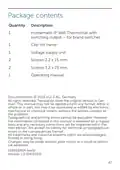
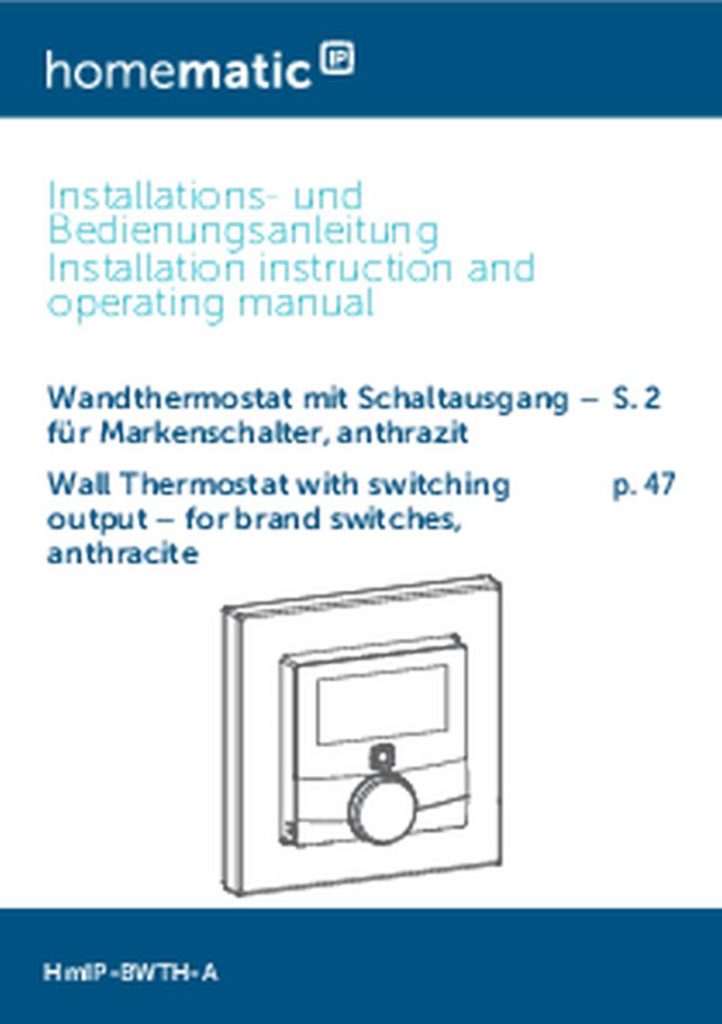
- 46. Package Contents (Quantity Description → Homematic Ip Wall Thermostat With Switching Output For Brand Switches → Clip-on Frame → Voltage Supply Unit → Screws 3.2 X 15 Mm → Screws 3.2 X 25 Mm → Operating Manual)
- 47. Information About This Manual (Hazard Information → Function And Device Overview → General System Information → Start-up → Operating Modes And Configuration)
- 48. Selecting The Desired Temperature Display (Configuring The Floor Heating Actuator → Communication Test → Troubleshooting → Command Not Confirmed → Error Codes And Flashing Sequences → Maintenance And Cleaning)
- 49. Information About This Manual (Hazard Information)
- 50. Hazard Information (Device Operation Requirements → Installation Guidelines → Liability Disclaimer)
- 51. Hazard Information (Accident Prevention Regulations → Electric Shocks → Permissible Cables And Cable Cross Sections → Maximum Permissible Switching Capacity → Load Data → Safety Disconnection)
- 52. Function And Device Overview (Using The Device For Any Purpose Other Than That Described In This Operating Manual Does Not Fall Within The Scope Of Intended Use And Shall Invalidate Any Warranty Or Liability.)
- 53. Function And Device Overview (Device Overview → Display Overview)
- 54. General System Information (Power Supply → Radio Transmission → Boost Function → Manual Operation → Automatic Mode → Holiday Mode)
- 55. Start-up (Installation Instructions)
- 56. Start-up (Specialist Knowledge Required For Installation → The '5 Safety Rules' To Be Used → Evaluation Of Measuring Results → Selection Of Electrical Installation Material For Safeguarding Shut-off Conditions → Ip Protection Types → Installation Of Electrical Installation Material)
- 57. Start-up (Installation)
- 58. Start-up (Behaviour After Switching On The Mains Voltage)
- 59. Start-up (Teaching-in → Pairing With A Homematic Ip Floor Heating Actuator)
- 60. Start-up (Teaching-in To The Homematic Ip Access Point)
- 61. Start-up (Teach-in Your Wall Thermostat → Confirming Device Connection → Device Readiness And Led Indicators → Allocating Device To A Room)
- 62. Operating Modes And Configuration (Automatic Mode → Manual Operation → Holiday Mode → Operating Lock)
- 63. Operating Modes And Configuration (Valve Type And Domestic Heating System → Programming Of Heating Profiles → Date And Time → Offset Temperature → Selecting The Desired Temperature Display → Configuring The Floor Heating Actuator)
- 64. Operating Modes And Configuration (Manual Operation → Holiday Mode)
- 65. Operating Modes And Configuration (Operating Lock)
- 66. Operating Modes And Configuration (Valve Type And Domestic Heating System)
- 67. Operating Modes And Configuration (Programming The Week Profiles)
- 68. Operating Modes And Configuration (Heating Or Cooling → Week Profile Number)
- 69. Operating Modes And Configuration (Profile 1 → Profile 2)
- 70. Operating Modes And Configuration (Profile 3 → Alternative Profile → Profile 4 → Alternative Cooling Profile 1)
- 71. Operating Modes And Configuration (Profile 5 → Pre-configured Cooling Via Floor Heating → Profile 6 → Alternative Cooling Profile 1)
- 72. Operating Modes And Configuration (Week Profile)
- 73. Operating Modes And Configuration (Optimum Start/stop Function → Date And Time → Offset Temperature)
- 74. Operating Modes And Configuration (Selecting The Desired Temperature Display → Configuring The Floor Heating Actuator)
- 75. Operating Modes And Configuration (Communication Test)
- 76. Operation (Temperature → Boost Function For Homematic Ip Radiator Thermostats)
- 77. Troubleshooting (Command Not Confirmed → Duty Cycle)
- 78. Troubleshooting (Error Codes And Flashing Sequences → Meaning → Solution)
- 79. Troubleshooting (Flashing → Humidity Input Of Multi Io Box → Ventilate The Room And Switch From Cooling To Heating Mode → Lock Symbol → Operating Lock Activated → Teach-in Mode)
- 80. Restore Factory Settings (Transmission Failed Or Duty Cycle Limit Is Reached → Device Defective → Test Display)
- 81. Maintenance And Cleaning
- 82. General Information About Radio Operation (General Information About Radio)
- 83. Technical Specifications (Device Short Description → Supply Voltage → Current Consumption → Degree Of Protection → Max. Switching Capacity → Installation)
- 84. Technical Specifications (Construction Of The Regulation And Control Device → Instructions For Disposal → Information About Conformity)
- 85. Kostenloser Download Der Homematic Ip App! (Free Download Of The Homematic Ip App! → Bevollmächtigter Des Herstellers: → Manufacturers Authorised Representative:)
×
homematic IP HmIP-BWTH-A Wall Thermostat Installation Guide
Start-up
•
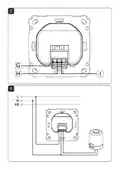
Place the voltage supply unit (F) into the flush-
mounted box and fix it the flush-mounted box
using the supply screws.
•
•
•
Place the frame of your installation and the sup-
plied clip-on frame (A) on the voltage supply unit.
Place the electronic unit (B) of the wall thermo-
stat into the frame (see fig. 5).
Switch the fuse of the power circuit on again (see
„5.1 Installation instructions“ on page 56) to
activate the teach-in mode of the device (see fol-
lowing section).
5.3
Behaviour after switching on the mains
voltage
If the device has not yet been connected, teach-in mode
will be activated during the first 3 minutes after the mains
voltage has been switched on. You will find further infor-
mation about connecting your device in the next section.
During the first 10 minutes after the mains voltage has
been switched on the device remains in start mode. Dur-
ing this time, the relay is being triggered.
During the following 20 minutes, the relay is operated via
two-point control. If the temperature falls below the set-
point temperature, the relay is switched on. If the setpoint
temperature is increased, the relay is switched off. After
20 minutes, the relay is operated via PI control with PWM
output (normal operation).
59
| General | Details |
|---|---|
| Name | homematic IP HmIP-BWTH-A Wall Thermostat Installation Guide |
| Make | Homematic IP |
| Language | English |
| Filetype | PDF (Download) |
| File size | 3.59 MB |

homematic IP HmIP-eTRV-2 Radiator Thermostat Instruction Manual

homematic IP HmIP-WTH-B-2 Wall Thermostat Installation Guide

homematic IP TRV-E-A Monday Radiator Thermostat Instruction Manual

homematic IP HAP Radiator Thermostat Instruction Manual

homematic IP HmIP-eTRV-F Radiator Thermostat Instruction Manual

Homematic IP HmIP-WTH-B Wireless Wall Thermostat Instruction Manual

homematic IP HmIP-eTRV-E Series Radiator Thermostat Evo Installation Guide

Homematic IP BMOAONSUT Radiator Thermostat User Manual

homematic IP C-2 Radiator Thermostat Instruction Manual

homematic IP IP HmIP-eTRV-CL Radiator Thermostat Instruction Manual


CANPOL BABIES 77-053 4 in 1 Bottle Warmer and Sterilizer with Thermostat User Manual

Danfoss RMT-230 Room Thermostat Installation Guide
Haswill STC-8080A Thermostat User Guide

SALUS WQ610RF Wireless Slim Programmable Thermostat Installation Guide

Wengart WG603 Home Smart Thermostat User Guide

GENERAL LIFE MITRA 220 Smart Room Thermostat User Manual

Danfoss Eco Electronic Radiator Thermostat Instruction Manual

Ebeco EB-Therm 55 Thermostat User Manual

Honeywell TH3110D1008 Non Programmable Digital Thermostat Instruction Manual

devolo 09507 HomeControl Room Thermostat User Guide
Table of Contents
- 1. Installations- Und Bedienungsanleitung - Wall Thermostat Wit... →
- 2. Lieferumfang - Homematic Ip Wandthermostat Mit Schaltausgang... →
- 3. Page 3 →
- 4. Page 4 →
- 5. Page 5 →
- 6. Hinweise Zur Anleitung - Gefahrenhinweise →
- 7. Konfiguration Des Fußbodenheizungsakto... - Verbindungstest →
- 8. Hinweise Zur Anleitung - Gefahrenhinweise →
- 9. Gefahrenhinweise - Sicherheitshinweise →
- 10. Gefahrenhinweise - Arbeiten Am 230 V-netz →
- 11. Funktion Und Geräteübersicht - Geräteübersicht →
- 12. Funktion Und Geräteübersicht - Geräteübersicht →
- 13. Funktion Und Geräteübersicht - Displayübersicht →
- 14. Allgemeine Systeminformationen - Inbetriebnahme →
- 15. Inbetriebnahme - Hinweis! Installation Nur Durch Personen Mi... →
- 16. Inbetriebnahme - Ip-schutzarten →
- 17. Inbetriebnahme - Installationshinweis... →
- 18. Inbetriebnahme - Verhalten Nach Einschalten Der Netzspannung →
- 19. Inbetriebnahme - Anlernen An Den Homematic Ip Fußbodenheizun... →
- 20. Inbetriebnahme - Anlernen An Den Homematic Ip Access Point →
- 21. Betriebsmodi Und Konfiguration →
- 22. Betriebsmodi Und Konfiguration - Automatikbetrieb →
- 23. Betriebsmodi Und Konfiguration - Programmierung Der Heizprof... →
- 24. Betriebsmodi Und Konfiguration - Manueller Betrieb →
- 25. Betriebsmodi Und Konfiguration - Startzeit Und -datum Einste... →
- 26. Betriebsmodi Und Konfiguration - Bediensperre →
- 27. Betriebsmodi Und Konfiguration - Programmierung Der Wochenpr... →
- 28. Betriebsmodi Und Konfiguration - Heizen Oder Kühlen →
- 29. Betriebsmodi Und Konfiguration - Profil 1 →
- 30. Betriebsmodi Und Konfiguration - Profil 2 →
- 31. Betriebsmodi Und Konfiguration - Profil 3 →
- 32. Betriebsmodi Und Konfiguration - Profi 5 →
- 33. Betriebsmodi Und Konfiguration - Wochenprofil →
- 34. Betriebsmodi Und Konfiguration - Optimum-start-/stop-funktio... →
- 35. Betriebsmodi Und Konfiguration - Offset-temperatur →
- 36. Betriebsmodi Und Konfiguration - Konfiguration Des Fußbodenh... →
- 37. Bedienung - Verbindungstest →
- 38. Fehlerbehebung - Temperatur →
- 39. Fehlerbehebung - Duty Cycle →
- 40. Fehlercodes Und Blinkfolgen - Bedeutung →
- 41. Fehlerbehebung - Anlernmodus →
- 42. Wiederherstellung Der Werkseinstellungen →
- 43. Wartung Und Reinigung - Allgemeine Hinweise Zum Funkbetrieb →
- 44. Technische Daten - Geräte-kurzbezeichnu... →
- 45. Technische Daten - Empfängerkategorie →
- 46. Package Contents - Quantity Description →
- 47. Information About This Manual - Hazard Information →
- 48. Selecting The Desired Temperature Display - Configuring The ... →
- 49. Information About This Manual - Hazard Information →
- 50. Hazard Information - Device Operation Requirements →
- 51. Hazard Information - Accident Prevention Regulations →
- 52. Function And Device Overview - Using The Device For Any Purp... →
- 53. Function And Device Overview - Device Overview →
- 54. General System Information - Power Supply →
- 55. Start-up - Installation Instructions →
- 56. Start-up - Specialist Knowledge Required For Installation →
- 57. Start-up - Installation →
- 58. Start-up - Behaviour After Switching On The Mains Voltage →
- 59. Start-up - Teaching-in →
- 60. Start-up - Teaching-in To The Homematic Ip Access Point →
- 61. Start-up - Teach-in Your Wall Thermostat →
- 62. Operating Modes And Configuration - Automatic Mode →
- 63. Operating Modes And Configuration - Valve Type And Domestic ... →
- 64. Operating Modes And Configuration - Manual Operation →
- 65. Operating Modes And Configuration - Operating Lock →
- 66. Operating Modes And Configuration - Valve Type And Domestic ... →
- 67. Operating Modes And Configuration - Programming The Week Profi... →
- 68. Operating Modes And Configuration - Heating Or Cooling →
- 69. Operating Modes And Configuration - Profile 1 →
- 70. Operating Modes And Configuration - Profile 3 →
- 71. Operating Modes And Configuration - Profile 5 →
- 72. Operating Modes And Configuration - Week Profile →
- 73. Operating Modes And Configuration - Optimum Start/stop Funct... →
- 74. Operating Modes And Configuration - Selecting The Desired Te... →
- 75. Operating Modes And Configuration - Communication Test →
- 76. Operation - Temperature →
- 77. Troubleshooting - Command Not Confirmed →
- 78. Troubleshooting - Error Codes And Flashing Sequences →
- 79. Troubleshooting - Flashing →
- 80. Restore Factory Settings - Transmission Failed Or Duty Cycle... →
- 81. Maintenance And Cleaning →
- 82. General Information About Radio Operation - General Informat... →
- 83. Technical Specifications - Device Short Description →
- 84. Technical Specifications - Construction Of The Regulation An... →
- 85. Kostenloser Download Der Homematic Ip App! - Free Download O... →