
EPH CDTP2 Room Thermostat Installation Guide











P02 Setting High & Low Limits
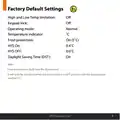
Hi 35°C Lo 5°C
This menu allows the installer to change the minimum and
maximum temperatures that the thermostat can be set at.
To access this setting, press and hold
seconds.
&
together for 5
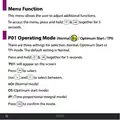
‘P01’will appear on the screen.
Press
Press
until ‘P02’appears on the screen.
to select.
‘HI LIMIT’will appear, the temperature will begin to ꢂash.
Use
and
to select the high limit for the thermostat.
Press
to conꢀrm.
‘LOW LIMIT’will appear, the temperature will begin to ꢂash.
Use
and
to select the low limit for the thermostat.
Press
Press
to conꢀrm.
to return to normal operation.
When this setting is enabled, ‘LIMIT’will appear permanently on
the screen.
EPH Controls Ltd.
29

| General | Details |
|---|---|
| Name | EPH CDTP2 Room Thermostat Installation Guide |
| Make | EPH |
| Language | English |
| Filetype | PDF (Download) |
| File size | 0.58 MB |
 (1 votes, average: 5.00 out of 5)
 Loading...


GEWiSS GW 10 794H KNX Timed Thermostat Instruction Manual

FantiniCosmi CH143E 230V Flush Mounting Weekly Programmable Thermostat User Manual

GENERAL Life SENNA 300 RF Wireless Room Thermostat User Guide

Honeywell Home T10 Programmable Smart Thermostat Installation Guide

PERRY TE541 Digital Thermostat User Manual

WIFI Temp2 Battery Operated Thermostat Installation Guide

GENERAL LIFE HT330S Digital Room Thermostat User Manual

EPH Controls RFCP-RFCA RF Cylinder Thermostat Instruction Manual

SIEMENS TH 193 HC Heating and Cooling Room Thermostat Instruction Manual

4512673 Heatit ZM Thermostat 16A User Guide