
EPH CDTP2 Room Thermostat Installation Guide











P01 Operating Mode continued
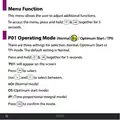
Optimum Start Control (OS)
When the thermostat is in Optimum Start mode, it will try to reach
the target temperature by the start of the next switching time. This is
done by setting the Ti (time interval) on the thermostat in this menu
to 10, 15, 20, 25 or 30 minutes. This will allow the thermostat 10 to 30
minutes to increase the room temperature by 1°C.
To achieve the target temperature when the program starts, the
thermostat will read:
1. The Room Temperature (RT)
2. The Setpoint Temperature (ST)
3. The Target Temperature Diꢁerence (TTD) is the diꢁerence
between the setpoint temperature and the room temperature.
The time (in minutes) that it will take to overcome (TTD) is called
Optimum Start Time (OST) and its maximum value is 3 hours = 180
mins. This is subtracted from the start time.
As the temperature increases the thermostat will recalculate the
OST.
24
CDTP2

| General | Details |
|---|---|
| Name | EPH CDTP2 Room Thermostat Installation Guide |
| Make | EPH |
| Language | English |
| Filetype | PDF (Download) |
| File size | 0.58 MB |
 (1 votes, average: 5.00 out of 5)
 Loading...


Aprilaire S86N MUPR Multi Stage Universal Thermostat Owner’s Manual

ENSTO ECO16TOUCH Combination Thermostat Instruction Manual

auronic AU3151 Oil Radiator with Thermostat User Manual

Danfoss RET 230 Electronic Heat Cool Thermostat Instruction Manual

BEOK TGR85-EP Underfloor Heating Thermostat User Guide

king K702E-2 SimplStat Electronic Thermostat Instruction Manual

Danfoss RET230P Electronic Thermostat Instruction Manual

SALUS CONTROLS RT200 Electronic Room Thermostat Instruction Manual

EUROSTER 2006TXRX Wireless Programmable Thermostat Installation Guide

aube technologies TH110A-DP-P Thermostat User Manual