×
- 1. Bosch Connected Control (Bcc110 Wi-fi Thermostat → Installation Guide & User Manual)
- 2. Installation Guide (Compatibility → Thermostat Installation → Initial Setup → Troubleshooting → Thermostat Overview → App Menu Overview)
- 3. Meet The Bosch Connected Control (bcc110 Thermostat) (Connectivity → Weather → ' Full-color Touch Screen → Hvac Filter Reminder → Programmable → Compatibility)
- 4. Compatibility (Professional Installation Recommendations → Supported Systems → Unsupported Systems)
- 5. Installation Overview (Included In The Box → Tools You Will Need → Tools You May Need → Bcc110 Wi-fi Thermostat)
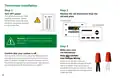
- 6. Thermostat Installation (Turn Off Power → Make Sure Your Old Thermostat Does Not Contain Line Voltage Wiring)
- 7. Take A Picture Of The Existing Wiring (Confirm You Have A C-wire Connected → Pull Thermostat Wires Through The Hole In The Center)
- 8. Thermostat Installation (Insert Each Wire Into The Corresponding Terminal → Drill And Insert Wall Anchors (if Necessary) → Check If The Wall Plate Is Level And Insert Screws)
- 9. Bcc110 Terminal (Bcc110 Terminal Key → Alarm Input → C-wire (common) → St Stage Heating → Nd Stage Heating → Humidifier/dehumidifier)
- 10. Thermostat Installation (Download The Bosch Easyair App → Configure Your Bcc110 Thermostat)
- 11. Initial Setup (User Account Setup → Add Device → Mac Id And Temporary Verification Code)
- 12. Initial Setup (Unit Configuration → If You Have A Boiler → If You Have A Heat Pump → If You Have A Dual Fuel System)
- 13. Use The Balance Point (Change Over Delay → If You Have A Humidifier → If You Have An Electric System → If You Have A Dehumidifier → If You Have No Heating Appliance → Select Your Stage Configuration)
- 14. Network Name And User Id (App Setup → Manual Entry → Connection Issues)
- 15. Initial Setup (Schedule → Auto Reconnect)
- 16. This Schedule Will Be Used To Set Your Heating/cooling Equipment To 2 Periods With Set Points (1 Heating And 1 Cooling) That Can Be Manually…
- 17. Initial Setup (Review → Congratulations!)
- 18.
- 19. Advanced Settings (Installer Access → Humidity Calibration → Relative Humidity Hysteresis → Initial Setup → Sensor Calibration → Sensitivity Level)
- 20. Advanced Settings (Heating & Cooling → Fan Delay On → Fan Delay On Elec → Min. Run Time → Zero Energy → Deadband)
- 21. Troubleshooting & Frequently Asked Questions (Wi-fi → Can The Bcc110 Be Used Without Wi-fi? → Will The Bcc110 Support All Wi-fi Systems & Routers? → Trouble Connecting To Your Home's Wi-fi Network?)
- 22. Wiring Diagrams (Bcc110 Terminal → Alarm Input → St Stage Heating → Nd Stage Heating → Humidifier/dehumidifier → Thermostat Power)
- 23. Wiring Diagrams (Single Stage Heat Furnace → Two Stage Heat Furnace)
- 24. Wiring Diagrams (Single Stage Heat Boiler → Combined Single Stage Heat Furnace And Single Stage Cool Air Conditioner)
- 25. Wiring Diagrams (Heat Pump Systems → Single Stage Heat Pump → Single Stage Heat Pump With Emergency Heat And Auxiliary Heat)
- 26. Wiring Diagrams (Two Stage Heat Pump With One Stage Emergency Heat → Single Stage Cool Air Conditioner)
- 27. Wiring Diagrams (Combined Single Stage Heat Pump And Single Stage Furnace (dual Fuel) → Humidifier Or Dehumidifier Accessory With A Single Stage Heat Pump)
- 28.
- 29. Main Screen (Main Menu → Wifi / Cloud Access → Fan → Status → System → Mode)
- 30. Thermostat And App Icons (Basic Icons → System Modes → Fan Modes → Menu → Heat Mode → Cool Mode)
- 31. System Connectivity (Unit Operation → Heat Mode → Cool Mode → Auto Mode → Emergency Heating)
- 32. Adjusting Temperature Setpoint(s) (Schedule Override On The App → Temporary Adjustment → Schedule Override On The Thermostat)
- 33. Thermostat Overview (Unit Operating Mode → Fan Operation)
- 34. Thermostat Overview (Humidifier & Dehumidifier Operating Mode → Temperature, Alerts, And Auto-on → Run Time)
- 35. Additional Information (Weather Forecast → Device Information → Screen Options → Factory Reset)
- 36.
- 37. Bosch Easyair App (Three Ways To Download)
- 38. App Home Tab (Thermostat Screen Lock → Actual Room Relative Humidity → Actual Room Temperature → Heating Setpoint → Cooling Setpoint → Current Schedule Period)
- 39. Adjusting Temperature Setpoint(s) On The App (No Schedule → Schedule)
- 40. Schedule Overview (Add A New Period → Edit An Existing Period → Schedule)
- 41. Schedule Overview (Delete An Existing Period → Copy A Schedule → Save Schedule)
- 42. App Dashboard Overview (Home → Schedule → Settings → View Room Temperature And Adjust Set Point → Use The Settings Tab To Adjust Temperature Settings, Date & Time, Location, Screen Lock, And View Device Information.)
- 43. Alexa, Set My Thermostat To 72 Degrees
- 44. Additional Features (Control Your Bcc110 With Amazon Alexa → You Can Control The Bcc110 By Saying: → Device Name)
- 45. Connecting Your Bcc110 To Amazon Alexa (Download The Bosch Easyair → Enable Bosch Easyair Skill → Linking Accounts → Device Discovery → Control Your Bcc110 With Alexa → Customer Support)
- 46. Connecting Your Bcc110 To Google Assistant (Download The Bosch Easyair App → Download The Google Home App → Setup Your Google-enabled Device → Link Bosch Easyair To Google Home → Choose A Home For Your Thermostat → Control Your Bcc110 Thermostat With Google Assistant)
×
BOSCH BCC110 Connected Control Wi-Fi Thermostat User Manual
| General | Details |
|---|---|
| Name | BOSCH BCC110 Connected Control Wi-Fi Thermostat User Manual |
| Make | Bosch |
| Language | English |
| Filetype | PDF (Download) |
| File size | 1.41 MB |

BOSCH RT_II_230V Room Thermostat Instructions

BOSCH Smart Home Room Thermostat Instruction Manual

BOSCH BCC110 Connected Control Thermostat Instruction Manual

BOSCH RT20 RF Room Thermostat User Manual

BOSCH 6721807275 Smart Radiator Thermostat Installation Guide

BOSCH Thermostat atmosphere Smart Home 230 V Instruction Manual

BOSCH 8750000270 Radiator Thermostat II Smart Home Radiator Thermostat Instructions

BOSCH II 230V Room Thermostat Instruction Manual

BOSCH Radiator Thermostat Instructions

BOSCH BCC110 Thermostat User Guide


DEVI 530M Electronic Thermostat Installation Guide

YETI YET-53 Smart Heating Thermostat User Manual

Beca BHP-8000 C Room Thermostat User Guide

FRIGIDAIRE W960 Installing E-Smart Thermostat User Manual

WATTS 563 WiFi Thermostat User Manual

CYDATA CY917B Daisy Wi-Fi Thermostat User Guide

HTS HY02TP Programmable Plug In Thermostat User Manual

GENERAL 300S Wired Room Thermostat User Manual

MYSON Unisenza Plus Thermostat Instruction Manual

Danfoss UT 72-UT 73 Universal Thermostat Installation Guide
Table of Contents
- 1. Bosch Connected Control - Bcc110 Wi-fi Thermostat →
- 2. Installation Guide - Compatibility →
- 3. Meet The Bosch Connected Control (bcc110 Thermostat) - Conne... →
- 4. Compatibility - Professional Installation Recommendations →
- 5. Installation Overview - Included In The Box →
- 6. Thermostat Installation - Turn Off Power →
- 7. Take A Picture Of The Existing Wiring - Confirm You Have A C... →
- 8. Thermostat Installation - Insert Each Wire Into The Correspo... →
- 9. Bcc110 Terminal - Bcc110 Terminal Key →
- 10. Thermostat Installation - Download The Bosch Easyair App →
- 11. Initial Setup - User Account Setup →
- 12. Initial Setup - Unit Configuration →
- 13. Use The Balance Point - Change Over Delay →
- 14. Network Name And User Id - App Setup →
- 15. Initial Setup - Schedule →
- 16. This Schedule Will Be Used To Set Your Heating/cooling Equip... →
- 17. Initial Setup - Review →
- 18. Page 18 →
- 19. Advanced Settings - Installer Access →
- 20. Advanced Settings - Heating & Cooling →
- 21. Troubleshooting & Frequently Asked Questions - Wi-fi →
- 22. Wiring Diagrams - Bcc110 Terminal →
- 23. Wiring Diagrams - Single Stage Heat Furnace →
- 24. Wiring Diagrams - Single Stage Heat Boiler →
- 25. Wiring Diagrams - Heat Pump Systems →
- 26. Wiring Diagrams - Two Stage Heat Pump With One Stage Emergen... →
- 27. Wiring Diagrams - Combined Single Stage Heat Pump And Single... →
- 28. Page 28 →
- 29. Main Screen - Main Menu →
- 30. Thermostat And App Icons - Basic Icons →
- 31. System Connectivity - Unit Operation →
- 32. Adjusting Temperature Setpoint(s) - Schedule Override On The... →
- 33. Thermostat Overview - Unit Operating Mode →
- 34. Thermostat Overview - Humidifier & Dehumidifier Operating Mode →
- 35. Additional Information - Weather Forecast →
- 36. Page 36 →
- 37. Bosch Easyair App - Three Ways To Download →
- 38. App Home Tab - Thermostat Screen Lock →
- 39. Adjusting Temperature Setpoint(s) On The App - No Schedule →
- 40. Schedule Overview - Add A New Period →
- 41. Schedule Overview - Delete An Existing Period →
- 42. App Dashboard Overview - Home →
- 43. Alexa, Set My Thermostat To 72 Degrees →
- 44. Additional Features - Control Your Bcc110 With Amazon Alexa →
- 45. Connecting Your Bcc110 To Amazon Alexa - Download The Bosch ... →
- 46. Connecting Your Bcc110 To Google Assistant - Download The Bo... →