
BOSCH BCC110 Connected Control Wi-Fi Thermostat User Manual


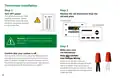


4. Use the Balance Point to set the outdoor temperature value the
thermostat will use to switch between your heat pump and fossil
fuel appliance. Above this value, your thermostat will use your
heat pump to heat your home and below this value, your
thermostat will use your fossil fuel heating appliance.
Need Help?
If you are unsure of which option to select,
contact your local contractor or our
support line: 1-800-283-3787.
If you have a whole home humidifier or dehumidifier
accessory wired to your thermostat, select the type of
accessory you have in your home; otherwise, click None
and then click Next Arrow.
5. Use the Change over Delay to set the time the system will be off
when changing between heat pump and fossil fuel heating
sources. This delay allows for the coil to cool before switching
between heating appliances.
Note: Professional installation is recommended for humidifiers
and dehumidifiers.
Note: In a dual fuel system, the BCC110 automatically enables
auxiliary heating using the fossil fuel heating appliance.
Note: In a dual fuel system, the BCC110 will stage up from heat
pump to fossil fuel following the stage settings, which can be
modified in Advanced Settings > Installer Access > by using the
ST Action Code.
If you have a Humidifier
1. Select Humidifier and click the Next Arrow at the top right
corner of the screen.
2. Then select Evaporative or Steam following the on-screen
instructions. For Evaporative the humidifier is activated only
during active heating. For Steam the humidifier is activated
regardless of a heating call.
6. Click Next Arrow at the top right corner of the screen.
If you have an electric system
Select Electric and click Next Arrow at the top right
corner of the screen
3. Click Next Arrow at the top right corner of the screen.
If you have a Dehumidifier
1. Select Dehumidifier and click the Next Arrow at the top right
corner of the screen.
If you have no heating appliance
Select No Heating and click Next Arrow at the top right
corner of the screen
2. Then enable or disable Cool to Dehumidify following the
on-screen instructions. If Cool to Dehumidify is enabled the
dehumidifier is activated only during active cooling. If disabled
the dehumidifier is activated regardless of a cooling call.
3. Click Next Arrow at the top right corner of the screen.
Select your stage configuration
Select your stage configuration according to the heating
and cooling appliances you have in your home and
then click Next Arrow at the top right corner of the screen.
13

| General | Details |
|---|---|
| Name | BOSCH BCC110 Connected Control Wi-Fi Thermostat User Manual |
| Make | Bosch |
| Language | English |
| Filetype | PDF (Download) |
| File size | 1.41 MB |
 (1 votes, average: 5.00 out of 5)
 Loading...

BOSCH RT_II_230V Room Thermostat Instructions

BOSCH Smart Home Room Thermostat Instruction Manual

BOSCH BCC110 Connected Control Thermostat Instruction Manual

BOSCH RT20 RF Room Thermostat User Manual

BOSCH 6721807275 Smart Radiator Thermostat Installation Guide

BOSCH Thermostat atmosphere Smart Home 230 V Instruction Manual

BOSCH 8750000270 Radiator Thermostat II Smart Home Radiator Thermostat Instructions

BOSCH II 230V Room Thermostat Instruction Manual

BOSCH Radiator Thermostat Instructions

BOSCH BCC110 Thermostat User Guide


ENSTO ECO16BT-J Floor Heating Thermostat User Guide

MRCOOL Mini-Stat WiFi Thermostat User Manual

SALUS AT10 Pipe-Fitted Thermostat User Guide

RTH21 Programmable Thermostat Coldbuster Dual Instruction Manual

ENGO Controls EONE230W Internet Controlled Thermostat User Guide

BEOK CONTROLS TDS75 Touch Screen Thermostat Instruction Manual

hawco AC2-5 Two Stage Thermostat Instruction Manual

AIRZONE AZS62THINKRB, AZS62THINKRN Wireless Think Thermostat Instruction Manual

Honeywell TL7135A Non-Programmable Thermostat User Guide

Wengart TP808-S-2 Low Voltage Thermostat User Guide