
Home > Blue Universal > Blue Universal OH-1202 Touchscreen Thermostat Instruction Manual
Blue Universal OH-1202 Touchscreen Thermostat Instruction Manual


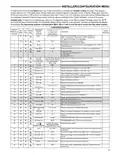




INSTALLER/CONFIGURATION MENU
"Keypad Lockout and P" = Partial Lockout. Partial
keys to operate within
When the outdoor temperature falls below the selected
temperature the gas heat will begin. Default is 35°, but
can be set in the range of -5 to 50°. A lower setting will
delay the start of gas heat allowing cooler temperature in
the home.
Lockout allows only the
your set temperature limits.
or
"Temperature Limit/Keypad Lockout" prevents
changing the temperature limits in the Configuration Menu.
After the type of lockout is selected, press
Keypad Lockout Combination Number Selection
Display will read "000" "Keypad Lockout".
Skip this step and continue through the remainder of the
configuration menu if you require an Air Filter Change
out indicator or Humidifier Pad Change out indicator by
.
35. Select Dual Fuel Setting – With DF selected On and no
outdoor sensor, select the dF setting from 01-09. Factory
default is 05. The dF setting influences when second
stage comes on. The factory default creates a separation
of approximately 1°F between stages. Increasing the
setting decreases the separation between stages.
Decreasing the value increases stage separation. This
adjustment allows a small change in the operation of your
heat pump system versus your auxiliary system relative
to the thermostat adjustment. The higher the number the
sooner the auxiliary stage energizes for better comfort.
The lower the number the longer period of time before
auxiliary is energized for more economy.
pressing the
key to advance.
Return to this point when you are ready to start your
selected lock-out and continue by:
Pressing
or
keys to select your keypad lockout
combination number. Note: "000" is not a valid
combination choice.
Record the number you select for future use.
Press
to exit the menu. The security feature you select
Note: This setting is not minutes or degrees. It is numeric
setting that will influence the internal thermostat
calculation for staging.
36. Select Compressor Delay (Cd) – After the auxiliary heat
is turned on, the compressor(s) shut down is delayed for
the time selected (in seconds). This delay is factory set to
60, but can be set in the range of 0 to 99.
will start in 10 seconds. The system key will remain active
for 10 seconds to allow setting Heat, Off, Cool or Auto.
To unlock the keypad, press Menu, then press Installer
Config. Display will show "000" and keypad lock. Enter
the code used to lock the keypad and press
28 & 29. Select Fast Second Stage, ON or OFF – Not
.
available if configured for SS1. Selecting FA ON forces
additional heat stages to come on quickly when
37. Select Auxiliary Off (AO) – Applicable with HP1 or HP2
selected with outdoor sensor. Select the temperature
that will inhibit the auxiliary heating stage. As long as the
outdoor temperature is above the selected temperature,
the auxiliary heat will not turn on. The default setting is
80°(disabled), but can be set in the range of -5° to 79°.
Thermostat will not allow a setting at or below the (dF)
dual fuel setting.
is
used to raise the temperature a few degrees above the
room. Select this setting if you want the heat to increase
quickly when you manually raise the temperature.
Selecting FA OFF allows the thermostat to calculate
an optimal time to bring on additional stages of heat.
When the
is used to raise the setting above the room
temperature additional heat stages may come on very
quickly or very slowly (up to 30 minutes later) depending
on recent system performance. Select this setting if you
do not require the additional heat stages to come on
quickly when you manually raise the setting and want to
allow the thermostat to stage based on recent system
performance.
If indoor temperature drops below 45° because of a
possible heat pump malfunction, the thermostat will
turn off the pump and switch to Auxiliary heat. "Call for
Service" will display on screen.
There are two ways the thermostat will return to normal
heat pump operation:
•
Press any key to retry the pump and erase the "call for
service icon.
The Fast Cool feature operates the cooling stages in
the same manner as Fast Heat, On or Off when the
temperature is lowered below the room setting.
30. Select Remote Temperature Sensor Enabled – ON
enables a remote sensor connected to thermostat and
displays the sensor temperature in the clock digits.
OFF (default) indicates no remote sensor connected or
enabled.
31. Select Remote Sensor as Indoor or Outdoor – If 30
is enabled, select the remote to be Remote In (Indoor,
F145-1328) or Outdoor Remote (Outdoor, F145-1378).
Default is Remote In.
32. Select Local Sensor Disable – If 31 is selected Indoor,
the thermostat Local Sensor can be disabled so the
displayed temperature will be from the Remote Sensor.
Default is On LS. To disable the Local Sensor, change
selection to OFF LS.
33. Select Dual Fuel Feature (dF) – This feature is
applicable only in heat pump modes (HP1, HP2). Enables
(On) or disables (Off) dual fuel feature of thermostat.
34. Select Dual Fuel Temperature – With dF selected On
and outdoor remote sensor available, select the outdoor
temperature the thermostat will use to determine when
to switch to gas heat and shut down the compressor.
•
When setpoint is achieved on Auxiliary, system will
return to heat pump operation on next call for heat.
38 & 39. Change UV Lamp – This feature allows the
thermostat to display the words "Change UV Lamp"
(Call for Service of UV bulb) after a set time of UV bulb
operation. This is a reminder to maintain your UV system
at optimum level of operation. When enabled, the factory
set interval for "Change UV Lamp" to be displayed is
350 days of UV bulb operation and can be adjusted in 25
day increments. This should be adjusted with respect to
the bulb’s recommended maintenance schedule.
When "Change UV Lamp" is displayed, you can clear it
by pressing Clean Display.
40 & 41. Select Change Filter Run Time – This feature
allows thermostat to display "Change Filter" after a set
time of blower operation. This is a reminder to change
or clean your air filter. This time can be set from 25
to 1975 hours in 25 hour increments. A selection of
OFF will cancel this feature. When "Change Filter" is
displayed, you can clear it by pressing Clean Display.
In a typical application, 200 hours of run time is
approximately 30 days.
8

| General | Details |
|---|---|
| Name | Blue Universal OH-1202 Touchscreen Thermostat Instruction Manual |
| Make | Blue Universal |
| Language | English |
| Filetype | PDF (Download) |
| File size | 0.4 MB |
 (1 votes, average: 5.00 out of 5)
 Loading...


aube TH114-AF-GA Non-Programmable Thermostat Owner’s Manual

ideal BOILERS Combi RF Wireless Boiler Thermostat User Guide

EPH CONTROLS RFR RF Room Thermostat Instruction Manual

Unisenza 230V-24V Stats Wired and Wireless Thermostat User Manual

HYSEN HY518WE WIFI Digital Heating Thermostat User Manual

Wengart TP808-S-2 Low Voltage Thermostat User Guide

REPTO R3300030 Smart Thermostat Instruction Manual

Danfoss RT 9E Automatic Thermostat Installation Guide

Wengart TP808 Low Voltage Thermostat User Guide

Hotwire HWTH Horizontal Thermostat Instructions