
Home > Blue Universal > Blue Universal OH-1202 Touchscreen Thermostat Instruction Manual
Blue Universal OH-1202 Touchscreen Thermostat Instruction Manual






OPERATINGYOUR THERMOSTAT
override period. The override period can be shortened by
pressing or lengthened by pressing . Program Override
period can range from 15 minutes to 7 days.
Manual Operation (Bypassing the Program)
Programmable Mode
Manual operation will bypass the program and allow you to
adjust the temperature as you desire. The temperature you
Example: If you turn up the heat during the morning program,
it will be automatically lowered later, when the temporary hold
period ends. To cancel the temporary setting at any time and
return to the program, press Run Schedule.
set in Hold will be maintained indefinitely. Press
or
to adjust the temperature. The HOLD key will appear. Press
the HOLD key. "Hold At" will appear next to the setpoint
temperature and the thermostat will maintain the new setpoint
temperature until Run Schedule is pressed to resume
program operation.
If the SYSTEM key is pressed to select AUTO the
thermostat will change to "Heat" or "Cool", whichever
ran last. If it switches to "Heat", but you want "Cool", or it
changes to "Cool", but you want "Heat", press both keys
simultaneously to change to the other mode.
Program Override (Temporary Override)
Press
override the temperature setting for a (default) four hour
or
keys to adjust the temperature. This will
PROGRAMMING
To copy a program from one day to another:
Set Current Time and Day
1. In Set Schedule mode, enter the program for the day or
select the day you wish to copy by pressing Advance Day.
1. Press Menu key to enter installer menu. Then press
Set Time once to indicate hour & AM or PM designation
in clock display.
2. Press Copy. The display will show “Copy” next to the
SYSTEM key and the day of the week that will be copied.
2. Press and hold either the
reach the correct hour and AM or PM designation.
or
touch key until you
3. Press Advance Day. The day being copied will be
indicated and the other days will be flashing.
3. Press Set Time again to display minutes only in clock
display.
4. If you wish to copy to all days skip to next step or press
Advance Day until the day you wish to copy to is flashing.
4. Press and hold either the
reach the correct minutes.
or
touch keys until you
5. Press Copy. “Copy” will disappear, the day you copied
from will disappear and the day(s) you copied to will be on.
5. Press Set Time once again to display year.
6. If you wish to copy this same program into other days,
press Copy and repeat steps 3, 4 and 5.
6. Press either the
correct year.
or
touch key until you reach the
7. Press Run Schedule to return to normal operation.
7. Press Set Time once again to display month.
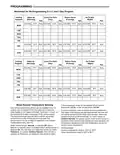
Fill in the blank schedule on the next page then:
8. Press either the
correct month.
or
touch key until you reach the
Enter the Heating Program
9. Press Set Time once again to display date of the month
along with day of the week at top row (which is automatic).
1. Press the Menu key and then press Set Schedule. Press
SYSTEM key to select "Heat" in the system switch area
indicating the active mode being programmed.You can
switch to the other mode by pressing the system switch at
any time.
10. Press and hold either the
or
touch key until you
reach the correct day of the month and day of the week
displayed at the top row.
2. The top of the display will show the day(s) being
programmed. The time and set at temperature are also
displayed. "Morning" will also be displayed to indicate
the period.
11. Press Run Schedule once or twice to remove the key.
Now the display will show the correct time and room
temperature.
Automatic Daylight Saving Calculation
3. Press
or
selected temperature for the 1st heating period (Morning).
key to change the temperature to your
The Real Time Clock will adjust automatically for daylight
savings time, in the following manner:
4. Press or key to adjust the start time for period.
The time will change in 15 minute increments.
Increment one hour at 2 AM on the second Sunday of March
and decrement one hour at 2 AM on the first Sunday of
November.
5. Press FAN to select Auto or Prog.
6. After you have set the time and the temperature for the
period to begin, press Set Schedule to advance to the
next program period.
The daylight saving feature can be enabled or disabled in
installer configuration menu. Default is DS ON (enabled).
After entering installer configuration mode, momentarily
press touch key until the display indicates dS (in actual
7. Repeat steps 2 through 6 until all of the program times
and temperatures are set for all program periods on
that day.
temperature digits) and on (default – in clock digits).
keys will toggle display and operation from on to OFF.
and
8. Press "Advance Day" to change to the next day and
repeat steps 2 through 8.
Programming Tip: Copy Program
When programming your thermostat, you may copy the
program from one day to another day or group of days using
the Copy key. In 7 day programming mode, a day can be
copied to another day or all six other days. In 5+1+1 day
programming mode the weekday (Mon – Fri) program can be
copied into Sat and Sun or either Sat or Sun.
9. When programming is complete and all of the times and
temperatures match your desired heating schedule,
press Run Schedule. The thermostat will now run your
program.
10

| General | Details |
|---|---|
| Name | Blue Universal OH-1202 Touchscreen Thermostat Instruction Manual |
| Make | Blue Universal |
| Language | English |
| Filetype | PDF (Download) |
| File size | 0.4 MB |
 (1 votes, average: 5.00 out of 5)
 Loading...


AuVerte 003001.C508 Thermostat Installation Guide

hansgrohe Ecostat 1001 SL Shower Thermostat Instruction Manual

White-Rodgers B50 Electric Heat Thermostat Installation Guide

GENERAL Life HT220S Digital Room Thermostat User Manual

Carrier EB-STATE3LTICB-01 lLite Smart Thermostat Instructions

HIVE Thermostat for Heating Owner’s Manual

Honeywell Home FocusPRO 200 Series Programmable Thermostat Installation Guide

WARMZONE BR1015A07 WZ Touch Thermostat User Guide

BEOK CONTROLS TGR86 WiFi Thermostat User Guide

Danfoss Eco Electronic Radiator Thermostat Instruction Manual