×
- 1. Give Your Customers Complete Control (Baxi Usense 2 Wired Smart Thermostat → Gateway Installation Guide)
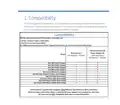
- 2. Compatibility (In The Box → Before You Start → Installation → Opentherm Hot Water Control (combi Only) → Outdoor Sensor → Technical Specifications)
- 3. Compatibility (Usense 2 Gateway & Power Adapter Kit → Baxi Usense 2 → Range)
- 4. In The Box (Gateway Package → The Gateway → Installation Guide → Screw And Plug Fixings → V Power Adaptor → Adhesive Pad For Power Adaptor)
- 5. Before You Start (Wear Appropriate Personal Protection Equipment → Positioning The Usense 2: → Prior To Installation Make Sure To:)
- 6. Installation (The Gateway → Fix The Gateway In Position)
- 7. Run Power To The Gateway (Use The Power Adaptor Supplied To Connect The Gateway → All Cables Must Be Supported → The Power Adaptor And Wiring Must Not Be Inside The Appliance → The Power Adaptor Must Be Supported)
- 8. Installation Of 230v Switched Connection (Connect The System Control Wiring To The Gateway → Gateway Terminals - On/off → Gateway Terminals - Ot → Gateway Terminals - R-bus)
- 9. Installation Of Opentherm Connections (To Connect Using The Ot Terminals → Do Not Connect 230v To These Opentherm Terminals Or It Will Damage The Gateway → V Power Supply → Room Unit → Ot Controlled Boiler → Opentherm Controlled Appliance)
- 10. To Connect The Gateway To The Usense 2
- 11. Slacken (Make Sure The Wires Are As Flat As Possible → Press The Room Unit Onto The Backplate Until It Clicks Into Place → Connect The Other End Of The Wires To The R-bus Terminals In The Gateway → The Connection Between The Room Unit And Gateway Is Low Voltage)
- 12. Set Up The Usense 2 Room Unit (Before Turning On The Power To The Gateway, Room Unit And Heating System → Download The Baxi Thermostat App And Create A Usense Account)
- 13. Opentherm Hot Water Control (The Usense 2 Room Unit Will Override The Hot Water Temperature Controls → Default Hot Water Temperature → Default Heating Flow Temperature → Adjusting Settings With Usense 2)
- 14. Outdoor Sensor (Connecting To An Outdoor Sensor → Adjusting The Heating Curve)
- 15. Technical Specifications (Usense 2 Room Unit → Dimensions → Power Supply → Ambient Conditions → Operating Conditions)
- 16. Usense 2 Room Unit (Technical Data → Room Temperature Measurement Range → Maximum Temperature Deviation At 20 C → Maximum Room Control Overshoot → Temperature Variation → Outside Temperature)
- 17. Compliant With Standards (Drop Test → Protection Classification → Erp Fiche Information → Contribution To Space Heating Energy Efficiency)
- 18. Gateway (Temperature → Input → R-bus → Max. 70 W → On/off → Opentherm)
- 19. Gateway Led Key (Starting Up → Gateway In Operation → No Appliance Detected → No Room Unit Detected → Internal Error)
- 20. For Tech Support (Opening Hours → Please Note Calls May Be Recorded For Training And Monitoring Purposes)
×
BAXI uSense 2 Wired Smart Thermostat Gateway Installation Guide
| General | Details |
|---|---|
| Name | BAXI uSense 2 Wired Smart Thermostat Gateway Installation Guide |
| Make | BAXI |
| Language | English |
| Filetype | PDF (Download) |
| File size | 0.41 MB |

BAXI uSense 2 Wired Smart Thermostat Installation Guide


EMERSON 1F87U-42WF Sensi Smart Thermostat User Guide

SIEMENS TH 193 HC Heating and Cooling Room Thermostat Instruction Manual

White Rodgers 1F95-1277 Big Blue Universal Thermostat Instruction Manual

HEARTH AND HOME Technologies E474962 Smart Stat Hht Remote Thermostat Instruction Manual

Raychem Elexant 450c Thermostat Instruction Manual

AeoTec Radiator Thermostat ZWA021 User Manual

CONTEMPORARY CONTROLS BAST-421C-B2 BACnet Communicating Thermostat User Manual

sinope Smart Low Voltage Thermostat TH1400WF Installation Guide

Gelia ip24 1.5m Cable With Stepless Thermostat Instruction Manual

GENERAL LIFE HT220 Digital Room Thermostat User Manual
Table of Contents
- 1. Give Your Customers Complete Control - Baxi Usense 2 Wired S... →
- 2. Compatibility - In The Box →
- 3. Compatibility - Usense 2 Gateway & Power Adapter Kit →
- 4. In The Box - Gateway Package →
- 5. Before You Start - Wear Appropriate Personal Protection Equi... →
- 6. Installation - The Gateway →
- 7. Run Power To The Gateway - Use The Power Adaptor Supplied To... →
- 8. Installation Of 230v Switched Connection - Connect The Syste... →
- 9. Installation Of Opentherm Connections - To Connect Using The... →
- 10. To Connect The Gateway To The Usense 2 →
- 11. Slacken - Make Sure The Wires Are As Flat As Possible →
- 12. Set Up The Usense 2 Room Unit - Before Turning On The Power ... →
- 13. Opentherm Hot Water Control - The Usense 2 Room Unit Will Ov... →
- 14. Outdoor Sensor - Connecting To An Outdoor Sensor →
- 15. Technical Specifications - Usense 2 Room Unit →
- 16. Usense 2 Room Unit - Technical Data →
- 17. Compliant With Standards - Drop Test →
- 18. Gateway - Temperature →
- 19. Gateway Led Key - Starting Up →
- 20. For Tech Support - Opening Hours →