×
- 1. Give Your Customers Complete Control (Baxi Usense 2 Wired Smart Thermostat → Gateway Installation Guide)
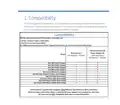
- 2. Compatibility (In The Box → Before You Start → Installation → Opentherm Hot Water Control (combi Only) → Outdoor Sensor → Technical Specifications)
- 3. Compatibility (Usense 2 Gateway & Power Adapter Kit → Baxi Usense 2 → Range)
- 4. In The Box (Gateway Package → The Gateway → Installation Guide → Screw And Plug Fixings → V Power Adaptor → Adhesive Pad For Power Adaptor)
- 5. Before You Start (Wear Appropriate Personal Protection Equipment → Positioning The Usense 2: → Prior To Installation Make Sure To:)
- 6. Installation (The Gateway → Fix The Gateway In Position)
- 7. Run Power To The Gateway (Use The Power Adaptor Supplied To Connect The Gateway → All Cables Must Be Supported → The Power Adaptor And Wiring Must Not Be Inside The Appliance → The Power Adaptor Must Be Supported)
- 8. Installation Of 230v Switched Connection (Connect The System Control Wiring To The Gateway → Gateway Terminals - On/off → Gateway Terminals - Ot → Gateway Terminals - R-bus)
- 9. Installation Of Opentherm Connections (To Connect Using The Ot Terminals → Do Not Connect 230v To These Opentherm Terminals Or It Will Damage The Gateway → V Power Supply → Room Unit → Ot Controlled Boiler → Opentherm Controlled Appliance)
- 10. To Connect The Gateway To The Usense 2
- 11. Slacken (Make Sure The Wires Are As Flat As Possible → Press The Room Unit Onto The Backplate Until It Clicks Into Place → Connect The Other End Of The Wires To The R-bus Terminals In The Gateway → The Connection Between The Room Unit And Gateway Is Low Voltage)
- 12. Set Up The Usense 2 Room Unit (Before Turning On The Power To The Gateway, Room Unit And Heating System → Download The Baxi Thermostat App And Create A Usense Account)
- 13. Opentherm Hot Water Control (The Usense 2 Room Unit Will Override The Hot Water Temperature Controls → Default Hot Water Temperature → Default Heating Flow Temperature → Adjusting Settings With Usense 2)
- 14. Outdoor Sensor (Connecting To An Outdoor Sensor → Adjusting The Heating Curve)
- 15. Technical Specifications (Usense 2 Room Unit → Dimensions → Power Supply → Ambient Conditions → Operating Conditions)
- 16. Usense 2 Room Unit (Technical Data → Room Temperature Measurement Range → Maximum Temperature Deviation At 20 C → Maximum Room Control Overshoot → Temperature Variation → Outside Temperature)
- 17. Compliant With Standards (Drop Test → Protection Classification → Erp Fiche Information → Contribution To Space Heating Energy Efficiency)
- 18. Gateway (Temperature → Input → R-bus → Max. 70 W → On/off → Opentherm)
- 19. Gateway Led Key (Starting Up → Gateway In Operation → No Appliance Detected → No Room Unit Detected → Internal Error)
- 20. For Tech Support (Opening Hours → Please Note Calls May Be Recorded For Training And Monitoring Purposes)
×
BAXI uSense 2 Wired Smart Thermostat Gateway Installation Guide
Contents
1
Compatibility
2
3
4
5
6
7
8
In the box
Before you start
Installation
OpenTherm hot water control (combi only)
Outdoor sensor
Technical specifications
Gateway LED key
Warning: High Voltage wiring must only be installed
and worked on by a suitably qualified person.
2
| General | Details |
|---|---|
| Name | BAXI uSense 2 Wired Smart Thermostat Gateway Installation Guide |
| Make | BAXI |
| Language | English |
| Filetype | PDF (Download) |
| File size | 0.41 MB |

BAXI uSense 2 Wired Smart Thermostat Installation Guide


bryant Smart Thermostat User Guide

ENGO E901 Programmable Wired Thermostat User Manual

heatit WiFi TRM3 Intelligent Smart Home Thermostat User Guide

SASWELL SAS919WHB-0 Thermostat User Manual

homematic IP HmIP-eTRV-E Series Radiator Thermostat Evo Installation Guide

JUMO exTHERM-AT Explosion-Protected Surface-Mounted Thermostat Instruction Manual

FURRION FACW10ESSA-BL Standard Single Zone Wall Thermostat User Guide

Blue Universal OH-1202 Touchscreen Thermostat Instruction Manual

Honeywell THX321WFS2001W T10 or T10+ Pro Smart Thermostat User Guide

REPTITRIP HMT16N Reptile Heating Mat With Digital Thermostat User Manual
Table of Contents
- 1. Give Your Customers Complete Control - Baxi Usense 2 Wired S... →
- 2. Compatibility - In The Box →
- 3. Compatibility - Usense 2 Gateway & Power Adapter Kit →
- 4. In The Box - Gateway Package →
- 5. Before You Start - Wear Appropriate Personal Protection Equi... →
- 6. Installation - The Gateway →
- 7. Run Power To The Gateway - Use The Power Adaptor Supplied To... →
- 8. Installation Of 230v Switched Connection - Connect The Syste... →
- 9. Installation Of Opentherm Connections - To Connect Using The... →
- 10. To Connect The Gateway To The Usense 2 →
- 11. Slacken - Make Sure The Wires Are As Flat As Possible →
- 12. Set Up The Usense 2 Room Unit - Before Turning On The Power ... →
- 13. Opentherm Hot Water Control - The Usense 2 Room Unit Will Ov... →
- 14. Outdoor Sensor - Connecting To An Outdoor Sensor →
- 15. Technical Specifications - Usense 2 Room Unit →
- 16. Usense 2 Room Unit - Technical Data →
- 17. Compliant With Standards - Drop Test →
- 18. Gateway - Temperature →
- 19. Gateway Led Key - Starting Up →
- 20. For Tech Support - Opening Hours →